
Now that the XMPP server and switches have been configured, commands can now be issued from an XMPP client either on the switch or a client running in Linux, Windows, etc.
This post will demonstrate the issuing of commands from the IM client Gajim and the Arista switches themselves using XMPP. By default, when configuring the Arista switches the privilege level was left as the default of 1
spine1(config-mgmt-xmpp)#show xmpp status
XMPP Server: 172.17.3.253 port 5222
Client username: spine1@securitydemo.lab
Default domain: securitydemo.lab
Default privilege level for received commands: 1
Connection status: not connected
spine1(config-mgmt-xmpp)#no shut
spine1(config-mgmt-xmpp)#show xmpp status
management xmpp
   no shutdown
   server 172.17.3.253
   username spine1@securitydemo.lab password 7 1424060E0A052479747A63
   switch-group all@conference.securitydemo.lab password 7 06351B244A4F074B554542
   domain securitydemo.lab
spine1#show xmpp status
XMPP Server: 172.17.3.253 port 5222
Client username: spine1@securitydemo.lab
Default domain: securitydemo.lab
Default privilege level for received commands: 1
Connection status: connected
Privilege 1 Commands
Commands can be sent to the switch in a couple of ways. Sending commands from switch to switch or to a group of switches.
As XMPP is a protocol that is designed for chat and instant messaging to send messages to a group of switches, they are part of a chat group.
I have installed Gajim on the Ubuntu server. Below are the screenshots of the configuration and sending commands from an IM client to a single switch.
sudo apt install gajim-omemo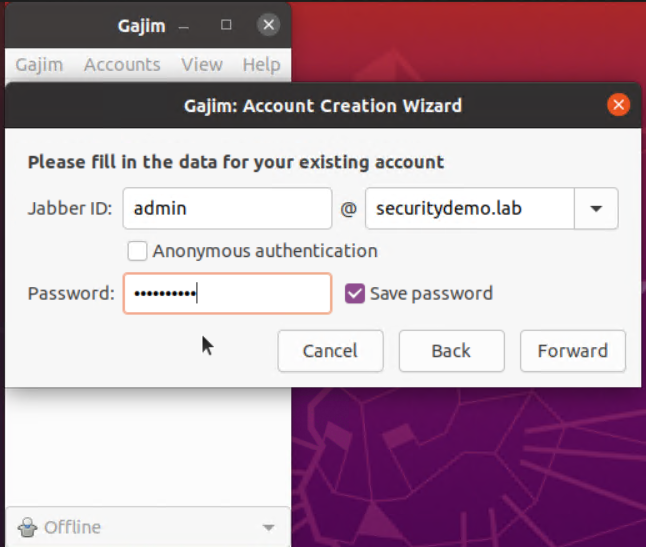
Manually set the hostname for the server
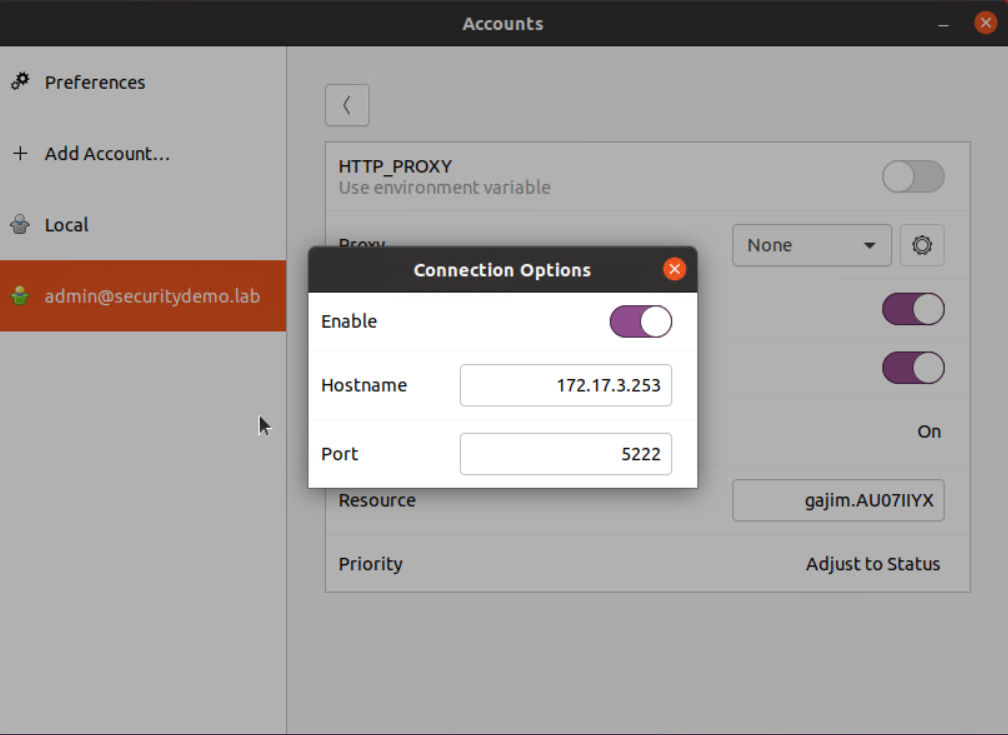
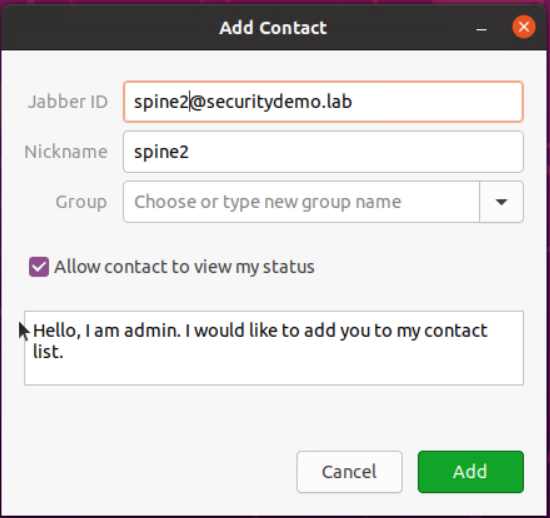
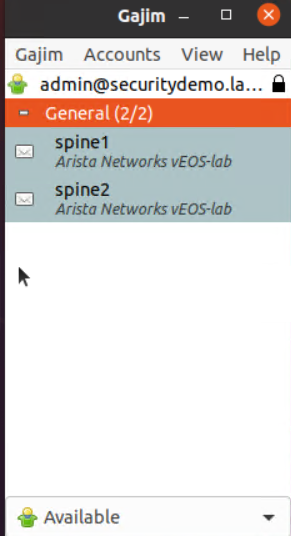
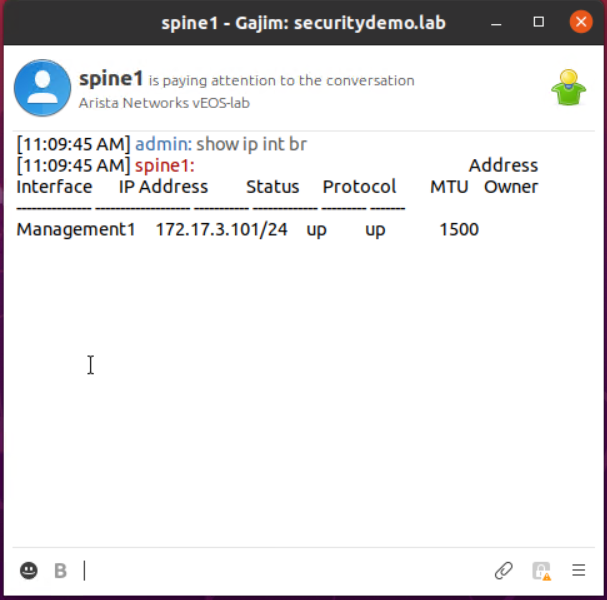
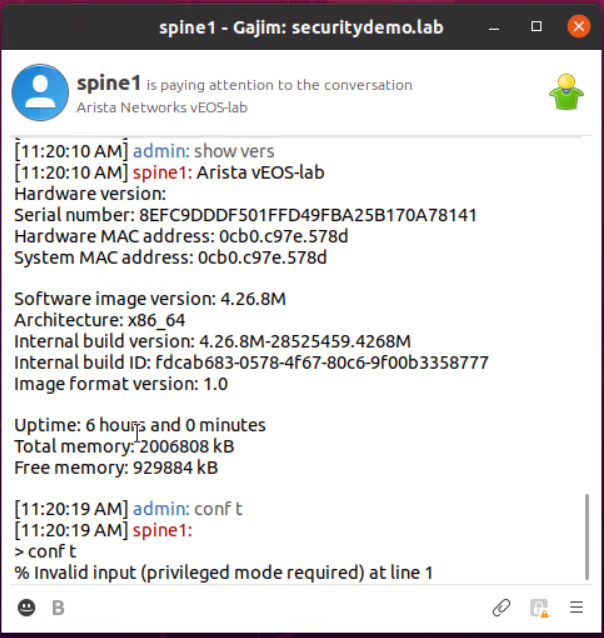
Commands can be sent from switchX to switchY, in a similar way to SSHing from switchX to SwitchY. Another feature is the ability for commands to be sent to multiple switches that are in a group.
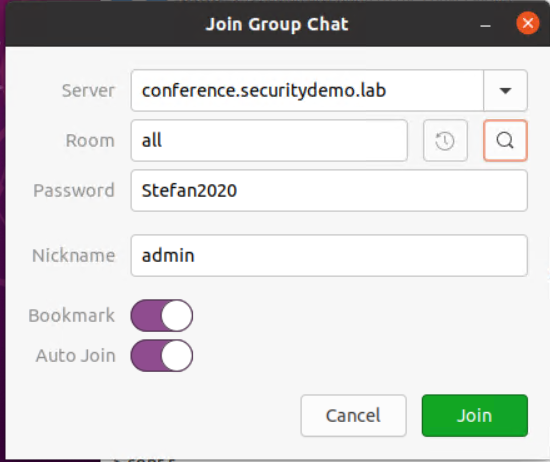
Each switch will need to be configured with the switch-group command in XMPP management for both of these features. Once the switches are in the same switch group, they will recognise each other as neighbours.
management xmpp
switch-group all@conference.securitydemo.lab password Stefan2020
The admin user is present because this is a known contact due to the integration with the IM client.
spine1#sho xmpp neighbors
Neighbor                       State           Time Since Last Change
------------------------------ --------------- -------------------------
admin@securitydemo.lab         present         5:56:16 ago
leaf1@securitydemo.lab         present         6:06:11 ago
leaf2@securitydemo.lab         present         6:06:15 ago
leaf3@securitydemo.lab         present         6:06:19 ago
leaf4@securitydemo.lab         present         6:06:24 ago
spine2@securitydemo.lab        present         6:05:32 ago

Neighbor                       Status Message
------------------------------ ----------------------------------------
admin@securitydemo.lab
leaf1@securitydemo.lab         Arista Networks vEOS-lab
leaf2@securitydemo.lab         Arista Networks vEOS-lab
leaf3@securitydemo.lab         Arista Networks vEOS-lab
leaf4@securitydemo.lab         Arista Networks vEOS-lab
spine2@securitydemo.lab        Arista Networks vEOS-lab
Now that the switches are all neighbours, commands can be issued on leaf2 from spine1 as if they are run from leaf2.
spine1#xmpp send leaf2@securitydemo.lab command show version
message from user: leaf2@securitydemo.lab
--------------------------------------------------
Arista vEOS-lab
Hardware version:
Serial number: C9734140FB699094F8456139251A7C2C
Hardware MAC address: 0cb0.c91e.eddd
System MAC address: 0cb0.c91e.eddd

Software image version: 4.26.8M
Architecture: x86_64
Internal build version: 4.26.8M-28525459.4268M
Internal build ID: fdcab683-0578-4f67-80c6-9f00b3358777
Image format version: 1.0

Uptime: 3 hours and 16 minutes
Total memory: 2006808 kB
Free memory: 941600 kB
Another method is to issue commands in a way that looks like you are directly on the neighbour switch.
So from spine1 I can interact with another switch, leaf2 in this case, as if I am on that switch directly.
spine1#xmpp session leaf2@securitydemo.lab
CliInputWrapper: CliInput: CliInput cannot be used if the readline module is loaded
xmpp-leaf2-spine1#show ip int br
response from: leaf2@securitydemo.lab
--------------------------------------------------
                                                                        Address
Interface        IP Address         Status      Protocol         MTU    Owner
---------------- ------------------ ----------- ------------- --------- -------
Management1      172.17.3.2/24      up          up              1500
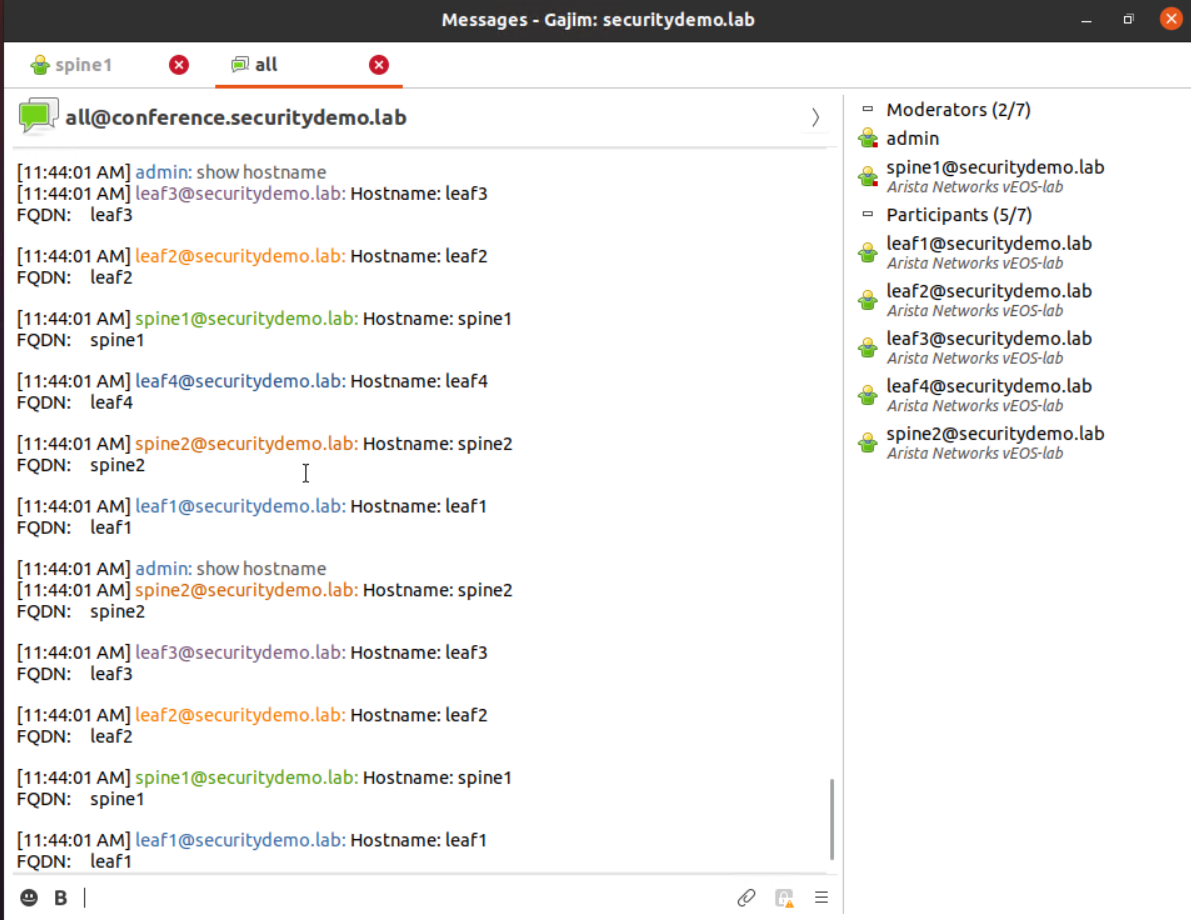
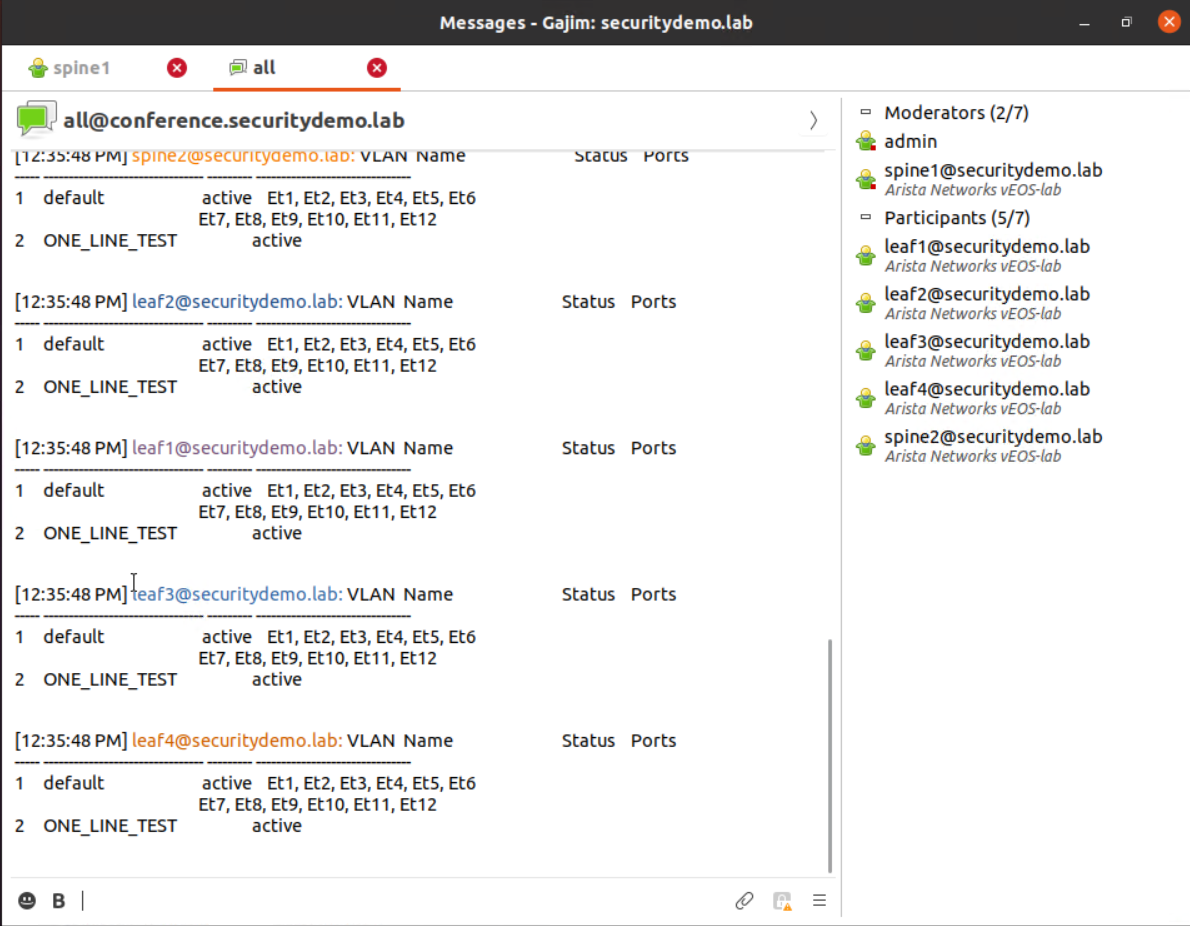
It is possible to issue a command to all the switches in the switch group, again can be done from the Arista CLI like commands to single switches can. This issues commands to the switch that sent the command. So I have 6 switches in the group, and 6 responses despite issuing the command from one of those 6 switches in the group.
spine1#xmpp send all@conference.securitydemo.lab command show ip int br
message from user: leaf1@securitydemo.lab
--------------------------------------------------
                                                                        Address
Interface        IP Address         Status      Protocol         MTU    Owner
---------------- ------------------ ----------- ------------- --------- -------
Management1      172.17.3.1/24      up          up              1500


message from user: leaf2@securitydemo.lab
--------------------------------------------------
                                                                        Address
Interface        IP Address         Status      Protocol         MTU    Owner
---------------- ------------------ ----------- ------------- --------- -------
Management1      172.17.3.2/24      up          up              1500


message from user: leaf3@securitydemo.lab
--------------------------------------------------
                                                                        Address
Interface        IP Address         Status      Protocol         MTU    Owner
---------------- ------------------ ----------- ------------- --------- -------
Management1      172.17.3.3/24      up          up              1500


message from user: leaf4@securitydemo.lab
--------------------------------------------------
                                                                        Address
Interface        IP Address         Status      Protocol         MTU    Owner
---------------- ------------------ ----------- ------------- --------- -------
Management1      172.17.3.4/24      up          up              1500


message from user: spine1@securitydemo.lab
--------------------------------------------------
                                                                        Address
Interface       IP Address          Status      Protocol         MTU    Owner
--------------- ------------------- ----------- ------------- --------- -------
Management1     172.17.3.101/24     up          up              1500


message from user: spine2@securitydemo.lab
--------------------------------------------------
                                                                        Address
Interface       IP Address          Status      Protocol         MTU    Owner
--------------- ------------------- ----------- ------------- --------- -------
Management1     172.17.3.102/24     up          up              1500
This switch group (group chat) can be joined from the IM client.
Commands issued in the switch group are all saved in the group chat.
Privilege 15 Commands
As all the commands so far have been issued by a user that can only perform privilege level 1 commands. Meaning, no show running or configuration commands.
There are a couple of ways to issue commands for privilege 15, for this I have taken the easy route to modify the XMPP config of each switch to default privilege 15 instead of 1. Another way is to use a AAA TACACS server and check the username against a set of permitted commands or user checks. This is in the next Arista post.
management xmpp
session privilege 15
spine1#show xmpp status
XMPP Server: 172.17.3.253 port 5222
Client username: spine1@securitydemo.lab
Default domain: securitydemo.lab
Default privilege level for received commands: 15
Connection status: connected
spine1#show xmpp neighbors
Neighbor                       State           Time Since Last Change
------------------------------ --------------- -------------------------
admin@securitydemo.lab         present         0:02:02 ago
leaf1@securitydemo.lab         present         0:02:02 ago
leaf2@securitydemo.lab         present         0:02:02 ago
leaf3@securitydemo.lab         present         0:02:02 ago
leaf4@securitydemo.lab         present         0:02:02 ago
spine2@securitydemo.lab        present         0:02:02 ago

Neighbor                       Status Message
------------------------------ ----------------------------------------
admin@securitydemo.lab
leaf1@securitydemo.lab         Arista Networks vEOS-lab
leaf2@securitydemo.lab         Arista Networks vEOS-lab
leaf3@securitydemo.lab         Arista Networks vEOS-lab
leaf4@securitydemo.lab         Arista Networks vEOS-lab
spine2@securitydemo.lab        Arista Networks vEOS-lab
Working as expected. Although I did reload all the switches, shut no shut of XMPP may have worked just as good.
spine1#xmpp session leaf2@securitydemo.lab
CliInputWrapper: CliInput: CliInput cannot be used if the readline module is loaded
xmpp-leaf2-spine1#conf t
xmpp-leaf2-spine1#show run
response from: leaf2@securitydemo.lab
--------------------------------------------------

> show run
! Command: show running-config at line 1
! device: leaf2 (vEOS-lab, EOS-4.26.8M)
!
! boot system flash:/vEOS-lab.swi
Sending configuration commands from one switch to another using the session or send options is not supported according to the Arista documentation. Below is an excerpt of the config restrictions
- Only enable-mode commands are allowed within the multi-switch CLI.
- Changing into a different CLI mode and running several commands in that mode is not supported (e.g., into configuration mode).
- An external XMPP client (for example Adium) can be used to send multiple lines within a single message. By sending multiple lines, it is possible to change into another CLI mode. After the message is processed, the switch automatically return to the enable mode.
- Commands that prompt for a response (like reload) are not supported.
- Long commands, such as image file copies, may cause the switch XMPP client to momentarily stop responding and disconnect. The switch should reconnect and the long command should complete.
- Many command outputs display in a specific table format. To achieve the same visual feel as through a terminal, use a monospaced font, such as Courier, for the incoming messages.
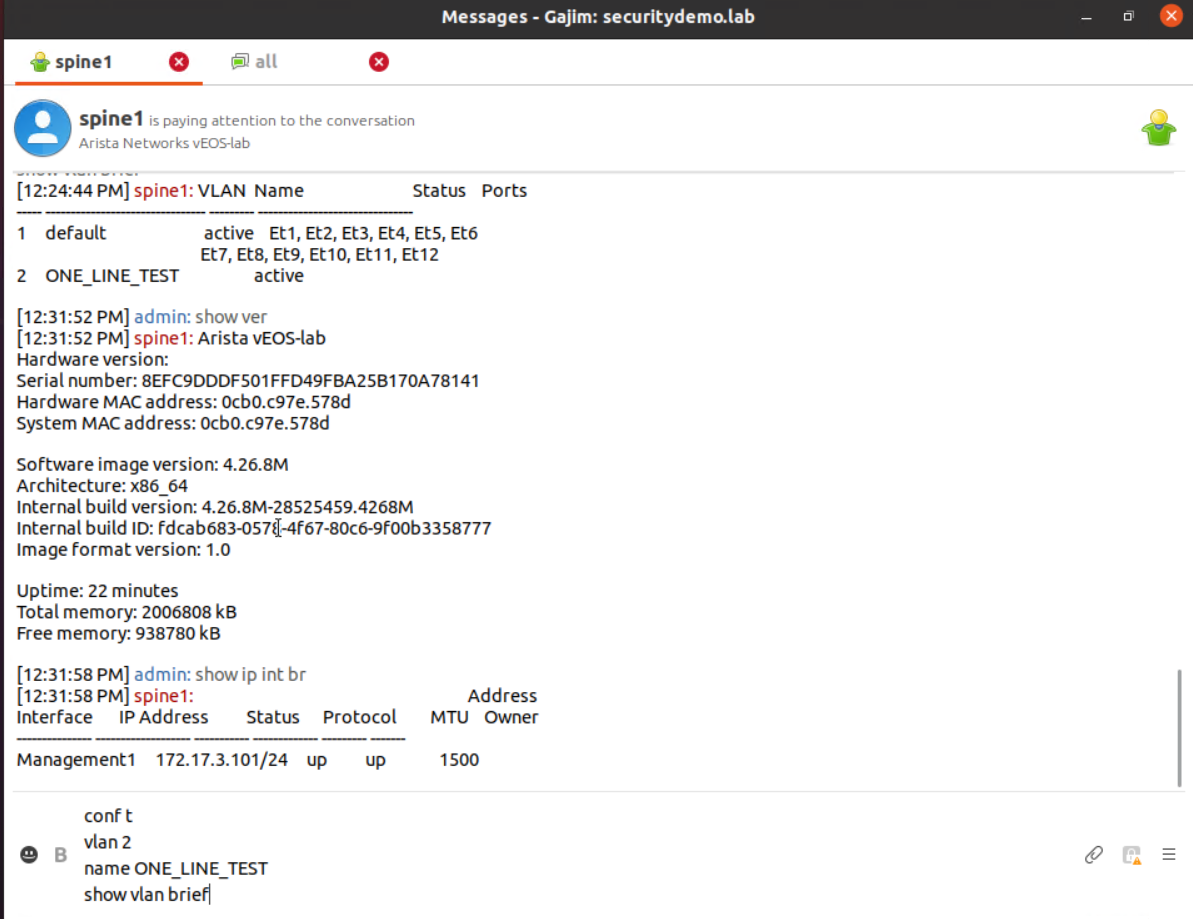
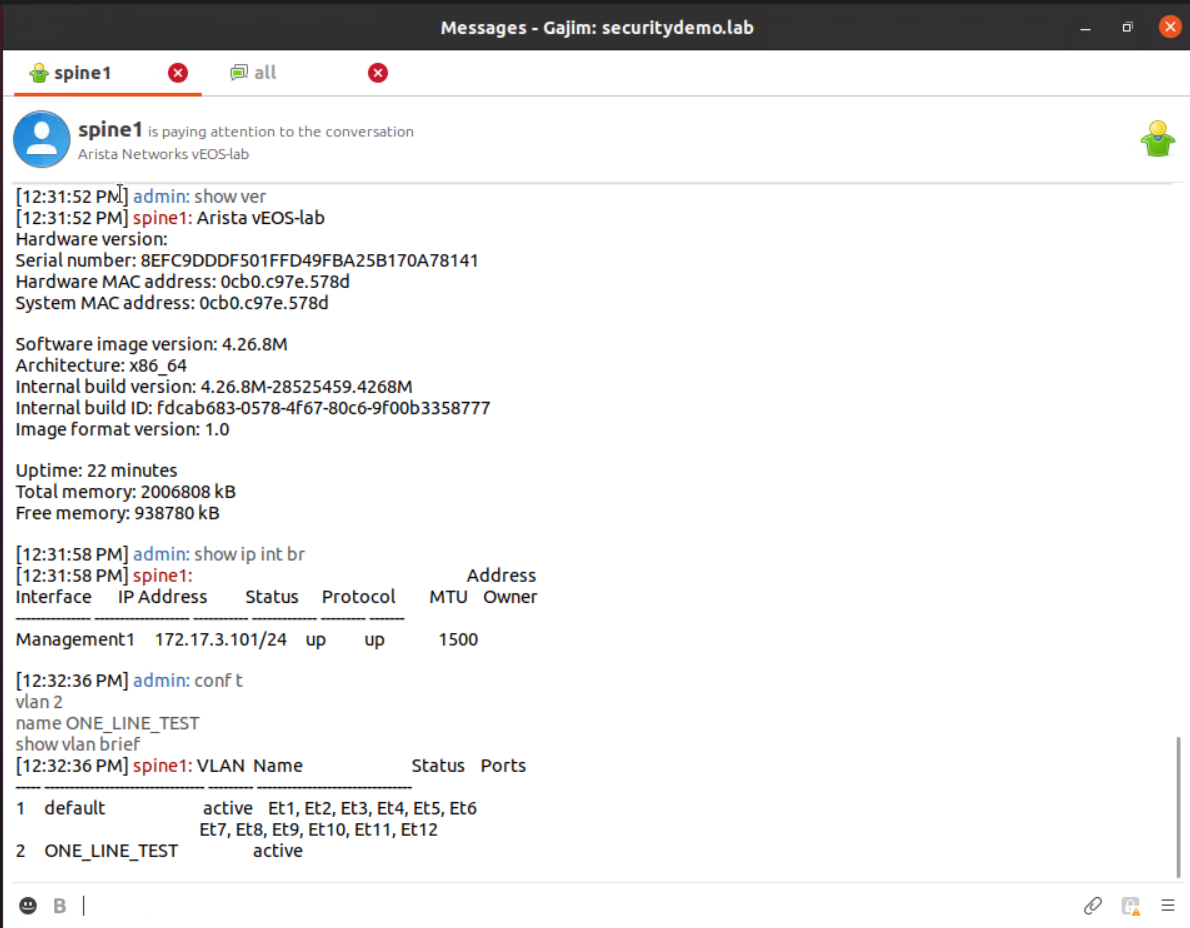
Issuing commands from the chat client requires everything as a single command. The commands are written line by line in a text editor and then pasted into the chat client as a single message, shift+enter will probably also work for a new line, depending on the client. There is no response from the switch unless there is output back to the user. So issuing configuration commands only returns something if the CLI returns something for that command, most do not.
Using AEM To Send Messages
AEM is the event manager. It works as an event, trigger and action sequence. More details about AEM can be found on the Arista website.
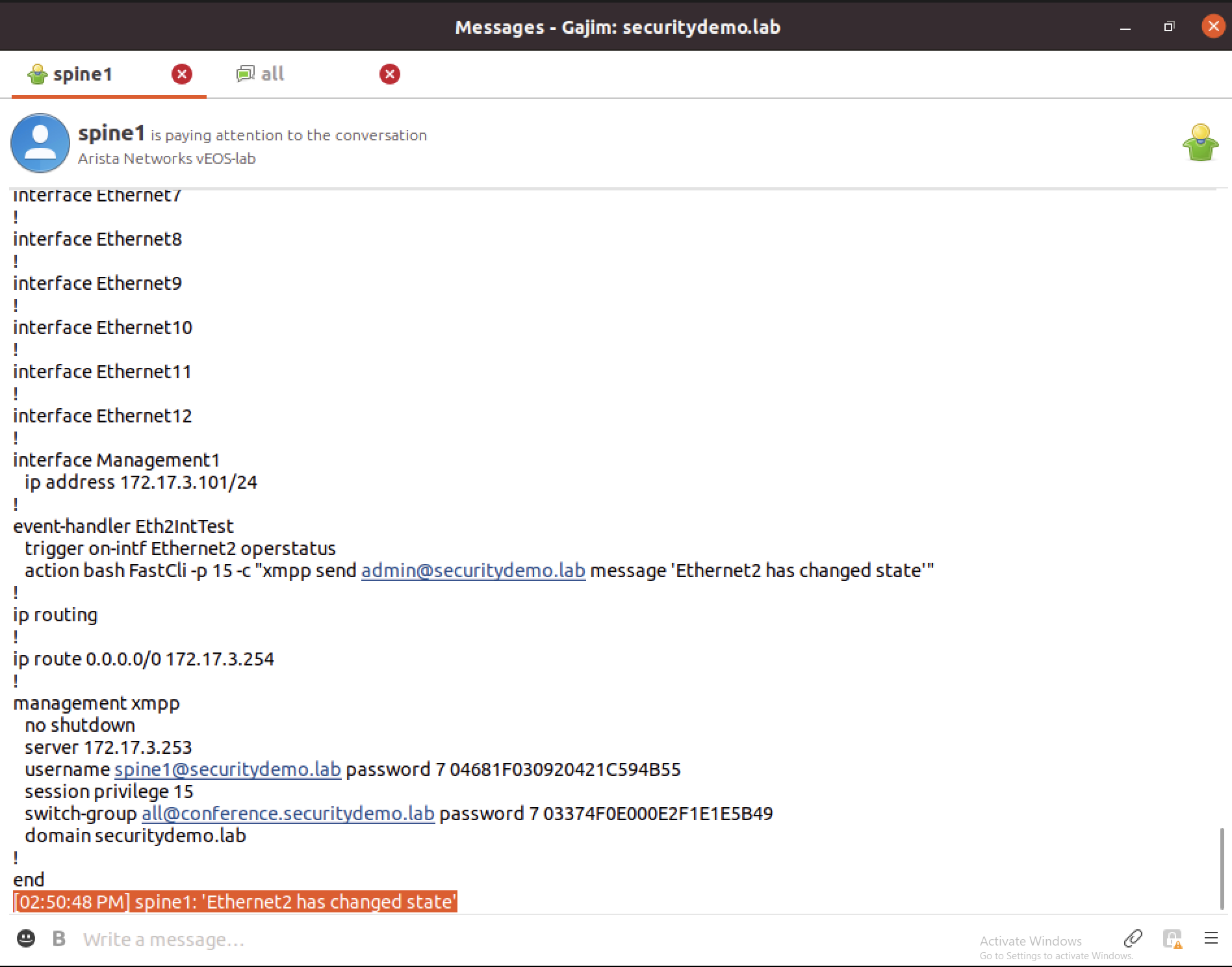
This example will show a switch that reports a message when an interface status is changed.
All the config is applied to the switch spine1 in the AEM config.
event-handler Eth2IntTest
trigger on-intf ethernet 2 operstatus
action bash FastCli  -p 15 -c "xmpp send admin@securitydemo.lab message 'Ethernet2 has changed state'"
Shutting down the interface eth2 should trigger the event and send a message to the admin in the chat client. A no shut will also trigger the same message. This is due to the trigger being a change in interface state.
I did try to modify this to get the switch to send the message to the chat group. The command runs, but I do not get any output in the chat or any other switches. I cannot see anywhere in the documentation that states this is not possible. It would be nice for the switches to use the switch group to send the message. Running show commands works, it is just the messages that seem to fail.