Cisco ACI Supports several methods of automation or infrastructure as code. For this example, I will be using Terraform to give examples of setting up different fabric policies using the Cisco ACI lab.
Setup
To get this setup, I have several things to do
- Install AnyConnect VPN
- Create a new ACI Terraform Project
- Install GitLab Runner on Mac
- Connect new GitLab runner to the GitLab Terraform project
Lab
Once the lab has been setup and VPN connected to the ACI APIC will be available at https://10.10.20.14/.
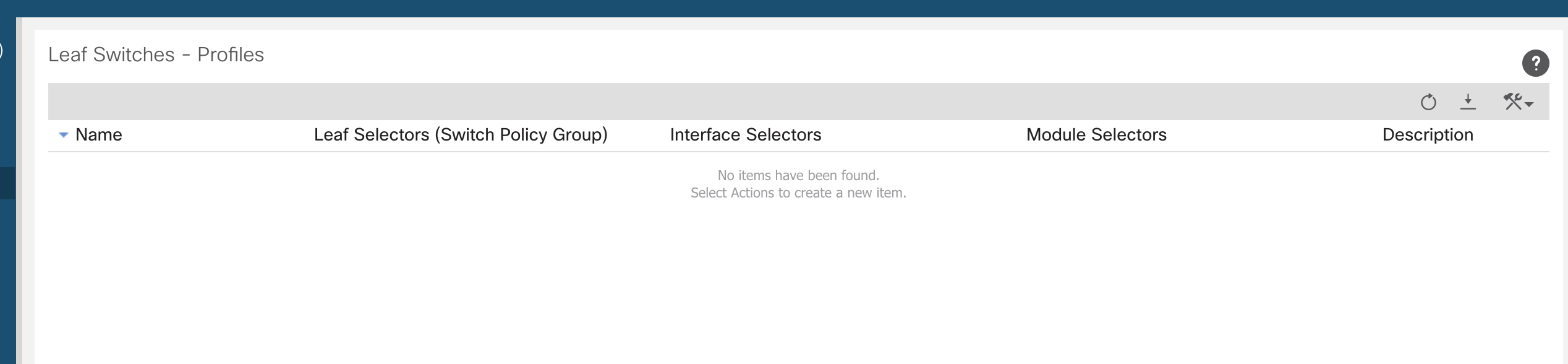
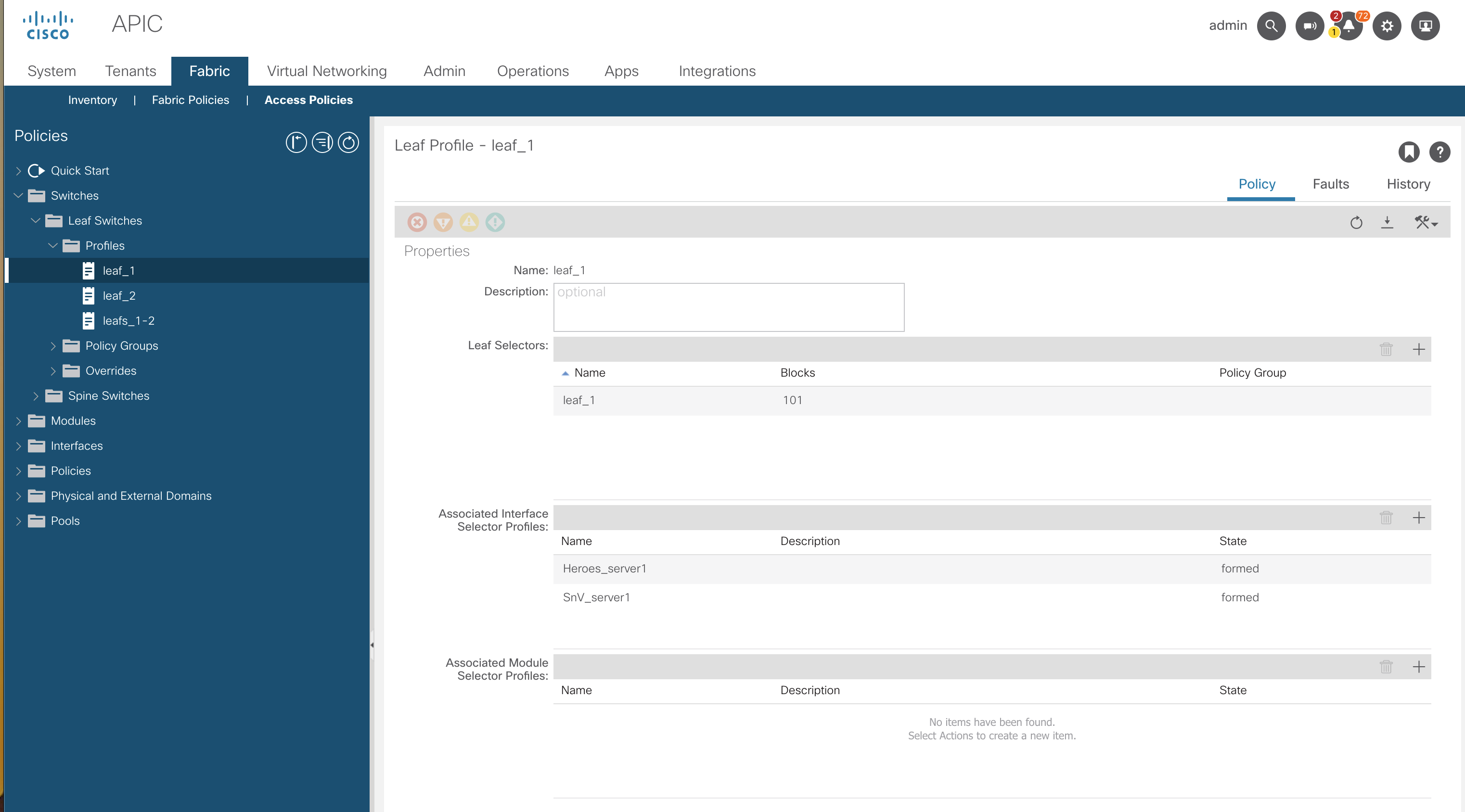
Navigate to Fabric >> Access Policies >> Switches >> Leaf Switches >> Profiles
This is just to show what is currently configured as default.
Create a New ACI Terraform Project
To get the CI/CD pipeline setup we first need a project. I have previously detailed the steps to setup the GitLab SSH key.
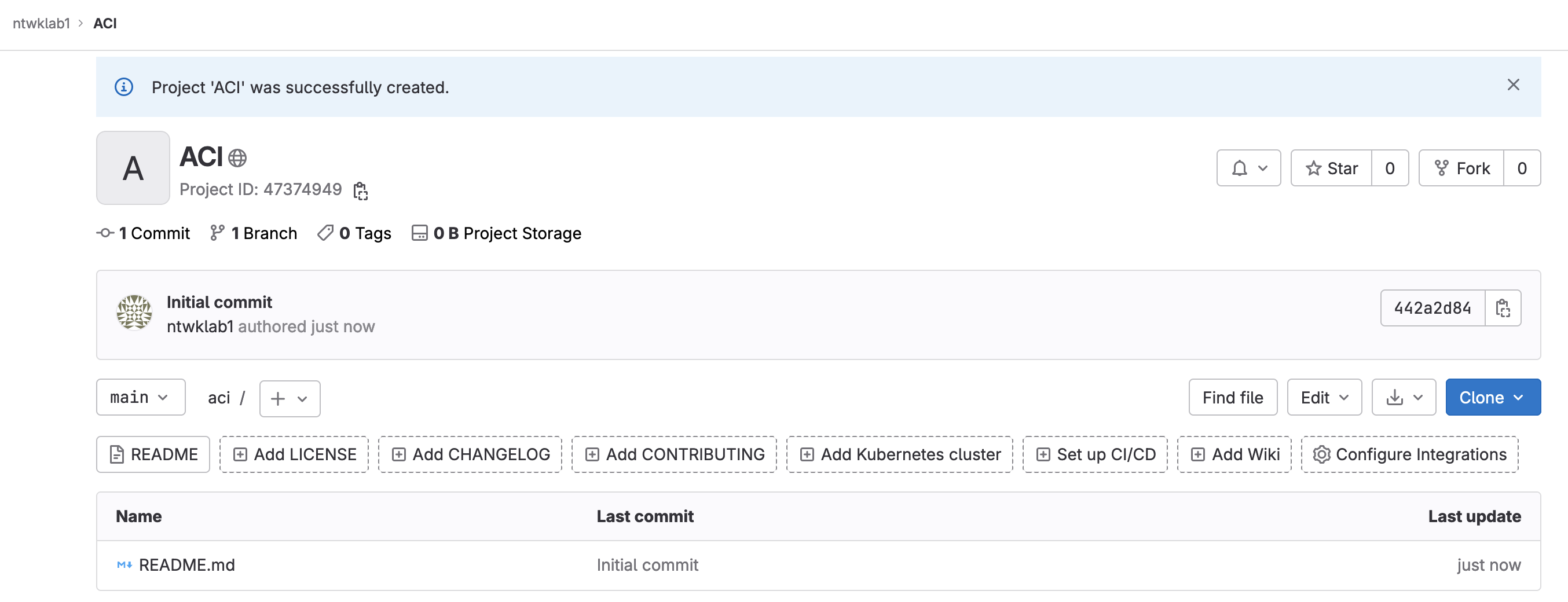
git@gitlab.com:ntwklab1/aci.git
Next is to setup all the files required. I will be using the GitLab Terraform state. I have detailed this in more detail in this post. In summary, the Terraform state files are to live on GitLab allowing all users of the repo to use the same state files. The Terraform state files need to be created first. I am not going to perform a migration, everything will be new.
Files I will create
- .gitignore
- .gitlab-ci.yml
- backend.tf
- main.tf
.gitignore
# Local .terraform directories
**/.terraform/

# .tfstate files
*.tfstate
*.tfstate.backup
*.tfstate.backup.*
*.terraform.lock.*

# Crash log files
crash.log

# Exclude sensitive variable files
*.tfvars

# Override file for variable definitions
override.tf

# Exclude any CLI configuration files
cli.*
.gitlab-ci.yml
# To contribute improvements to CI/CD templates, please follow the Development guide at:
# https://docs.gitlab.com/ee/development/cicd/templates.html
# This specific template is located at:
# https://gitlab.com/gitlab-org/gitlab/-/blob/master/lib/gitlab/ci/templates/Terraform.gitlab-ci.yml

include:
  - template: Terraform/Base.gitlab-ci.yml  # https://gitlab.com/gitlab-org/gitlab/blob/master/lib/gitlab/ci/templates/Terraform/Base.gitlab-ci.yml
  - template: Jobs/SAST-IaC.gitlab-ci.yml   # https://gitlab.com/gitlab-org/gitlab/blob/master/lib/gitlab/ci/templates/Jobs/SAST-IaC.gitlab-ci.yml

stages:
  - validate
  - test
  - build
  - deploy
  - cleanup

fmt:
  extends: .terraform:fmt
  needs: []

validate:
  extends: .terraform:validate
  needs: []

build:
  extends: .terraform:build
  environment:
    name: $TF_STATE_NAME
    action: prepare

deploy:
  extends: .terraform:deploy
  dependencies:
    - build
  environment:
    name: $TF_STATE_NAME
    action: start

cleanup:
  extends: .terraform:destroy
  dependencies:
    - build
    - deploy
  environment:
    name: $TF_STATE_NAME
    action: start
backend.tf
terraform {
  backend "http" {
  }
}
main.tf
This will be a temporary file just to get the new Terraform state files created in GitLab
terraform {
  required_providers {
    aci = {
      source = "ciscodevnet/aci"
    }
  }
}
Push To GitLab
Using Git, just on the main branch, push these files up to the GitLab project.
stefankelly@Stefans-MacBook-Pro aci % git add .
stefankelly@Stefans-MacBook-Pro aci %  git commit -am "new files created"
[main 4a1a3d8] new files created
 4 files changed, 464 insertions(+)
 create mode 100644 .gitignore
 create mode 100644 .gitlab-ci.yml
 create mode 100644 backend.tf
 create mode 100644 main.tf
stefankelly@Stefans-MacBook-Pro aci % git push
Enumerating objects: 7, done.
Counting objects: 100% (7/7), done.
Delta compression using up to 8 threads
Compressing objects: 100% (5/5), done.
Writing objects: 100% (6/6), 2.64 KiB | 2.64 MiB/s, done.
Total 6 (delta 0), reused 0 (delta 0), pack-reused 0
To gitlab.com:ntwklab1/aci.git
   442a2d8..4a1a3d8  main -> main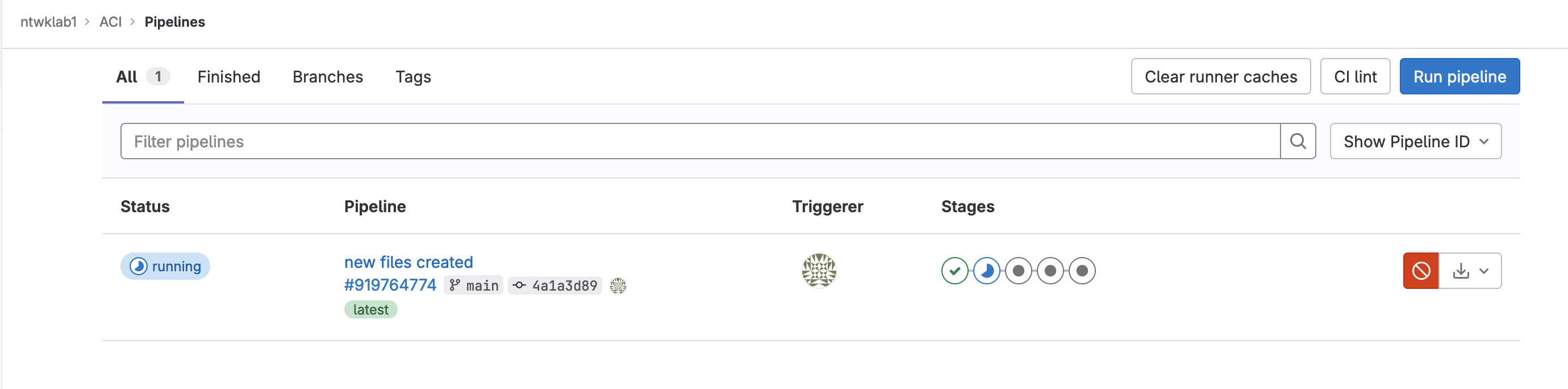
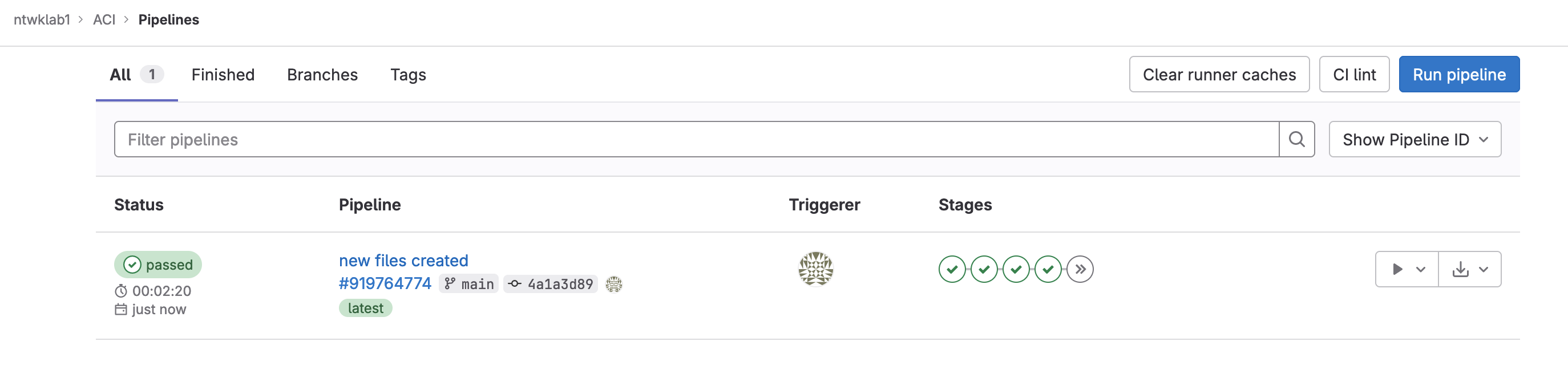
As the initial pipeline runs the Terraform state file in GitLab will be created.

Install GitLab Runner on Mac
The Terraform state was created using an already created GitLab runner on my Ubuntu VM. I will be using my Mac for this due to the VPN connection to the ACI DevNet lab.
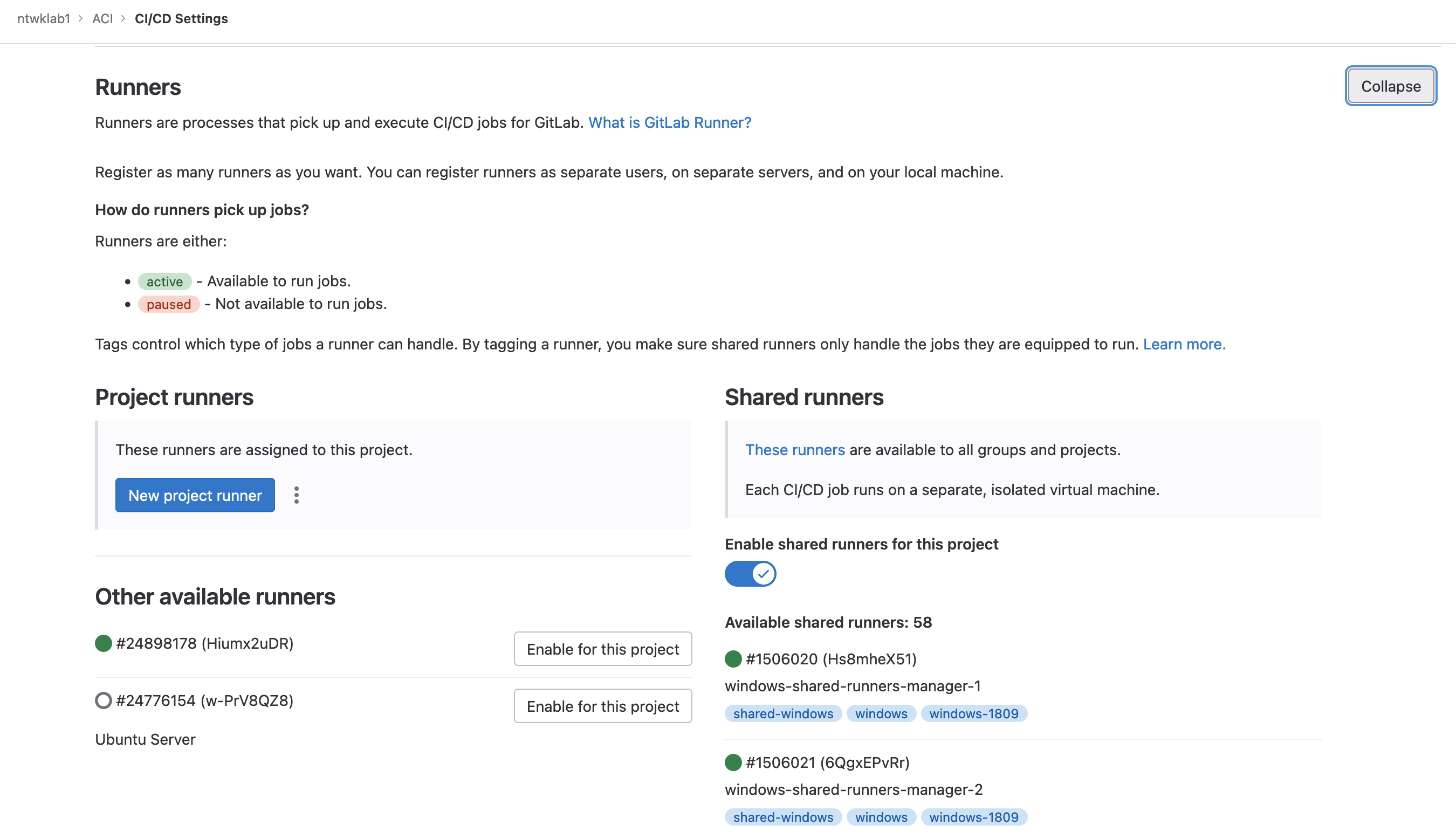
I have created the new runner, the next steps are to install and register the runner.
As in the setup post for the GitLab runner, it is best to run this as sudo and include the networking command.
Create a new network called gitlab-runner-net
docker network create -d bridge gitlab-runner-net

sudo docker network ls
NETWORK ID     NAME                DRIVER    SCOPE
2b47e89b06e0   gitlab-runner-net   bridge    local
Next is to download and install the GitLab runner. I found the official way to install the service would only run under the user mode, but wouldn’t pick up any jobs. It needed to be run as sudo but that wouldn’t install as a service, any time it ran it was with sudo gitlab-runner run command which was nice as I could see the output, but not in the background.
To work around this, I used homebrew.
brew install gitlab-runner
brew services start gitlab-runner
Now that is installed. It is time to register the runner.
sudo gitlab-runner register --docker-network-mode 'gitlab-runner-net' \
--url https://gitlab.com \
--token <TOKEN> \
Other options include, selecting docker as the executor and alpine as the default docker image.
stefankelly@Stefans-MacBook-Pro ~ % sudo gitlab-runner register --docker-network-mode 'gitlab-runner-net' \
--url https://gitlab.com \
--token <TOKEN> \
>
Runtime platform                                    arch=amd64 os=darwin pid=48578 revision=b72e108d version=16.1.0
Running in system-mode.

Created missing unique system ID                    system_id=s_9a3e3c61ffb8
Enter the GitLab instance URL (for example, https://gitlab.com/):
[https://gitlab.com]:
Verifying runner... is valid                        runner=LVUL_PEZn
Enter a name for the runner. This is stored only in the local config.toml file:
[Stefans-MacBook-Pro.local]:
Enter an executor: docker-windows, parallels, shell, ssh, docker+machine, kubernetes, docker, virtualbox, docker-autoscaler, instance, custom:
docker
Enter the default Docker image (for example, ruby:2.7):
alpine
Runner registered successfully. Feel free to start it, but if it's running already the config should be automatically reloaded!

Configuration (with the authentication token) was saved in "/etc/gitlab-runner/config.toml"
Check the newly configured file for the settings. These can be modified, just restart the runner gitlab-runner restart
sudo cat /etc/gitlab-runner/config.toml
concurrent = 1
check_interval = 0
shutdown_timeout = 0

[session_server]
  session_timeout = 1800

[[runners]]
  name = "Stefans-MacBook-Pro.local"
  url = "https://gitlab.com"
  id = 24904408
  token = "TOKEN"
  token_obtained_at = 2023-07-03T22:31:36Z
  token_expires_at = 0001-01-01T00:00:00Z
  executor = "docker"
  [runners.cache]
    MaxUploadedArchiveSize = 0
  [runners.docker]
    tls_verify = false
    image = "alpine"
    privileged = false
    disable_entrypoint_overwrite = false
    oom_kill_disable = false
    disable_cache = false
    volumes = ["/cache"]
    network_mode = "gitlab-runner-net"
    shm_size = 0
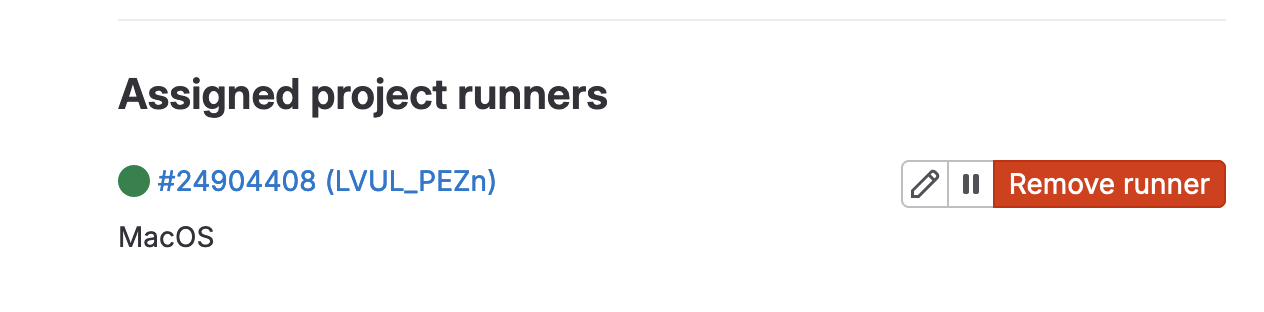
Run the runner as sudo to connect, sudo gitlab-runner run
Terraform
Now the actual config is ready for the ACI lab. The main.tf contains the Terraform to configure;
- Interface Policies
- Interface Policy Groups
- Interface Profile
- Interface Selector
- Switch Profile
- VLAN Pool
- Physical Domain
- AAEP
terraform {
  required_providers {
    aci = {
      source = "ciscodevnet/aci"
    }
  }
}

#configure provider with your cisco aci credentials.
provider "aci" {
  # cisco-aci user name
  username = "admin"
  # cisco-aci password
  password = "!v3G@!4@Y"
  # cisco-aci url
  url      = "https://sandboxapicdc.cisco.com"
  insecure = true
}


#########################
#Interface Policies#
#########################

# CDP
resource "aci_cdp_interface_policy" "cdp_enabled" {
  name        = "cdp_enabled"
  admin_st    = "enabled"
  annotation  = "tag_cdp"
  name_alias  = "alias_cdp"
  description = "From Terraform"
}

resource "aci_cdp_interface_policy" "cdp_disabled" {
  name        = "cdp_disabled"
  admin_st    = "disabled"
  annotation  = "tag_cdp"
  name_alias  = "alias_cdp"
  description = "From Terraform"
}


#Port Speeds
module "aci_link_level_policy" {
  source  = "netascode/link-level-policy/aci"
  version = ">= 0.1.0"

  name     = "10G"
  speed    = "10G"
  auto     = true
  fec_mode = "disable-fec"
}

module "aci_link_level_policy_example" {
  source  = "netascode/link-level-policy/aci"
  version = ">= 0.1.0"

  name     = "100G"
  speed    = "100G"
  auto     = true
  fec_mode = "disable-fec"
}


#Port Channels
module "aci_port_channel_policy_LACP_ACTIVE" {
  source  = "netascode/port-channel-policy/aci"
  version = ">= 0.1.0"

  name                 = "PC-LACP-ACTIVE"
  mode                 = "active"
  min_links            = 1
  max_links            = 16
  suspend_individual   = false
  graceful_convergence = false
  fast_select_standby  = false
  load_defer           = true
  symmetric_hash       = true
  hash_key             = "src-ip"
}

module "aci_port_channel_policy_MAC_PINNING" {
  source  = "netascode/port-channel-policy/aci"
  version = ">= 0.1.0"

  name                 = "PC-MAC_PINNING"
  mode                 = "mac-pin"
  min_links            = 1
  max_links            = 16
  suspend_individual   = false
  graceful_convergence = false
  fast_select_standby  = false
  load_defer           = true
  symmetric_hash       = true
  hash_key             = "src-ip"
}

module "aci_port_channel_policy_STATIC_ON" {
  source  = "netascode/port-channel-policy/aci"
  version = ">= 0.1.0"

  name                 = "PC-STATIC_ON"
  mode                 = "off"
  min_links            = 1
  max_links            = 16
  suspend_individual   = false
  graceful_convergence = false
  fast_select_standby  = false
  load_defer           = true
  symmetric_hash       = true
  hash_key             = "src-ip"
}

resource "aci_lldp_interface_policy" "LLDP_RX-on_TX-on" {
  description = "example description"
  name        = "LLDP_RX-on_TX-on"
  admin_rx_st = "enabled"
  admin_tx_st = "enabled"
  annotation  = "tag_lldp"
}
resource "aci_lldp_interface_policy" "LLDP_RX-off_TX-off" {
  description = "example description"
  name        = "LLDP_RX-off_TX-off"
  admin_rx_st = "disabled"
  admin_tx_st = "disabled"
  annotation  = "tag_lldp"
}
resource "aci_lldp_interface_policy" "LLDP_RX-on_TX-off" {
  description = "example description"
  name        = "LLDP_RX-on_TX-off"
  admin_rx_st = "enabled"
  admin_tx_st = "disabled"
  annotation  = "tag_lldp"
}
resource "aci_lldp_interface_policy" "LLDP_RX-off_TX-on" {
  description = "example description"
  name        = "LLDP_RX-off_TX-on"
  admin_rx_st = "disabled"
  admin_tx_st = "enabled"
  annotation  = "tag_lldp"
}


#MCP
module "aci_mcp_policy_off" {
  source  = "netascode/mcp-policy/aci"
  version = ">= 0.1.0"

  name        = "MCP-OFF"
  admin_state = false
}

module "aci_mcp_policy_on" {
  source  = "netascode/mcp-policy/aci"
  version = ">= 0.1.0"

  name        = "MCP-ON"
  admin_state = true
}


#########################
#Interface Policy Group#
#########################
module "aci_access_leaf_interface_policy_group" {
  source  = "netascode/access-leaf-interface-policy-group/aci"
  version = ">= 0.1.4"

  name              = "10G-CDP-LLDP"
  description       = "VPC Interface Policy Group 1"
  type              = "access"
  link_level_policy = "10G"
  cdp_policy        = "CDP-ON"
  lldp_policy       = "LLDP-ON"
  aaep              = "BU1_AAEP"
}

#########################
#Interface Profile#
#########################
resource "aci_leaf_interface_profile" "IntProf-101" {
  description = "From Terraform"
  name        = "IntProf-101"
  annotation  = "tag_leaf"
  name_alias  = "name_alias"
}

resource "aci_leaf_interface_profile" "IntProf-102" {
  description = "From Terraform"
  name        = "IntProf-102"
  annotation  = "tag_leaf"
  name_alias  = "name_alias"
}

#########################
#Interface Selector#
#########################
module "aci_access_leaf_interface_selector" {
  source  = "netascode/access-leaf-interface-selector/aci"
  version = ">= 0.2.0"

  interface_profile = "IntProf-101"
  name              = "E1"
  policy_group_type = "access"
  policy_group      = "10G-CDP-LLDP"
  port_blocks = [{
    name        = "PB1"
    description = "My Description"
    from_port   = 1
    to_port     = 1
  }]
}

module "aci_access_leaf_interface_selector_E2" {
  source  = "netascode/access-leaf-interface-selector/aci"
  version = ">= 0.2.0"

  interface_profile = "IntProf-101"
  name              = "E2"
  policy_group_type = "access"
  policy_group      = "10G-CDP-LLDP"
  port_blocks = [{
    name        = "PB2"
    description = "My Description"
    from_port   = 2
    to_port     = 2
  }]
}

module "aci_access_leaf_interface_selector_E3" {
  source  = "netascode/access-leaf-interface-selector/aci"
  version = ">= 0.2.0"

  interface_profile = "IntProf-101"
  name              = "E3"
  policy_group_type = "access"
  policy_group      = "10G-CDP-LLDP"
  port_blocks = [{
    name        = "PB3"
    description = "My Description"
    from_port   = 3
    to_port     = 3
  }]
}

module "aci_access_leaf_interface_selector_E4" {
  source  = "netascode/access-leaf-interface-selector/aci"
  version = ">= 0.2.0"

  interface_profile = "IntProf-101"
  name              = "E4"
  policy_group_type = "access"
  policy_group      = "10G-CDP-LLDP"
  port_blocks = [{
    name        = "PB4"
    description = "My Description"
    from_port   = 4
    to_port     = 4
  }]
}


#########################
#Switch Profile#
#########################
module "aci_access_leaf_switch_profile_profile_101" {
  source  = "netascode/access-leaf-switch-profile/aci"
  version = ">= 0.2.0"

  name               = "SW-PROFILE-101"
  interface_profiles = ["IntProf-101"]
  selectors = [{
    name = "LEAF101"
    # policy_group = "POL1"
    node_blocks = [{
      name = "LEAF101"
      from = 101
      to   = 101
    }]
  }]
}

module "aci_access_leaf_switch_profile_profile_102" {
  source  = "netascode/access-leaf-switch-profile/aci"
  version = ">= 0.2.0"

  name               = "SW-PROFILE-102"
  interface_profiles = ["IntProf-102"]
  selectors = [{
    name = "LEAF102"
    # policy_group = "POL1"
    node_blocks = [{
      name = "LEAF102"
      from = 102
      to   = 102
    }]
  }]
}

module "aci_access_leaf_switch_profile_profile_101-102" {
  source  = "netascode/access-leaf-switch-profile/aci"
  version = ">= 0.2.0"

  name = "SW-PROFILE-101-102"
  #   interface_profiles = ["IntProf-101-102"]
  selectors = [{
    name = "LEAF101-102"
    # policy_group = "POL1"
    node_blocks = [{
      name = "LEAF101-102"
      from = 101
      to   = 102
    }]
  }]
}

#########################
#VLAN Pool#
#########################
module "aci_vlan_pool_BU1_BMH-VLAN" {
  source  = "netascode/vlan-pool/aci"
  version = ">= 0.2.2"

  name        = "BU1_BMH-VLAN"
  description = "Vlan Pool 1"
  allocation  = "static"
  ranges = [{
    description = "Range 1"
    from        = 1000
    to          = 1000
    allocation  = "inherit"
    role        = "internal"
    },
    {
      description = "Range 2"
      from        = 1001
      to          = 1001
      allocation  = "inherit"
      role        = "internal"
  }]
}

module "aci_vlan_pool_BU1_VMM-VLAN" {
  source  = "netascode/vlan-pool/aci"
  version = ">= 0.2.2"

  name        = "BU1_VMM-VLAN"
  description = "Vlan Pool 2"
  allocation  = "dynamic"
  ranges = [{
    description = "Range 1"
    from        = 1005
    to          = 1020
    allocation  = "inherit"
    role        = "internal"
  }]
}


#########################
#Physical Domain#
#########################
module "aci_physical_domain_BU1_BMH-Domain" {
  source  = "netascode/physical-domain/aci"
  version = ">= 0.1.0"

  name                 = "BU1_BMH-Domain"
  vlan_pool            = "BU1_BMH-VLAN"
  vlan_pool_allocation = "static"
}

#########################
#AAEP#
#########################
module "aci_aaep" {
  source  = "netascode/aaep/aci"
  version = ">= 0.2.0"

  name = "BU1_AAEP"
  #   infra_vlan       = 10
  physical_domains = ["BU1_BMH-Domain"]
  #   routed_domains     = ["RD1"]
  #   vmware_vmm_domains = ["VMM1"]
  #   endpoint_groups = [{
  # tenant               = "BU1"
  # application_profile  = "BU1_AP1"
  # endpoint_group       = "BU1_EPG1"
  # primary_vlan         = 10
  # secondary_vlan       = 20
  # mode                 = "untagged"
  # deployment_immediacy = "immediate"
  #   }]
}
Running
A change to the main.tf file will trigger the GitLab runner.
git commit -am "adding TF config"
git push
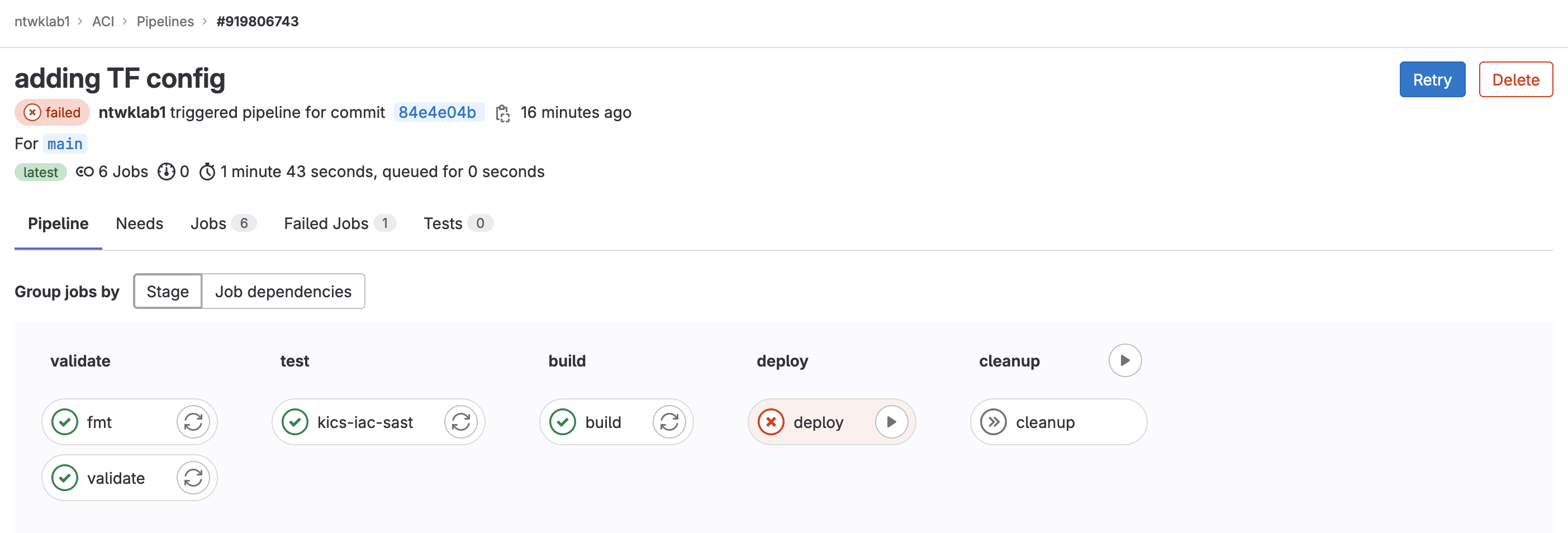
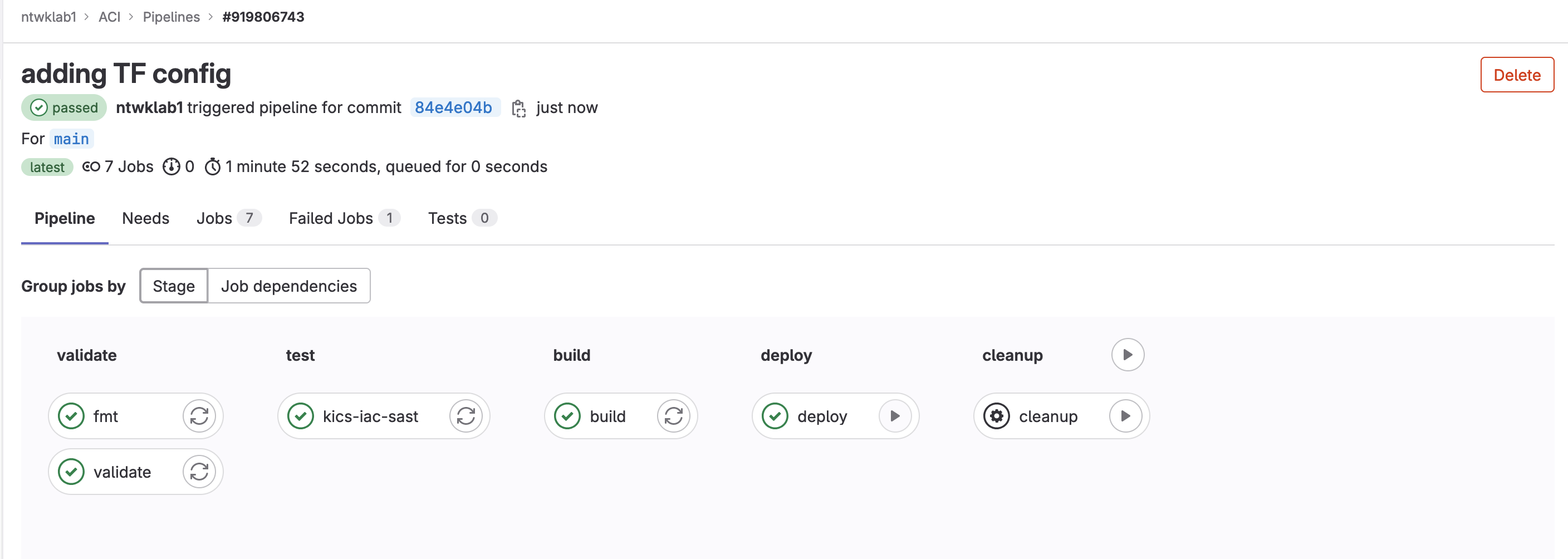
The pipeline will run the first three stages automatically and then wait for the deploy to be manually triggered.
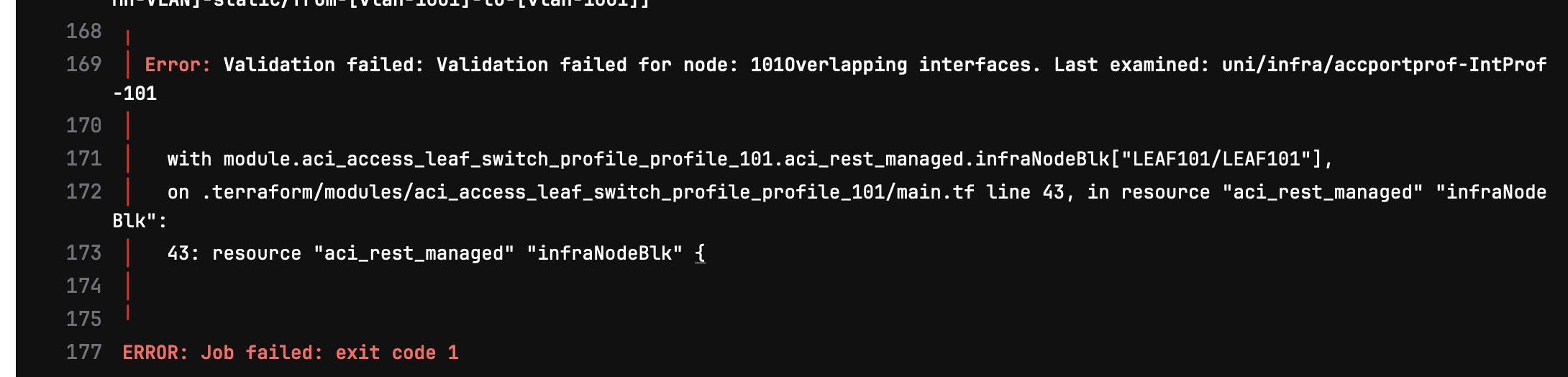
The first time I ran this, there was an error with the deploy stage due to interface overlaps. I will go on to fix this manually after.
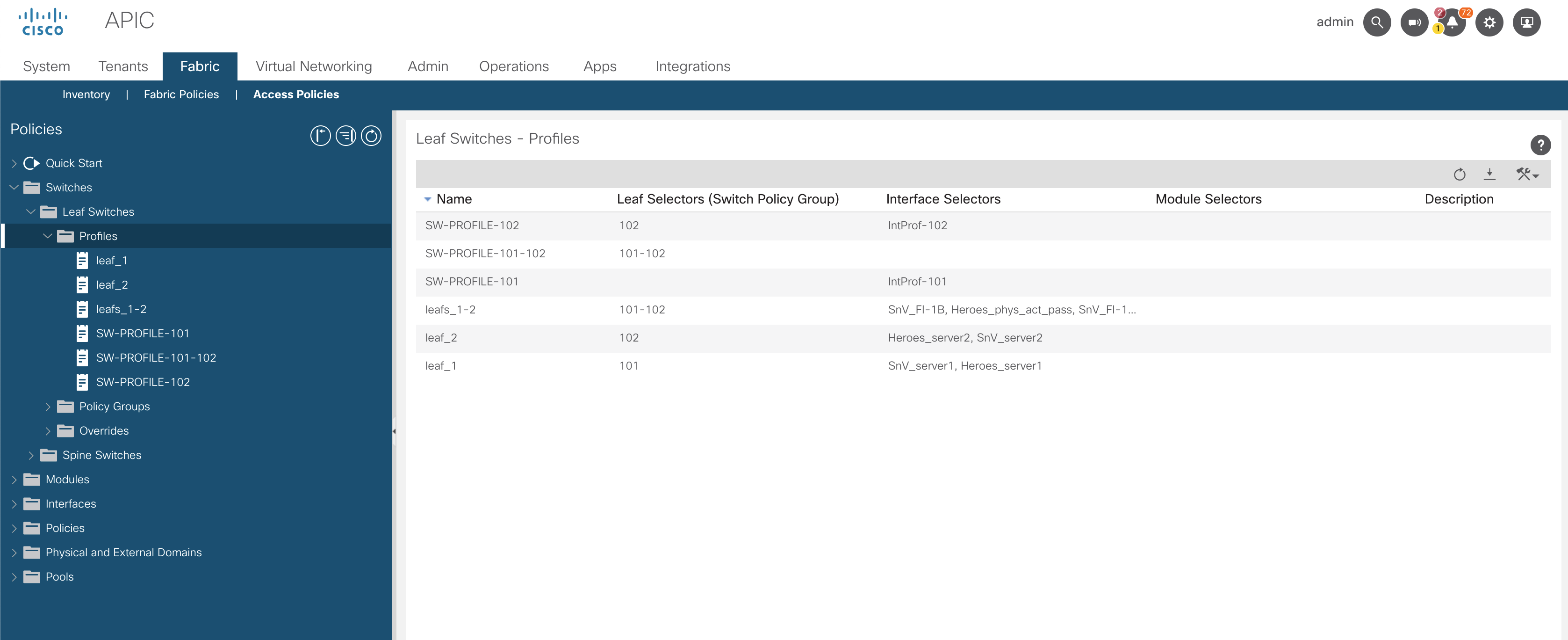
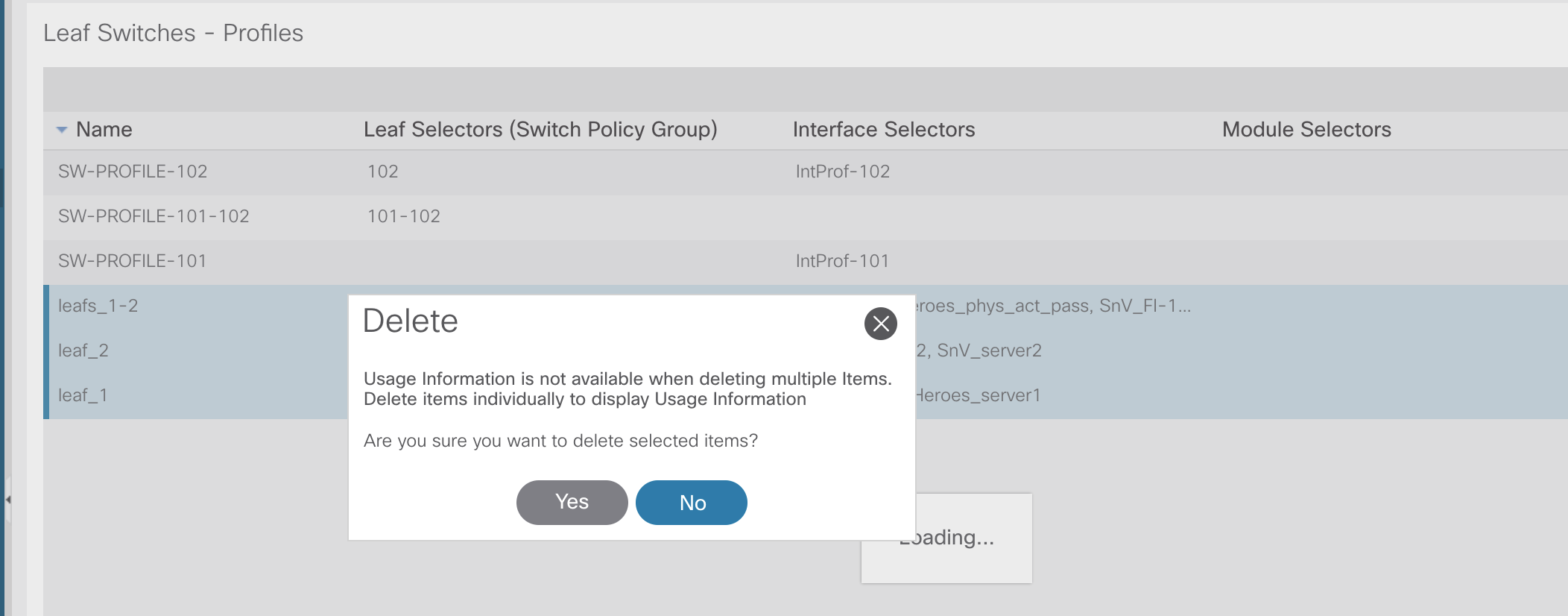
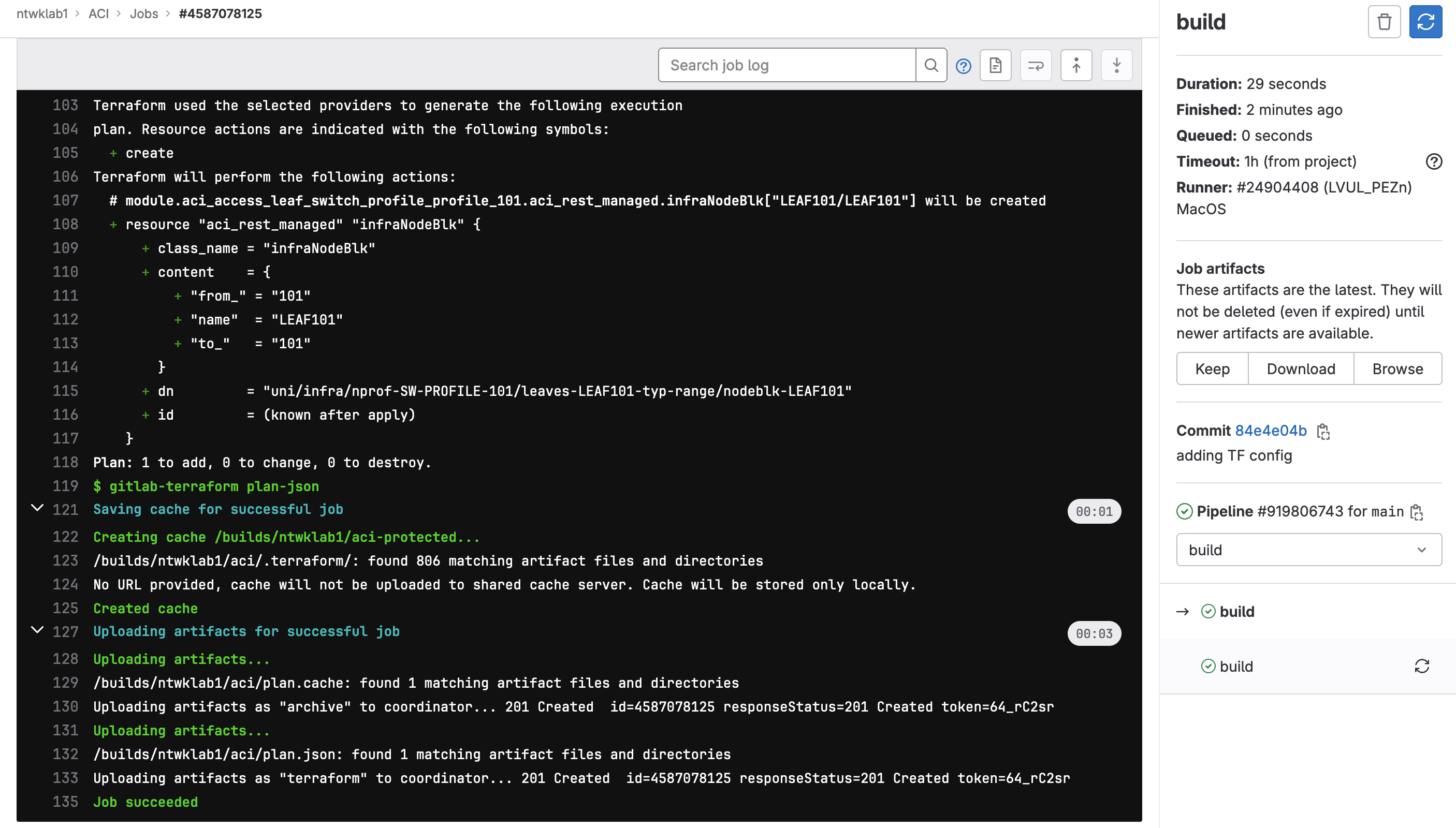
I have logged into the GUI and removed the pre-configured leaf profiles, which has cleared the conflicting configuration.
The build stage to recreate the plan needed to be rerun, so only the single change was required.
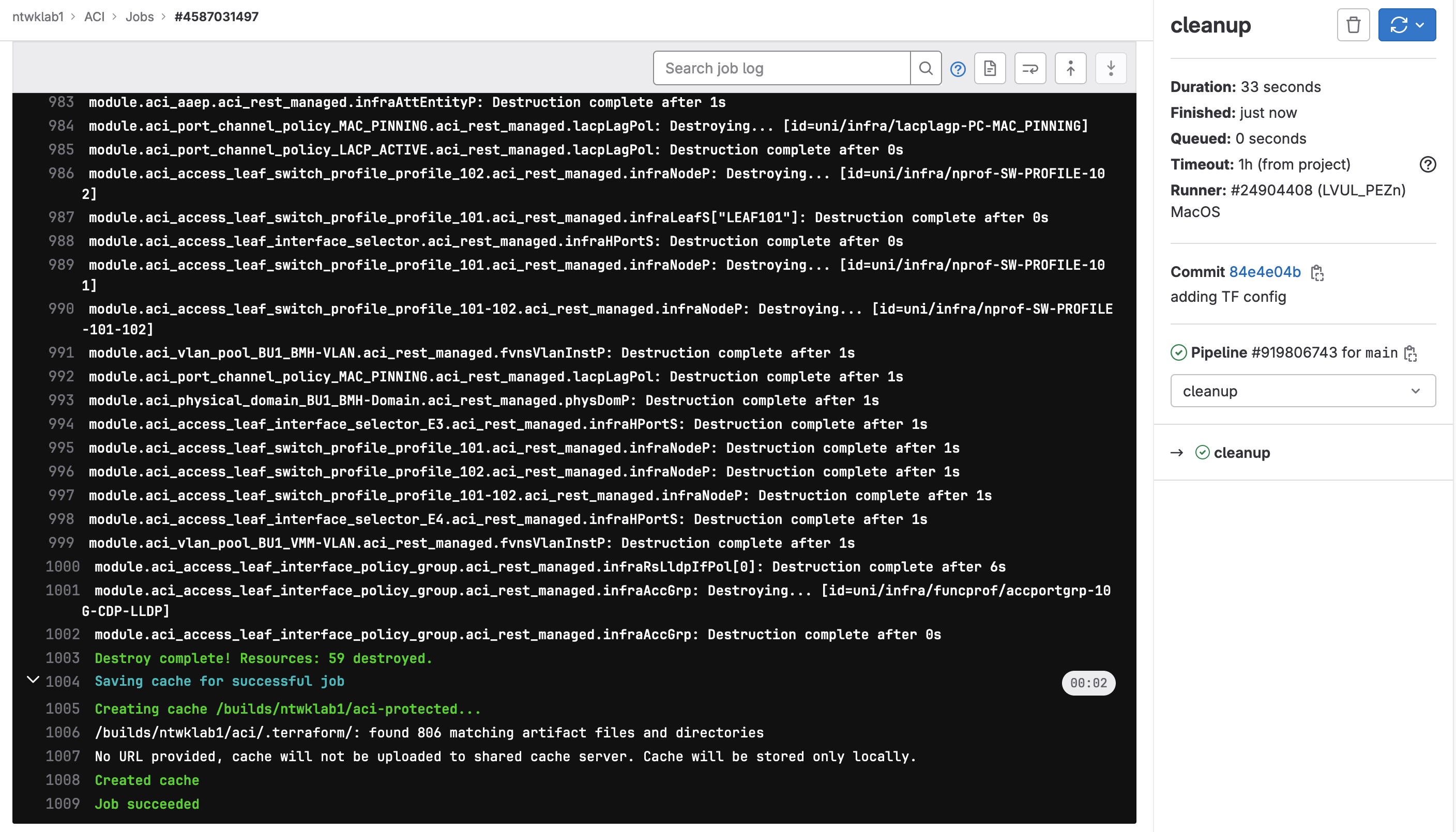
And lastly, to destroy the configuration.