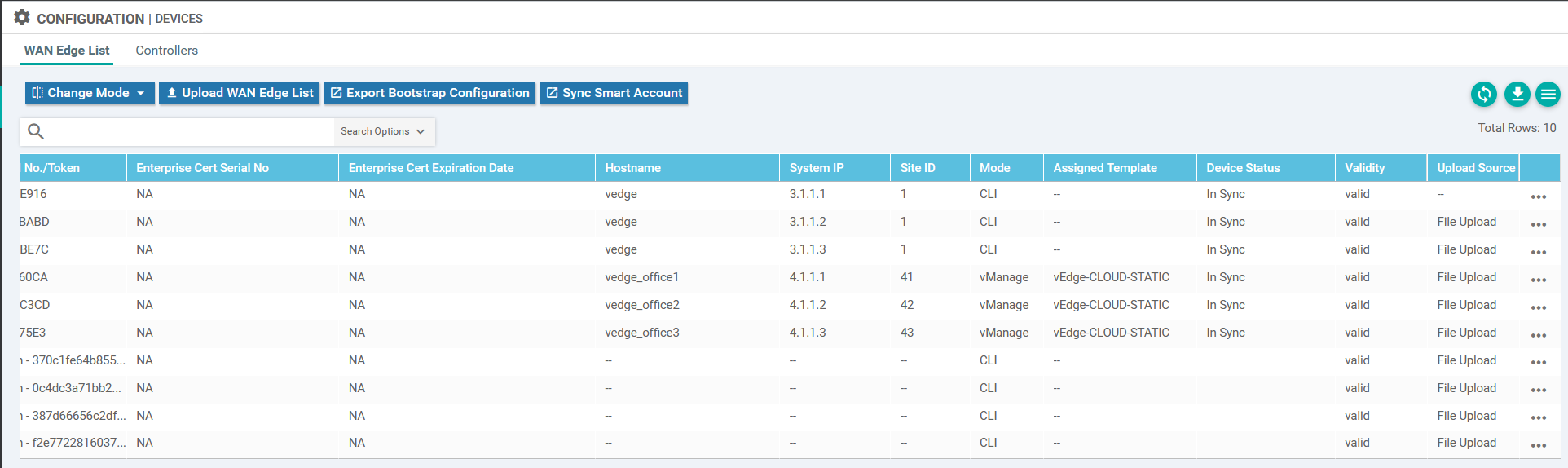
As configured in the previous post, the vEdge routers have been manually configured in a traditional way. This is fine, but it means that the vManage server cannot manage the configuration. In order to use SD-WAN as intended, the configuration should be created on the vManage. To do this, templates are used. The first step is to configure a template that has the current config present.
Below, I have created a number of templates that match the running configuration.
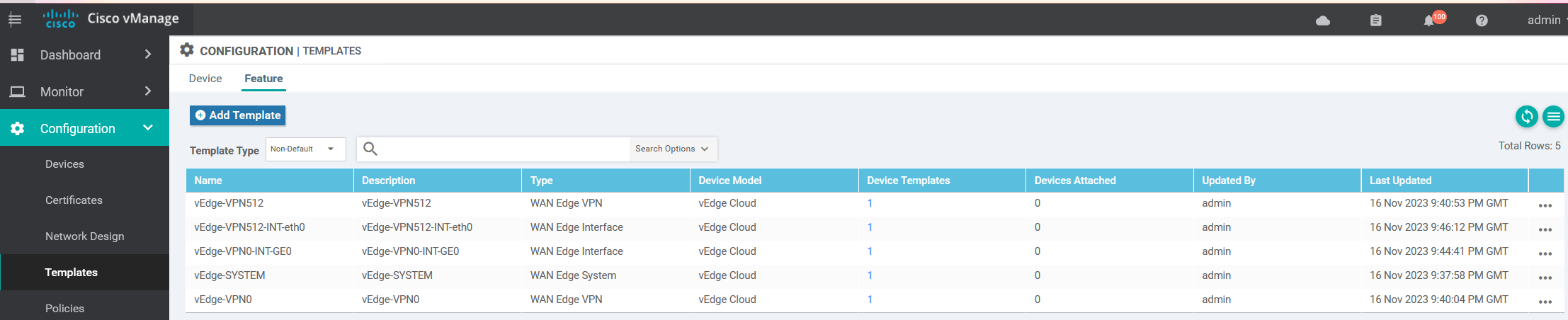
Instead of creating a full guide on how I did this, it is easier to watch this full guide on YouTube.
Before the vEdge routers have been configured.
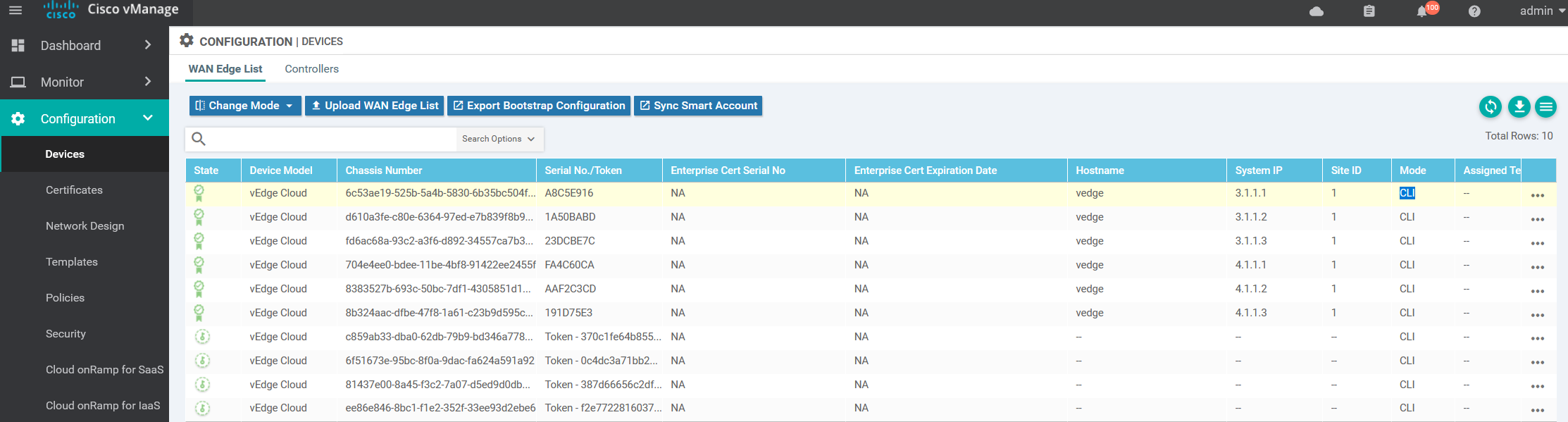
I will start with attaching vEdge Office 1
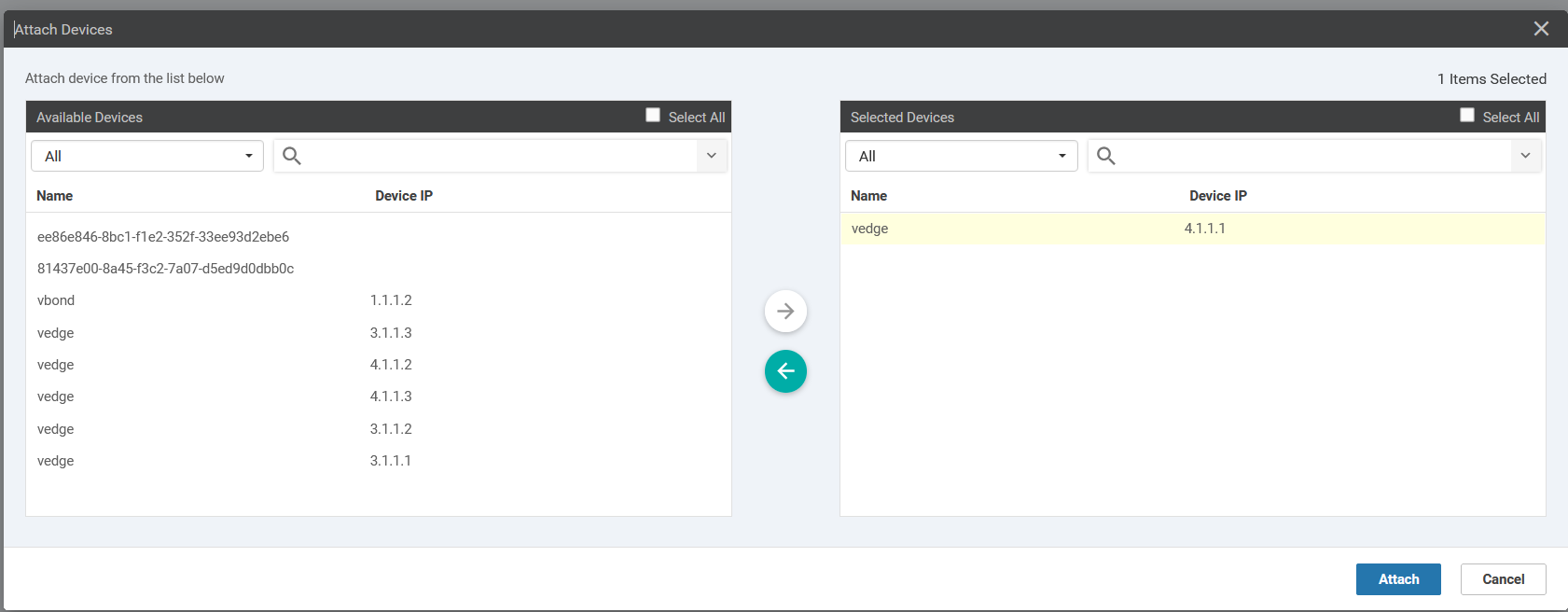
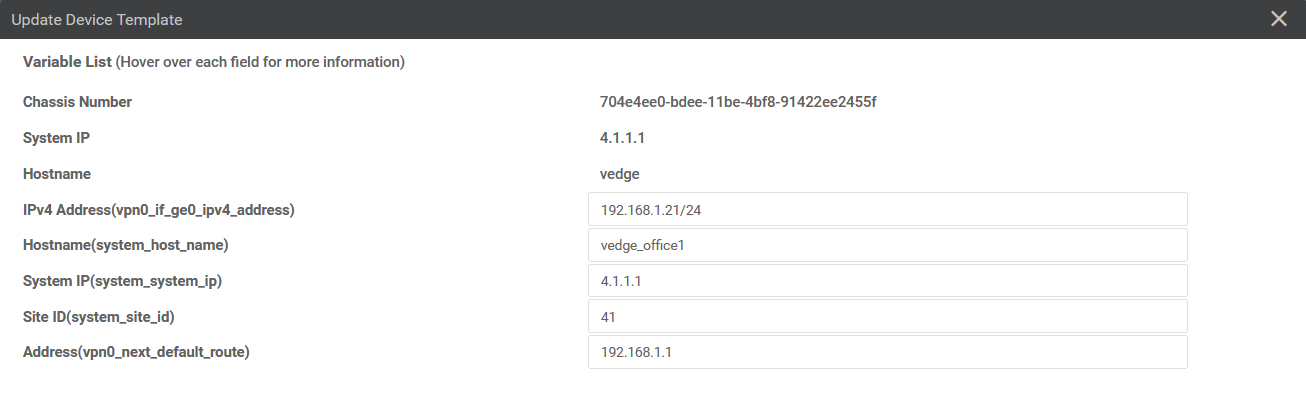
Edit the device template

In this page are the variables for each vEdge router. It’s OK, for a few, better than configuration for each and every device, but still not automated.
The next page contains the output of the intended configuration. It is not applied, or checked if it will work, just if the basic syntax is correct.
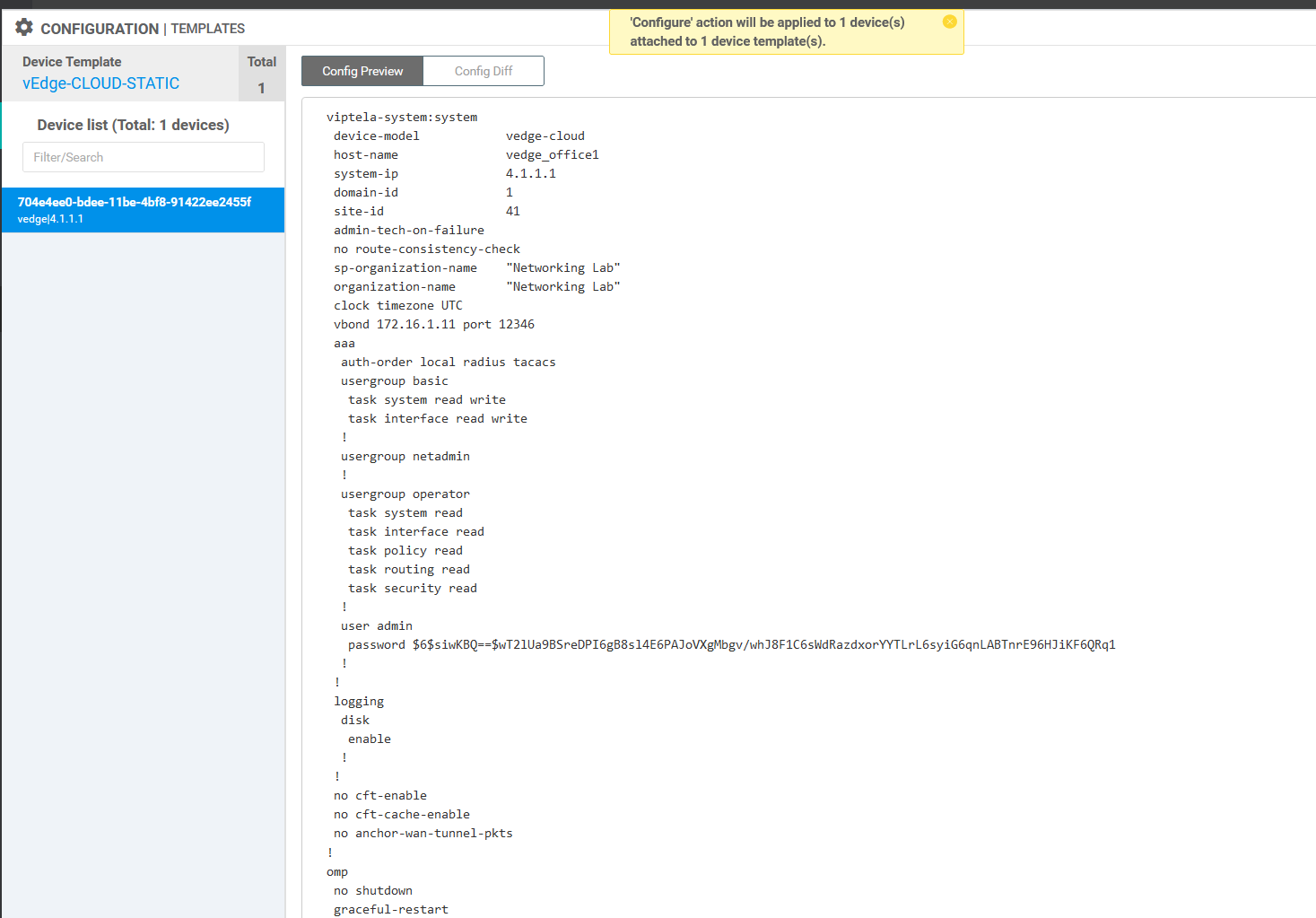
The template output is pretty much what is on the original manual configuration. The main thing here is that we do not lose connectivity to the router. The vBond has been changed to use the IP and not the DNS name, which is not important.
//Template configuration
 viptela-system:system
 device-model            vedge-cloud
 host-name               vedge_office1
 system-ip               4.1.1.1
 site-id                 41
 admin-tech-on-failure
 no route-consistency-check
 sp-organization-name    "Networking Lab"
 organization-name       "Networking Lab"
 vbond 172.16.1.11
 aaa
  auth-order local radius tacacs
  usergroup basic
   task system read write
   task interface read write
  !
  usergroup netadmin
  !
  usergroup operator
   task system read
   task interface read
   task policy read
   task routing read
   task security read
  !
  user admin
   password $6$siwKBQ==$wT2lUa9BSreDPI6gB8sl4E6PAJoVXgMbgv/whJ8F1C6sWdRazdxorYYTLrL6syiG6qnLABTnrE96HJiKF6QRq1
  !
 !
 logging
  disk
   enable
  !
 !
 no cft-enable
 no cft-cache-enable
 no anchor-wan-tunnel-pkts
!
omp
 no shutdown
 graceful-restart
 advertise connected
 advertise static
!
security
 ipsec
  authentication-type sha1-hmac ah-sha1-hmac
 !
!
vpn 0
 name TRANSPORT
 interface ge0/0
  ip address 192.168.1.21/24
  tunnel-interface
   encapsulation ipsec
   color biz-internet
   allow-service all
   no allow-service bgp
   allow-service dhcp
   allow-service dns
   allow-service icmp
   allow-service sshd
   allow-service netconf
   no allow-service ntp
   no allow-service ospf
   no allow-service stun
   allow-service https
  !
  no shutdown
 !
 ip route 0.0.0.0/0 192.168.1.1
!
vpn 512
 name MGMT
 interface eth0
  ip dhcp-client
  no shutdown
 !
!
//Manual Configuration
system
host-name vedge
system-ip 4.1.1.1
site-id 1
admin-tech-on-failure
no route-consistency-check
organization-name "Networking Lab"
vbond vbond.networkinglab.xyz
aaa
auth-order local radius tacacs
usergroup basic
task system read write
task interface read write
!
usergroup netadmin
!
usergroup operator
task system read
task interface read
task policy read
task routing read
task security read
!
usergroup tenantadmin
!
user admin
password $6$ci7yLMYogix1T76V$8w7e2R5kZsqVZytm.6rJE6xjuIuRCq92S42TxCFzpT0zw/iIUfew3PLa6H0BG/txHyYcw6oE1OZb70xt5YNAS/
!
!
logging
disk
enable
!
!
no cft-enable
no cft-cache-enable
no anchor-wan-tunnel-pkts
!
omp
no shutdown
graceful-restart
advertise connected
advertise static
!
security
ipsec
authentication-type ah-sha1-hmac sha1-hmac
!
!
vpn 0
dns 172.16.1.1 primary
interface ge0/0
ip address 192.168.1.21/24
ipv6 dhcp-client
tunnel-interface
encapsulation ipsec
no allow-service bgp
allow-service dhcp
allow-service dns
allow-service icmp
no allow-service sshd
no allow-service netconf
no allow-service ntp
no allow-service ospf
no allow-service stun
allow-service https
!
no shutdown
!
ip route 0.0.0.0/0 192.168.1.1
!
vpn 512
interface eth0
ip dhcp-client
no shutdown
!
!
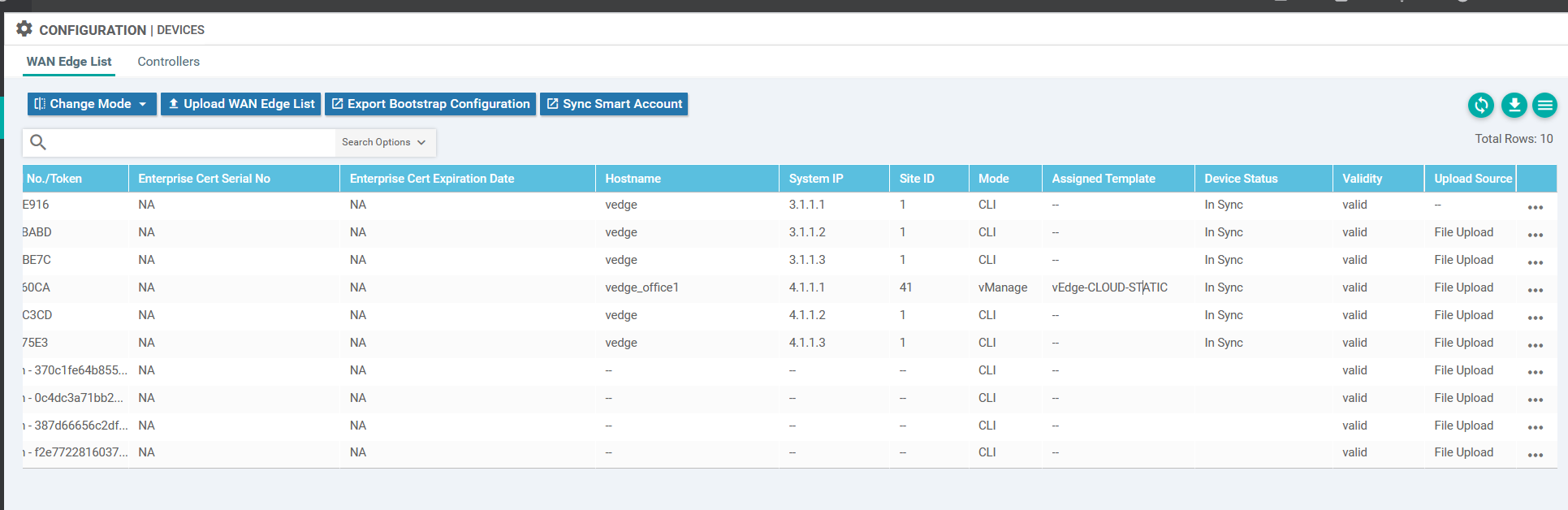
Now I can see in the device list that the push was a success. The device is managed by vManage and has the template assigned.
Repeating the process for the remaining two vEdge routers.