
This post follows on from the previous post, CloudFormation Nested Stacks With Git Sync & a GitLab Pipeline. This post will detail all the steps now they have been fully worked out and tested using GitLab and CloudFormation.
GitLab Pipeline Overview
Changes are made to the files
Changes are pushed to repo
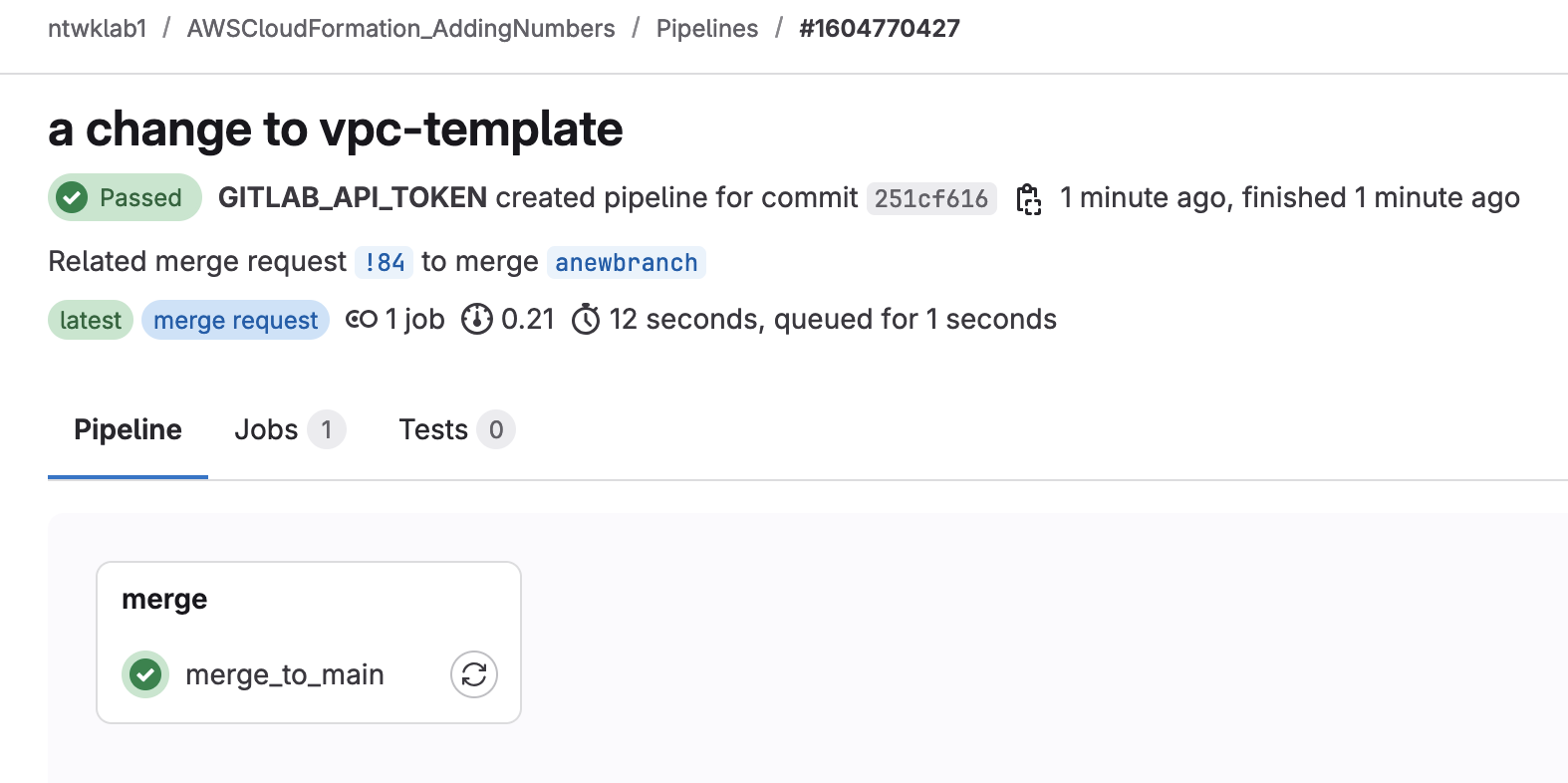
Pipeline for merge request creation is automatically run
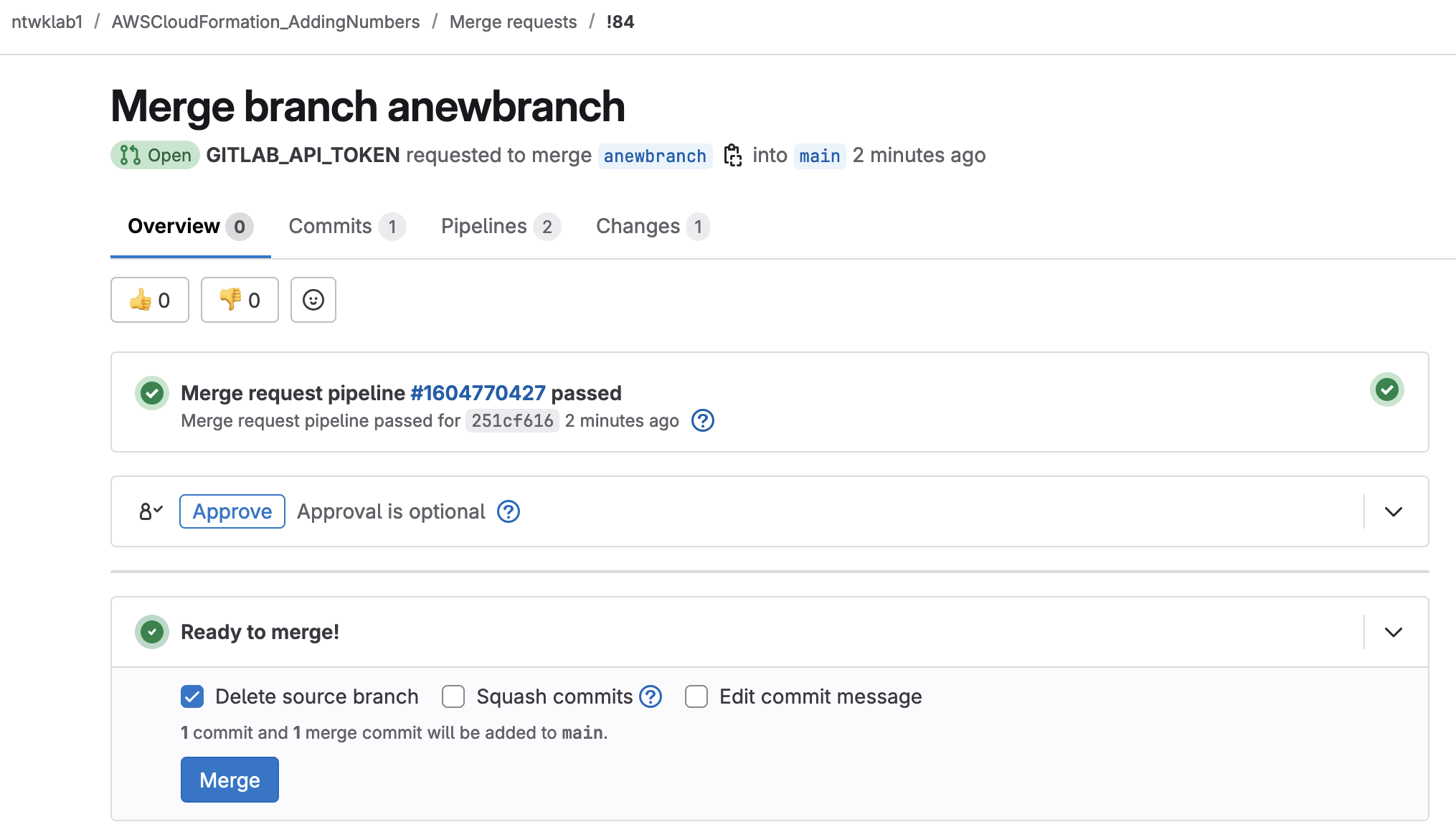
Merge request is manually approved for anything that does not begin with aws-sync-
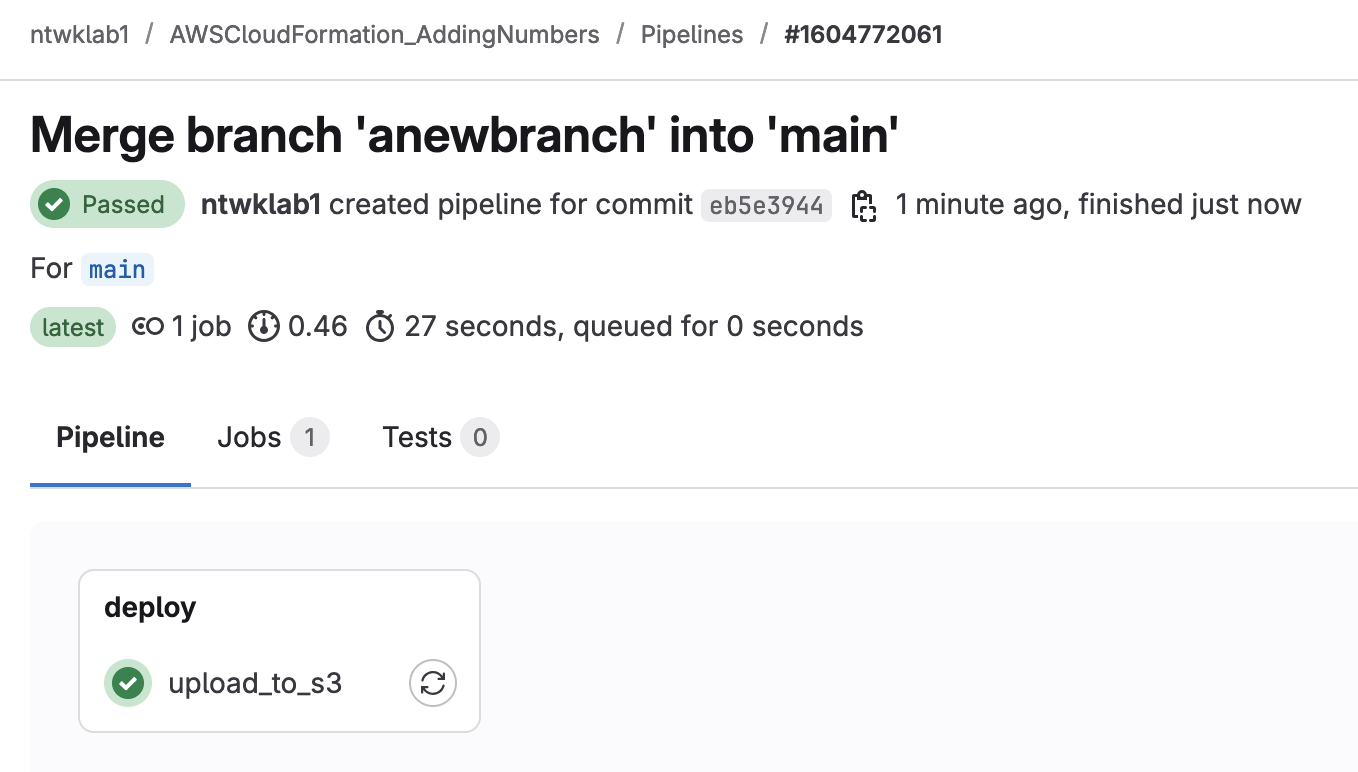
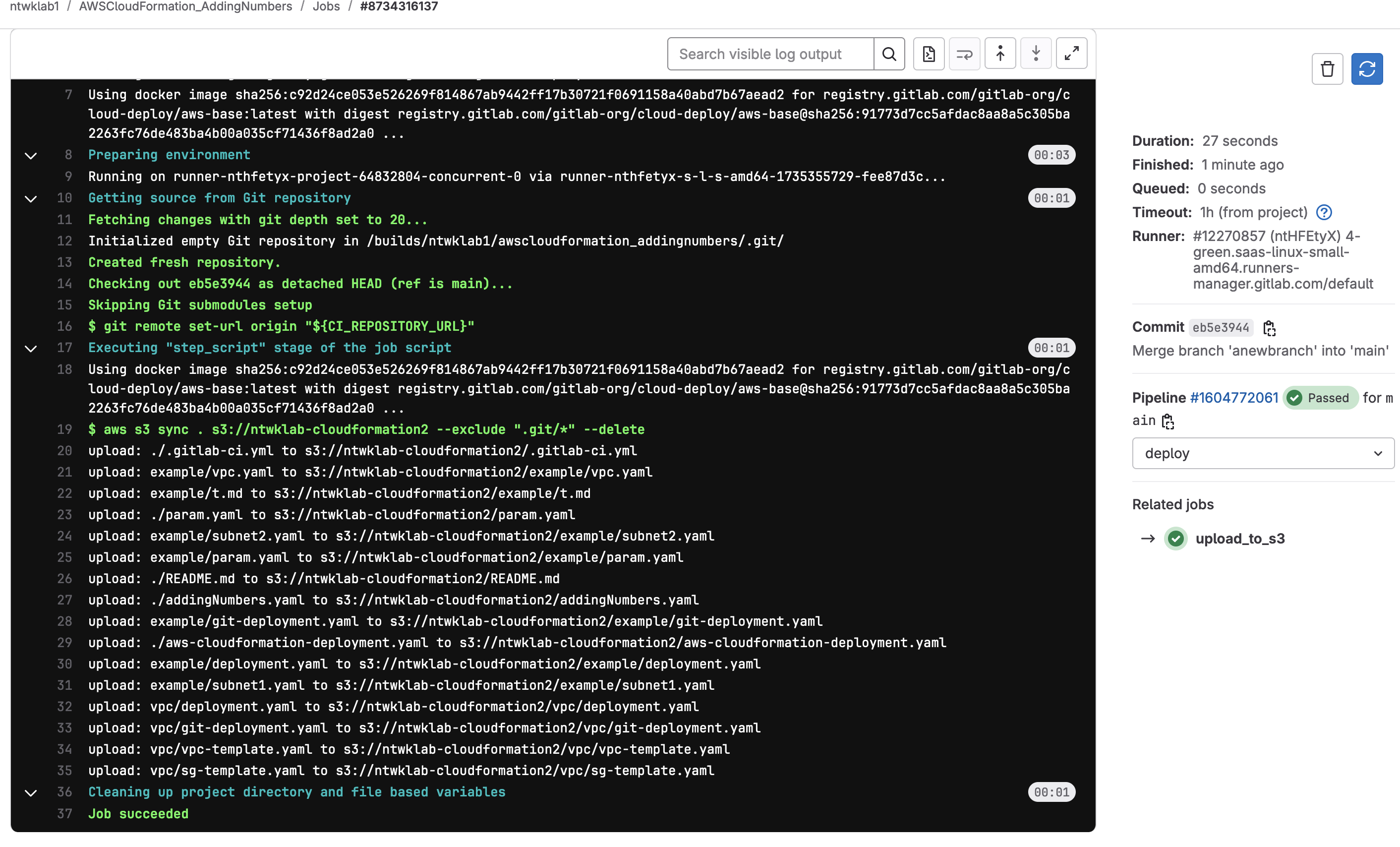
A new pipeline for S3 sync of all files in repo is uploaded to S3 bucket named ntwklab-cloudformation2
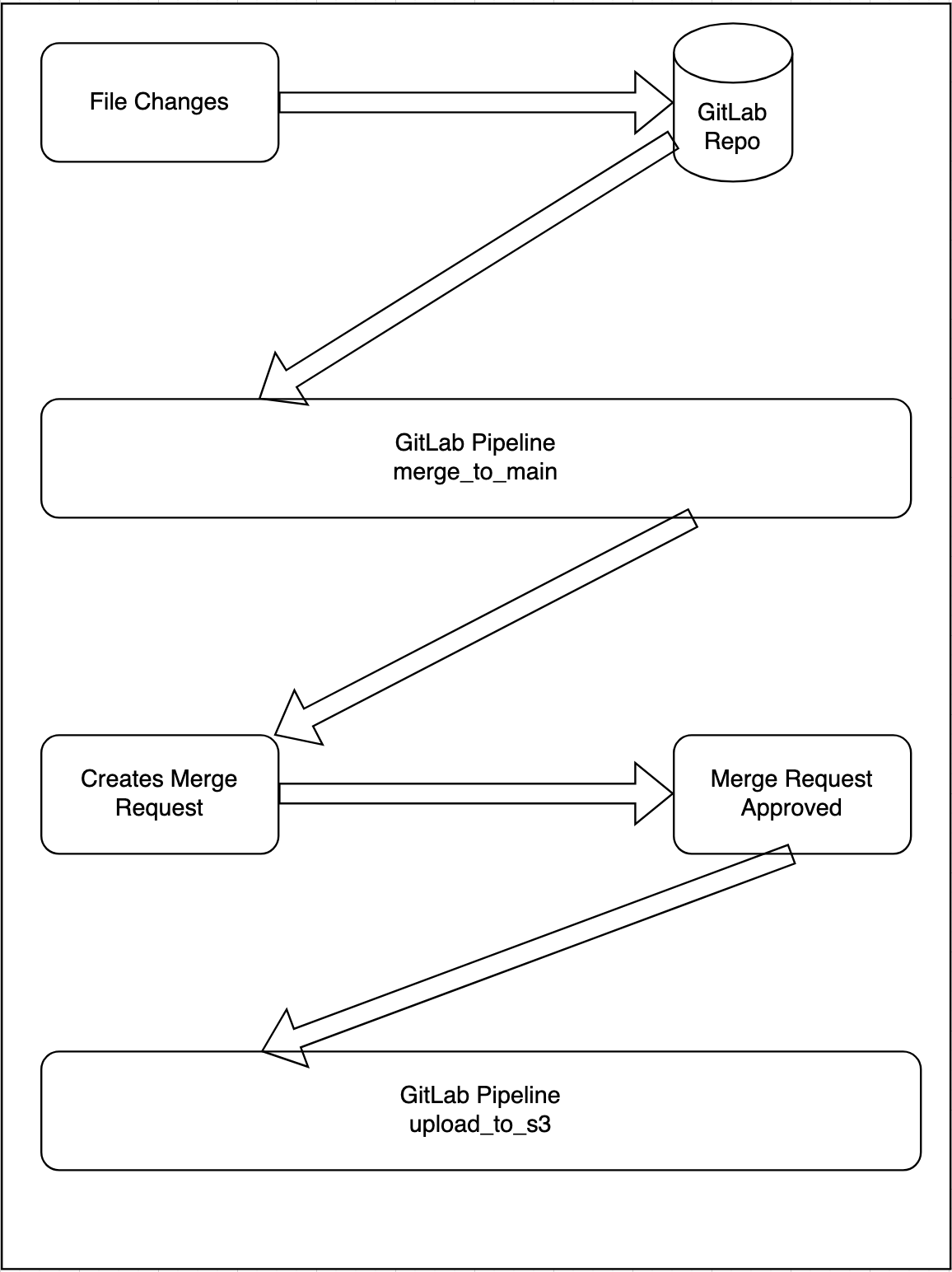
This pipeline works for branches that are new or have been reused. Both will get a new merge request that needs to be approved.
Once the merge request has been approved, all the files in the repo are then uploaded to the S3 bucket ntwklab-cloudformation2.
Branches that begin with aws-sync- are created by CloudFormation for a new parameter file. If used, they are automatically merged with the main branch.
stages:
  - merge
  - deploy

merge_to_main:
  stage: merge
  image: alpine:latest
  before_script:
    - apk add --no-cache curl jq
  script:
    # Step 1: Check if an MR exists for the current branch
    - |
      echo "Checking if merge request exists for branch: $CI_COMMIT_REF_NAME"
      MR_INFO=$(curl --silent --header "PRIVATE-TOKEN: $GITLAB_API_TOKEN" \
        "$CI_API_V4_URL/projects/$CI_PROJECT_ID/merge_requests?source_branch=$CI_COMMIT_REF_NAME&state=all")
      MR_ID=$(echo "$MR_INFO" | jq -r '.[0].id')
      MR_STATE=$(echo "$MR_INFO" | jq -r '.[0].state')

      # Step 2: Create a new MR if the previous one is "merged" or "closed"
      if [ "$MR_ID" != "null" ] && { [ "$MR_STATE" = "merged" ] || [ "$MR_STATE" = "closed" ]; }; then
        echo "Existing merge request is $MR_STATE. Creating a new merge request..."
        MR_ID="null"
      fi

      if [ "$MR_ID" = "null" ]; then
        echo "No active merge request. Creating a new one..."
        response=$(curl --silent --request POST --header "PRIVATE-TOKEN: $GITLAB_API_TOKEN" \
          --data "source_branch=$CI_COMMIT_REF_NAME&target_branch=main&title=Merge branch $CI_COMMIT_REF_NAME&remove_source_branch=true" \
          "$CI_API_V4_URL/projects/$CI_PROJECT_ID/merge_requests")
        MR_ID=$(echo "$response" | jq -r '.id')
        if [ "$MR_ID" = "null" ]; then
          echo "Failed to create merge request for branch $CI_COMMIT_REF_NAME."
          echo "$response"
          exit 1
        fi
        echo "Created new merge request with ID: $MR_ID."
      else
        echo "Active merge request already exists with ID: $MR_ID."
      fi

    # Step 3: Automatically merge if the branch starts with aws-sync-
    - |
      if echo "$CI_COMMIT_REF_NAME" | grep -qE '^aws-sync-'; then
        echo "Branch starts with aws-sync-. Attempting automatic merge for MR $MR_ID..."
        merge_response=$(curl --silent --request PUT --header "PRIVATE-TOKEN: $GITLAB_API_TOKEN" \
          "$CI_API_V4_URL/projects/$CI_PROJECT_ID/merge_requests/$MR_ID/merge")

        if echo "$merge_response" | jq -e '.state == "merged"' > /dev/null; then
          echo "Merge request $MR_ID successfully merged."
        else
          echo "Failed to merge merge request $MR_ID."
          echo "$merge_response"
          exit 1
        fi
      else
        echo "Manual approval required for merge request $MR_ID."
      fi
  rules:
    - if: '$CI_COMMIT_REF_NAME == "main"'
      when: never  # Do not run on the main branch
    - when: always


upload_to_s3:
  stage: deploy
  image: registry.gitlab.com/gitlab-org/cloud-deploy/aws-base:latest
  script:
    - aws s3 sync . s3://ntwklab-cloudformation2 --exclude ".git/*" --delete
  environment: production
  rules:
    # Only run when the pipeline is for the main branch
    - if: $CI_COMMIT_REF_NAME == "main"
      when: always
    # Do not run for branches or unmerged code
    - if: '$CI_COMMIT_REF_NAME != "main"'
      when: never
CloudFormation Overview
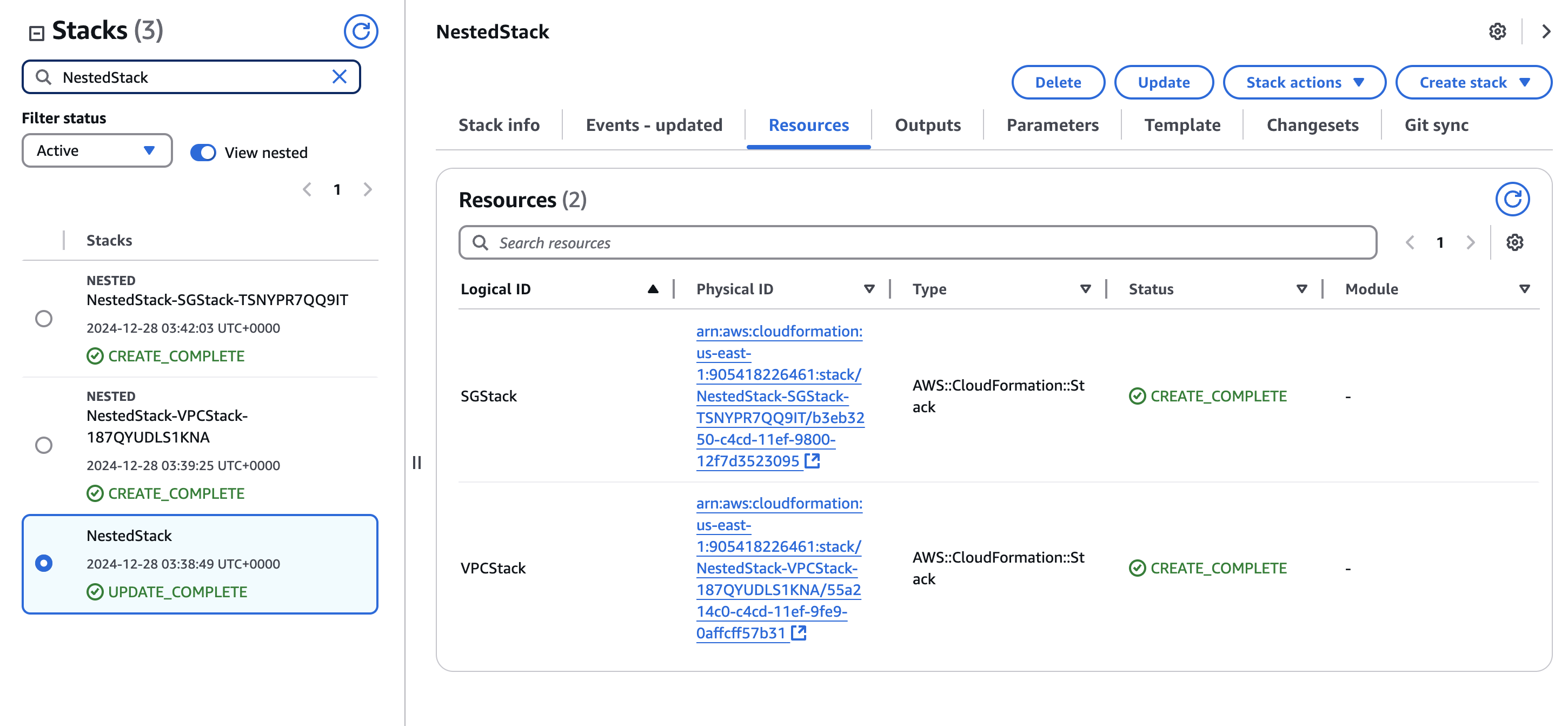
CloudFormation is using Git Sync, so all my files are stored in GitLab can be accessed by CloudFormation. In the case of a nested stack (as in this example), CloudFormation needs to access the child files from S3. This is the reason the repo is sync’d with S3.
CloudFormation creates the stack from git-deployment template
Deployment template references S3 where the templates are all stored
CloudFormation creates the stack
git-deployment.yaml
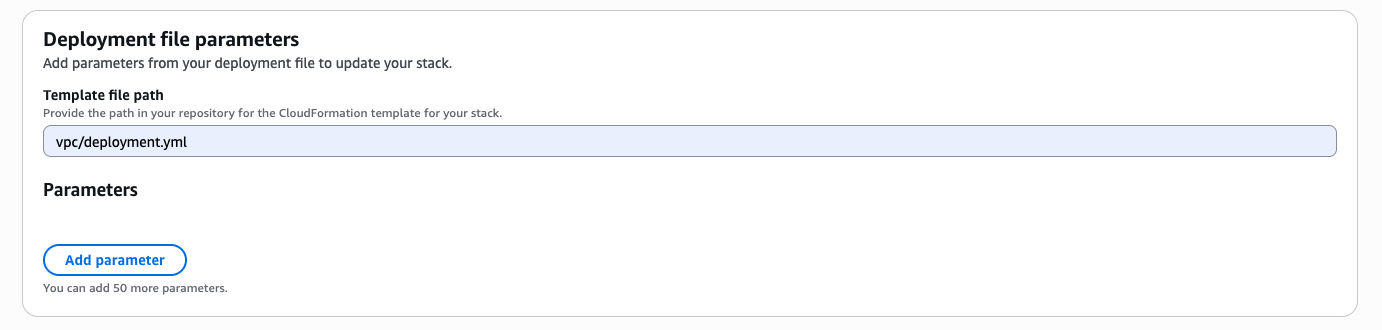
template-file-path: vpc/deployment.yamldeployment.yaml
AWSTemplateFormatVersion: '2010-09-09'
Resources:
  VPCStack:
    Type: AWS::CloudFormation::Stack
    Properties:
      TemplateURL: https://ntwklab-cloudformation2.s3.us-east-1.amazonaws.com/example/vpc.yaml

  Subnet1Stack:
    Type: AWS::CloudFormation::Stack
    Properties:
      TemplateURL: https://ntwklab-cloudformation2.s3.us-east-1.amazonaws.com/example/subnet1.yaml
      Parameters:
        VpcId: !GetAtt VPCStack.Outputs.VpcId

  Subnet2Stack:
    Type: AWS::CloudFormation::Stack
    Properties:
      TemplateURL: https://ntwklab-cloudformation2.s3.us-east-1.amazonaws.com/example/subnet2.yaml
      Parameters:
        VpcId: !GetAtt VPCStack.Outputs.VpcId
Creating a Nested Stack
This nested stack will use the GitLab pipeline as a full demonstration. If the files do not require any changes, and all that’s needed is to deploy the CloudFormation template, then that process would start with CloudFormation at step 6.
Step 1: Make a new branch
awscloudformation_addingnumbers % git status
On branch main
Your branch is up to date with 'origin/main'.
nothing to commit, working tree clean

awscloudformation_addingnumbers % git pull
Already up to date.

awscloudformation_addingnumbers % git checkout -b anewbranch
Switched to a new branch 'anewbranch'
Step2: Make a change, commit and push the new branch up to the repo
awscloudformation_addingnumbers % git commit -am "a change to vpc-template"
[anewbranch 251cf61] a change to vpc-template
 1 file changed, 2 deletions(-)

awscloudformation_addingnumbers % git push -u origin anewbranch
Enumerating objects: 7, done.
Counting objects: 100% (7/7), done.
Delta compression using up to 16 threads
Compressing objects: 100% (4/4), done.
Writing objects: 100% (4/4), 344 bytes | 344.00 KiB/s, done.
Total 4 (delta 3), reused 0 (delta 0), pack-reused 0
remote:
remote: To create a merge request for anewbranch, visit:
remote:   https://gitlab.com/ntwklab1/awscloudformation_addingnumbers/-/merge_requests/new?merge_request%5Bsource_branch%5D=anewbranch
remote:
To gitlab.com:ntwklab1/awscloudformation_addingnumbers.git
 * [new branch]      anewbranch -> anewbranch
branch 'anewbranch' set up to track 'origin/anewbranch'.
Step 3: Check GitLab pipeline for merge request creation
Step 4: Review and approve merge request
Step 5: Review second GitLab pipeline for s3 sync
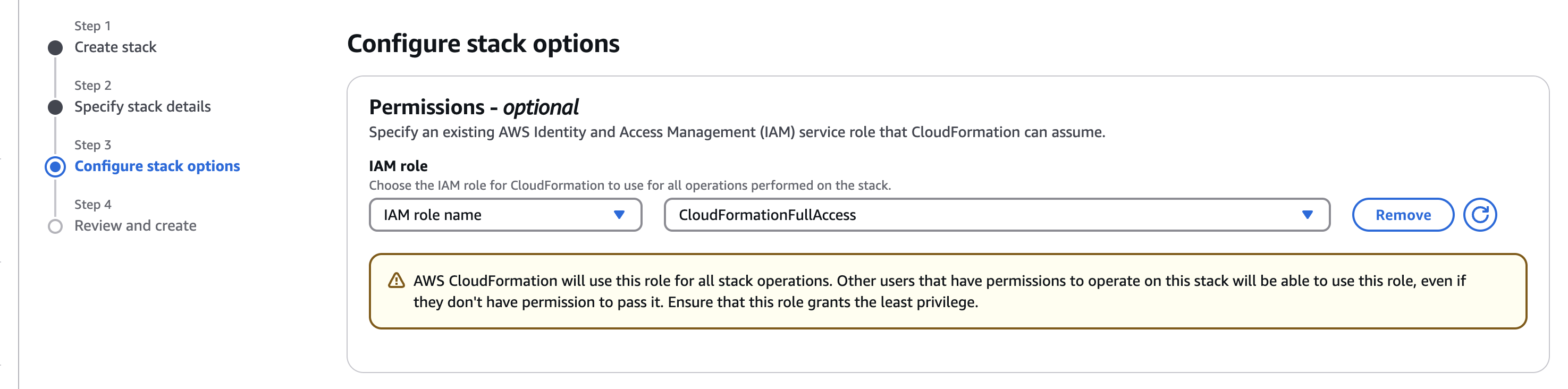
Step 6: Create stack in CloudFormation
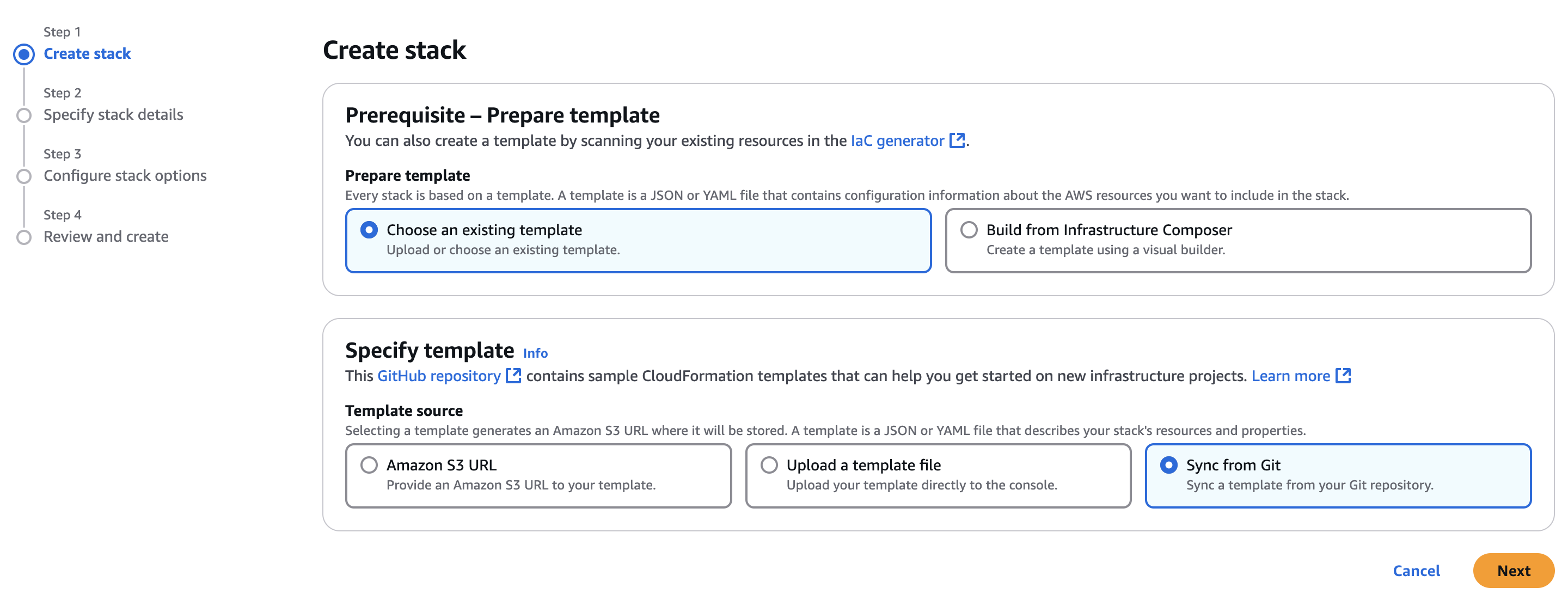
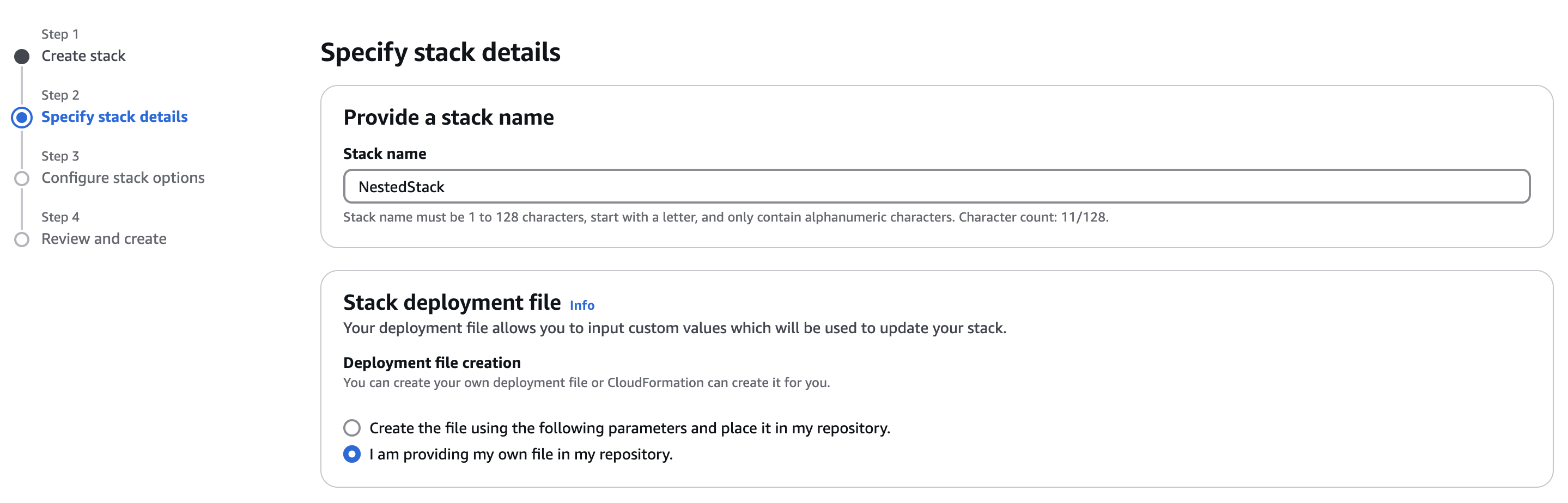
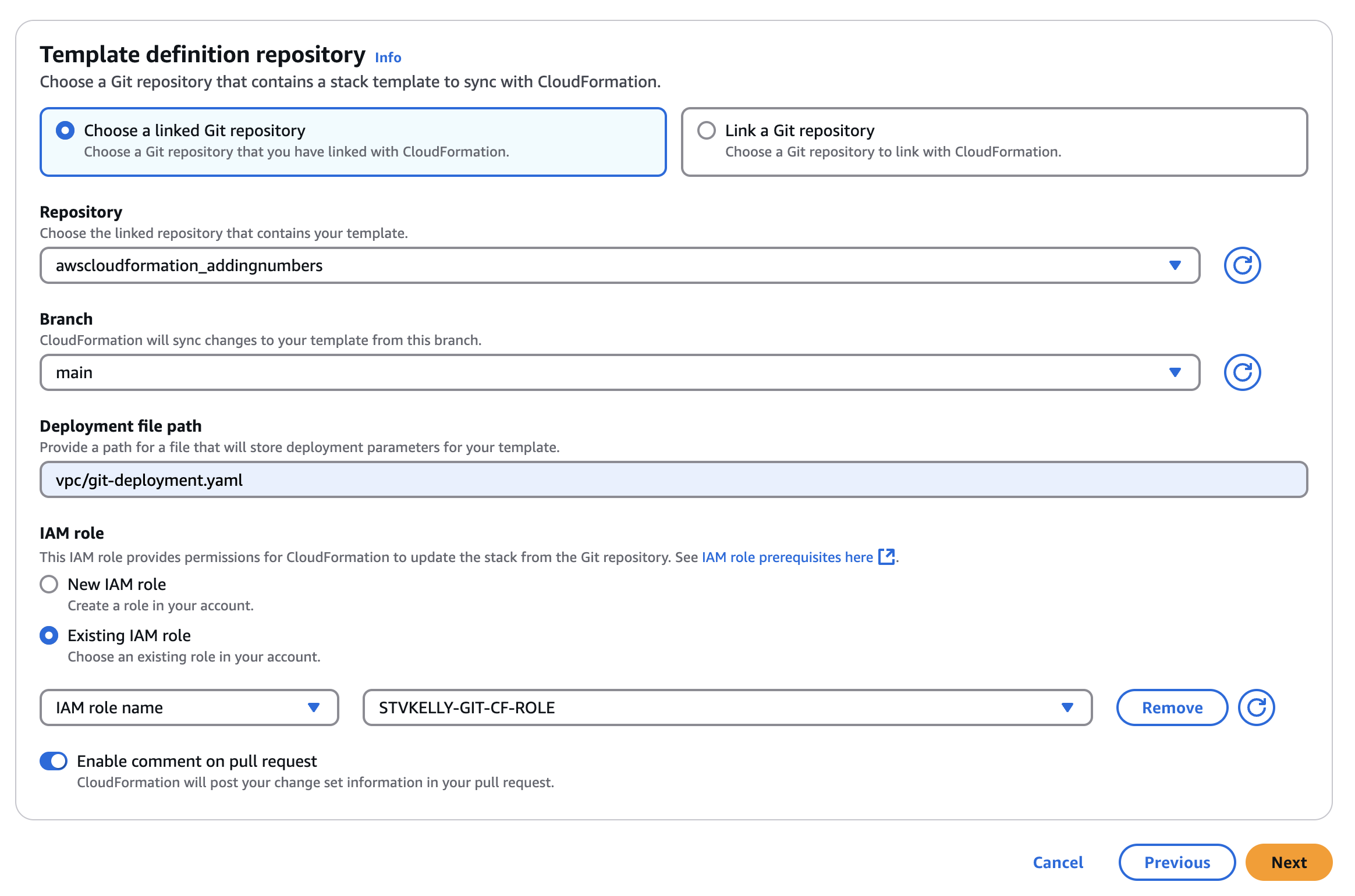
That’s the complete process for using a GitLab pipeline and a CloudFormation template. Now the foundations have been laid, more work can be carried out with CloudFormation.
Create a test EC2 instance. Use the newly created VPC named pipeline and select the SSH Ingress security group. There is no need to use any security keys with the Instance Connect Endpoint.
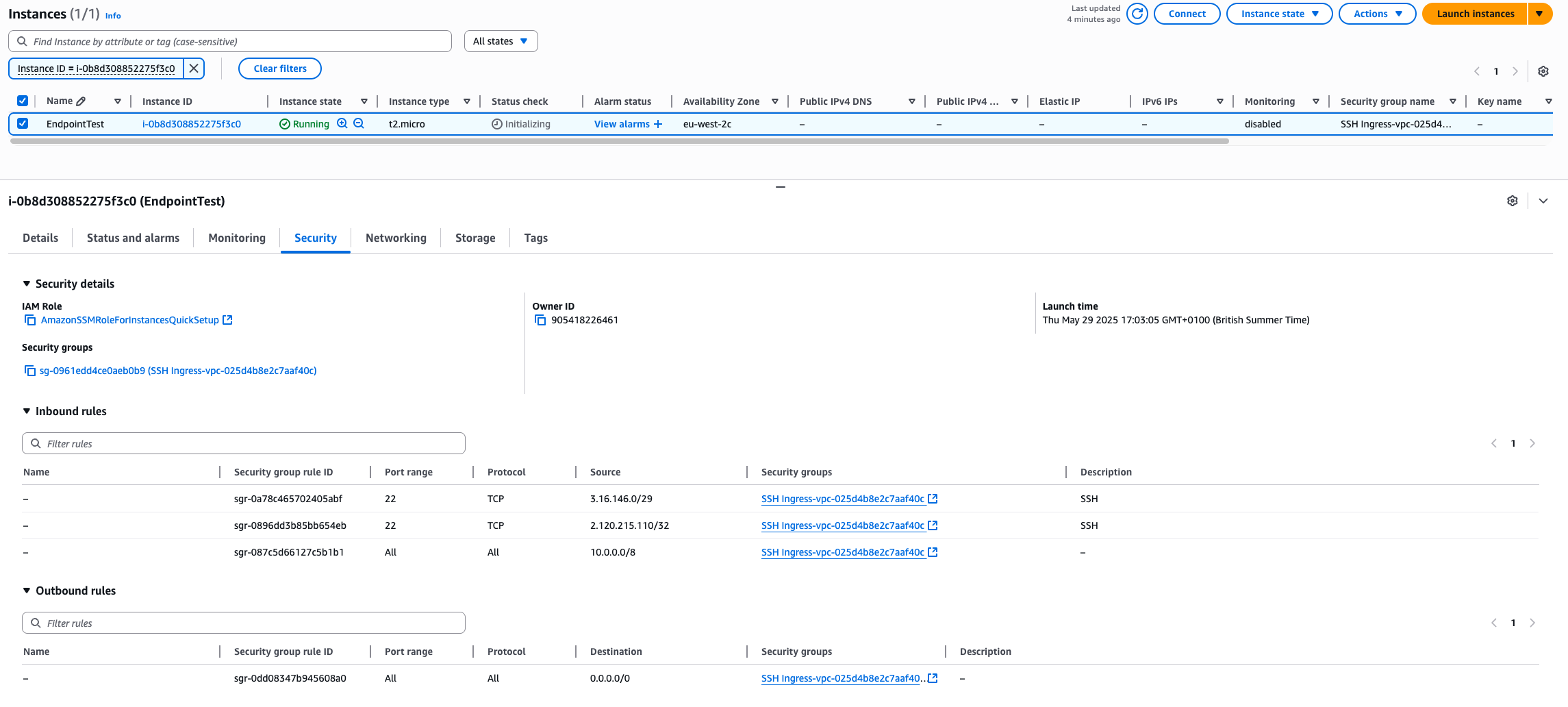
From the AWS CLI enter this command to test the endpoint. Just change the instance ID i-0b8d308852275f3c0
aws ec2-instance-connect ssh --instance-id i-0b8d308852275f3c0 --region eu-west-2