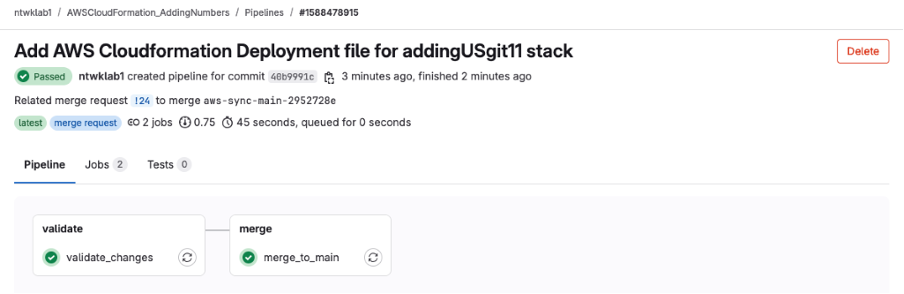
This is a continuation of the previous projects for Adding Numbers with API Gateway, Lambda and DynamoDB. That mini project was more about the AWS resources. This project is to set up CloudFormation to use GitLab sync and deploy the same CloudFormation Template, but using GitLab as the repo in a more managed and structured method than simply uploading a yaml file to the CloudFormation console interface.
This will walkthrough a step by step of how I got this to work with my own GitLab account and the AddingNumbers repo.
Create Connection to Git (Personal not AWS GitLab)
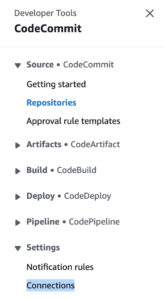
In the AWS console navigate to CodeCommit >>> Settings >>> Connections
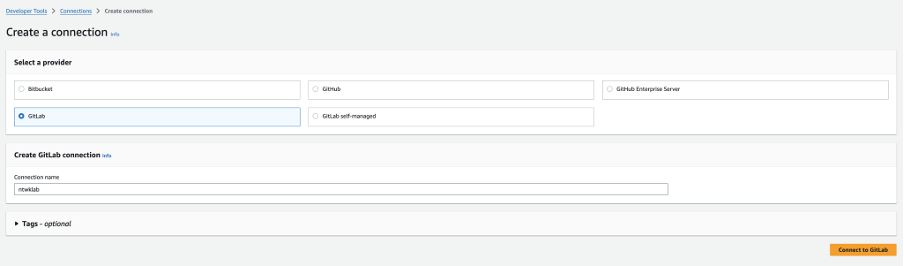
Create the new connection, name it and select your supported Git provider
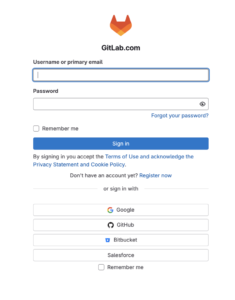
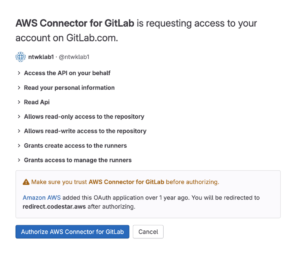
This then takes you to login, there is an app to authorise
Approve the app to connect GitLab to AWS
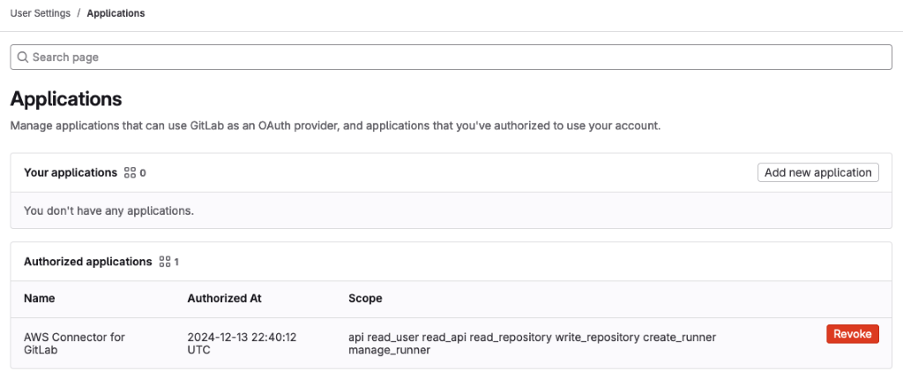
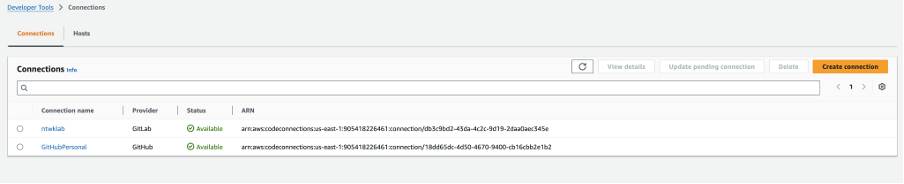
New Connection is present
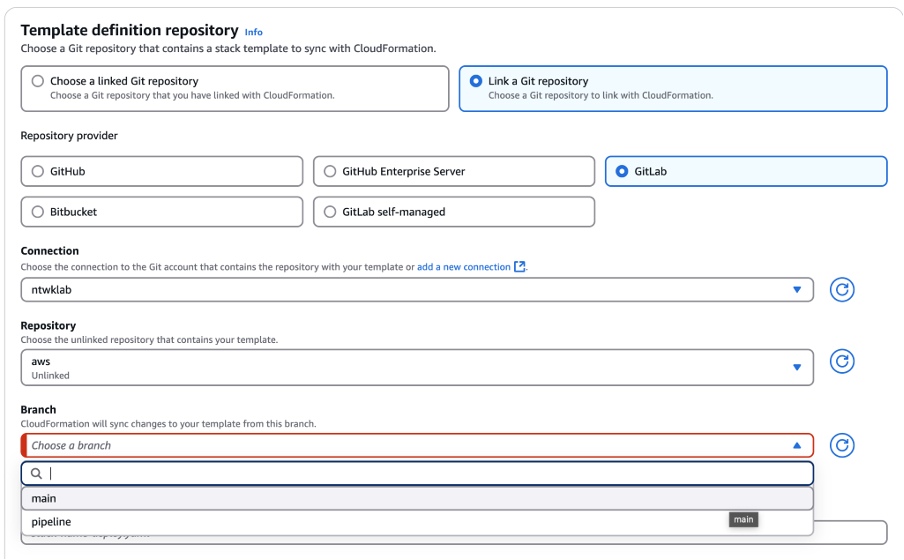
Link a Git Repo to CloudFormation
CloudFormation >>> Create Stack >>> Sync from Git
Link a Git Repo
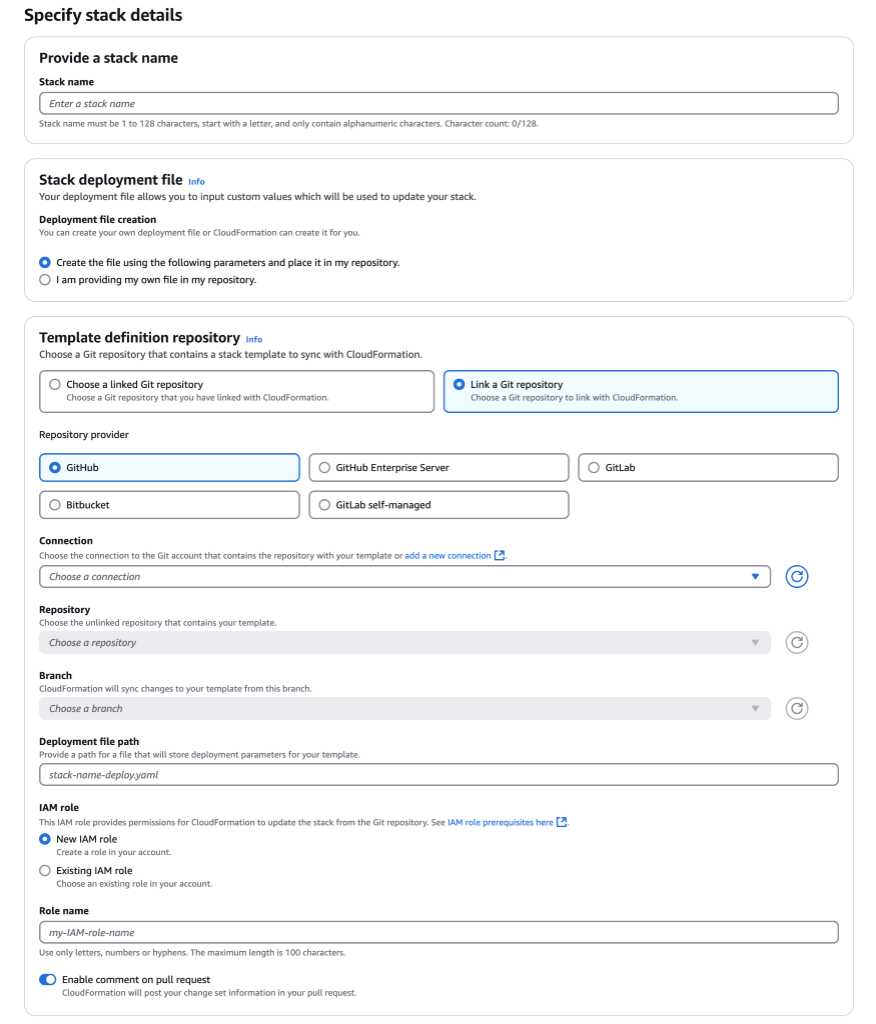
Choosing the Repo
Select the Git connection created in the previous step
Select the repo
Select the Branch
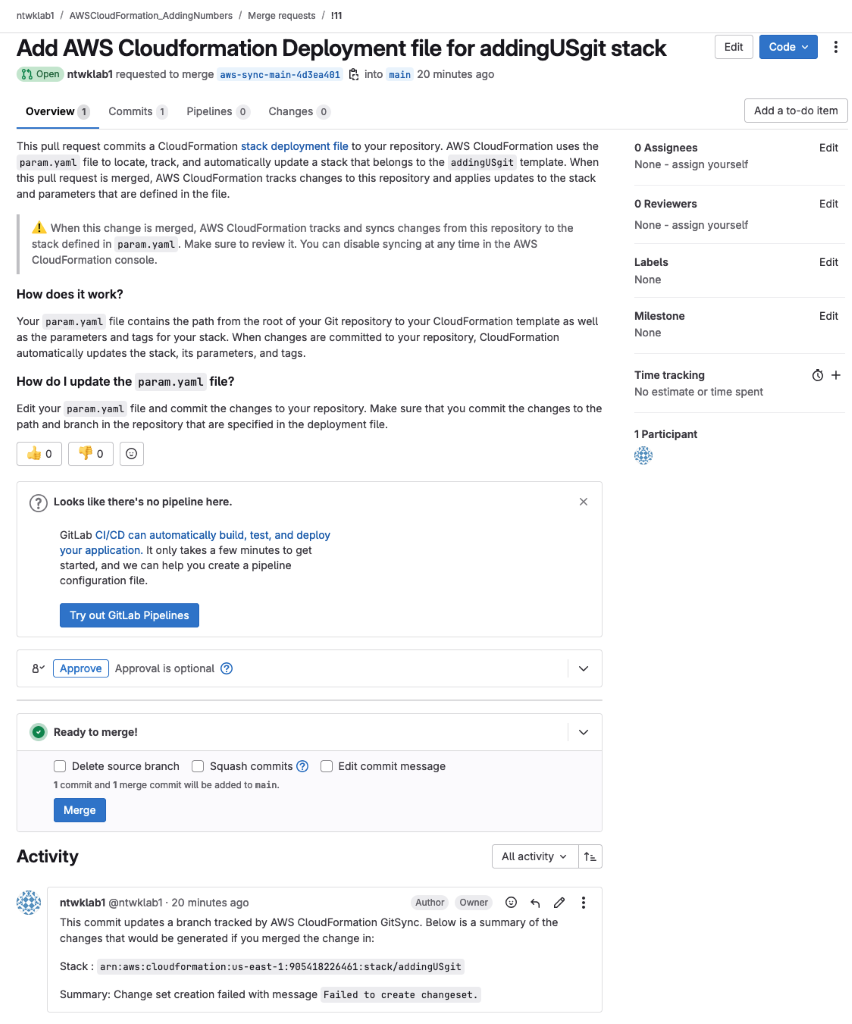
Deployment File Path
This is not the actual cfn template. It is a file to store the parameters. CloudFormation will actually create this file inside the Git repo. There will be a merge request for it


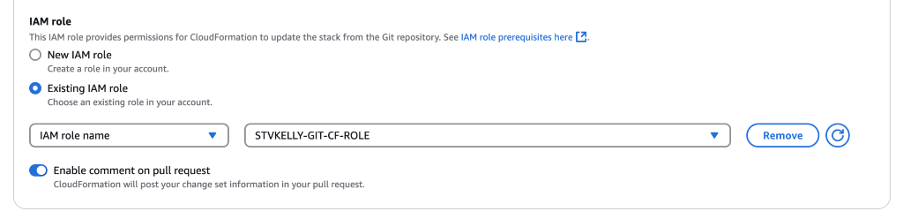
IAM Role
This IAM role is full of permissions for CloudFormation and to codeconnections
“AWS CodeConnections integrates with third party Git-based source providers such as GitHub, GitLab, and Bitbucket, and enables AWS services such as AWS CodePipeline, Amazon CodeWhisperer, and AWS CloudFormation to get notified on repository events, and download the source code to build, test and deploy code.“
https://aws.amazon.com/about-aws/whats-new/2024/03/aws-codeconnections-formerly-codestar-connections/
{
    "Version": "2012-10-17",
    "Statement": [{
        "Sid": "CloudFormationFullAccess",
        "Effect": "Allow",
        "Action": ["cloudformation:CreateStack", "cloudformation:DeleteStack", "cloudformation:CreateChangeSet", "cloudformation:DeleteChangeSet", "cloudformation:DescribeChangeSet", "cloudformation:DescribeStackEvents", "cloudformation:DescribeStacks", "cloudformation:ExecuteChangeSet", "cloudformation:GetTemplate", "cloudformation:ListChangeSets", "cloudformation:ListStacks", "cloudformation:ValidateTemplate", "cloudformation:UpdateStack"],
        "Resource": ""
    }, {
        "Sid": "PolicyForManagedRules",
        "Effect": "Allow",
        "Action": ["events:PutRule", "events:PutTargets"],
        "Resource": "",
        "Condition": {
            "StringEquals": {
                "events:ManagedBy": ["cloudformation.sync.codeconnections.amazonaws.com"]
            }
        }
    }, {
        "Sid": "PolicyForDescribingRule",
        "Effect": "Allow",
        "Action": "events:DescribeRule",
        "Resource": ""
    }, {
        "Sid": "IAMPassRole",
        "Effect": "Allow",
        "Action": "iam:PassRole",
        "Resource": ""
    }]
}
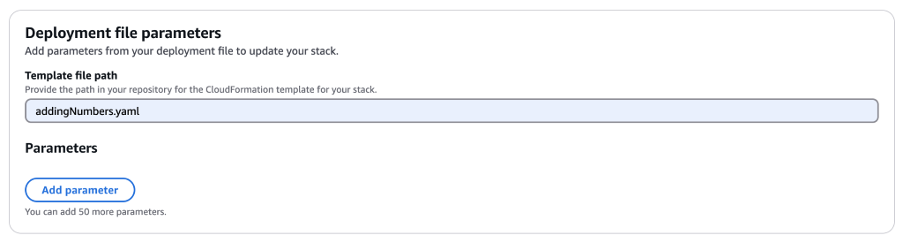
Deployment File Parameters
This is the cfn file that will create the template
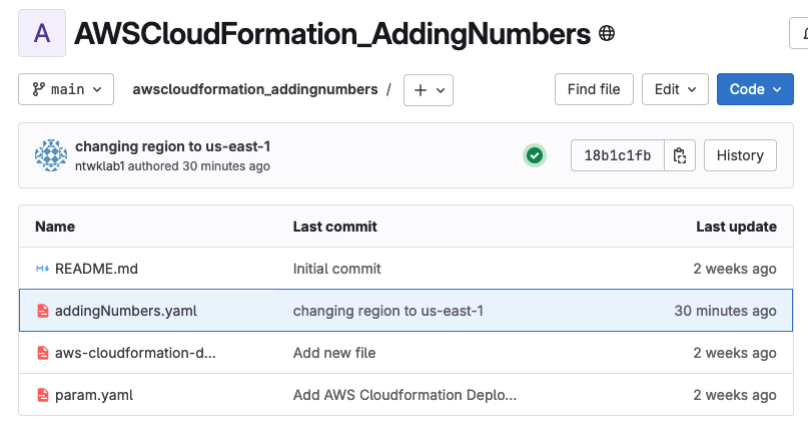
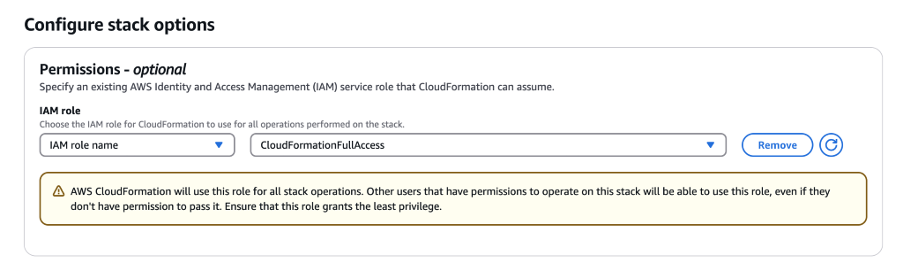
Configure Stack Options
Permissions Role (Optional), but doesn’t seem to work without in my experience.
I created a new role that gives CloudFormation full access to some basic resources that are enough for this example.
Cfn will assume this role when creating the resources
{
    "Version": "2012-10-17",
    "Statement": [{
        "Effect": "Allow",
        "Action": ["cloudformation:*", "s3:*", "ec2:*", "iam:PassRole", "iam:CreateRole", "iam:DeleteRole", "iam:PutRolePolicy", "iam:DeleteRolePolicy", "iam:GetRolePolicy", "iam:GetRole", "rds:*", "lambda:*", "apigateway:*", "dynamodb:*", "sns:*", "sqs:*"],
        "Resource": "*"
    }]
}
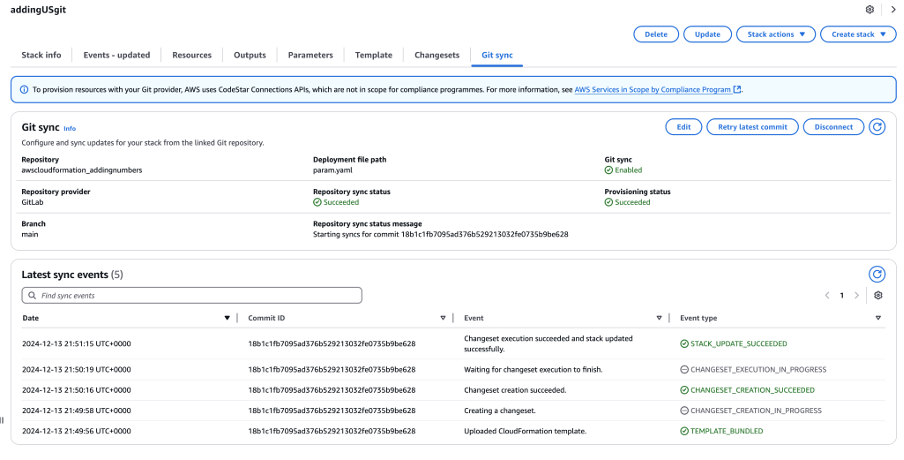
Stack Creation
It’s just like any other really if it works.
Connects to GitLab, creates a new merge request, pending manual interaction. GitLab pipeline changes to automate it all.
Troubleshooting
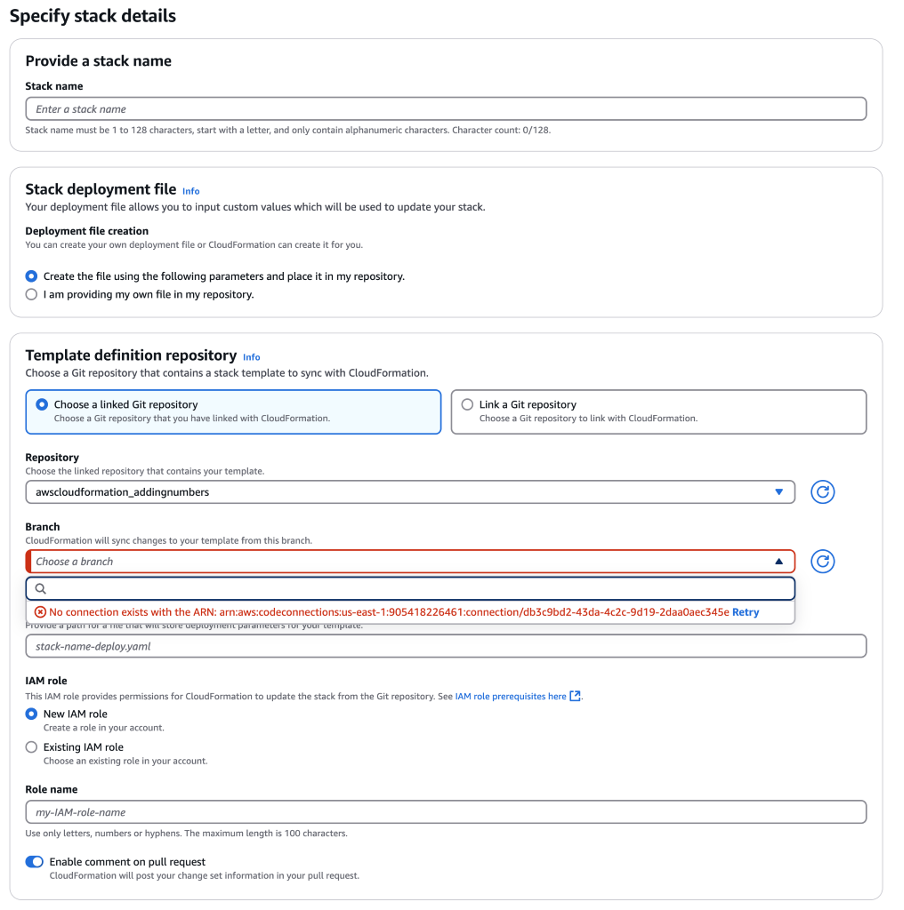
Delete Repo
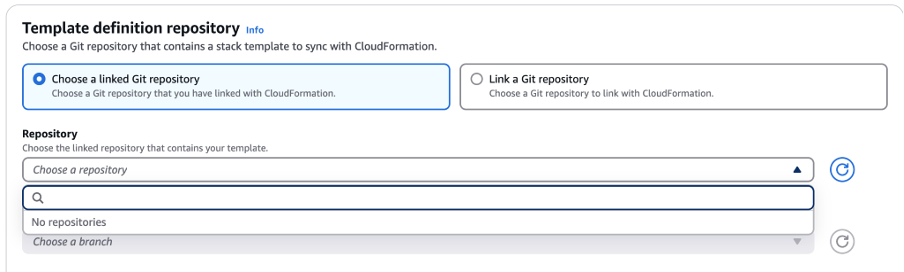
This happens when there is a linked repo and the Git connection is deleted. There are stale repo links. So if readding, you can’t.
Cannot be done from the GUI. CLI only and seems to only be on CloudShell
https://docs.aws.amazon.com/dtconsole/latest/userguide/repositorylinks-list.html
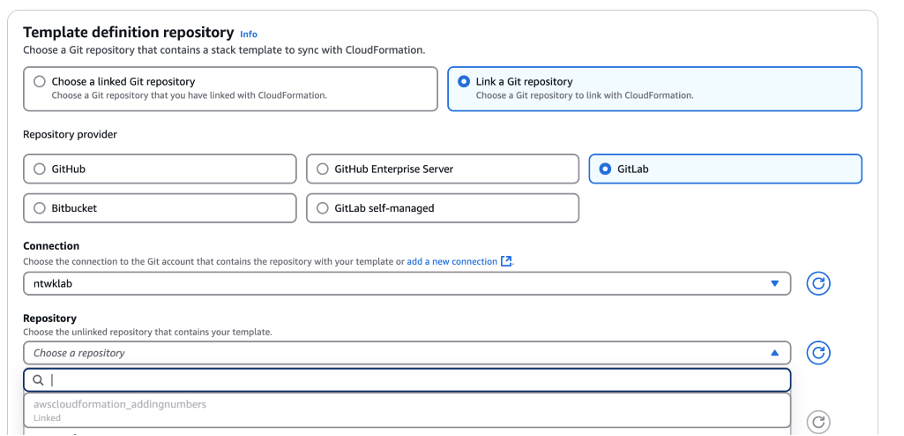
How to Fix
List repos and find the one that needs to be deleted if there are multiple
aws codeconnections list-repository-links aws codeconnections list - repository - links
{
"RepositoryLinks": [{
"ConnectionArn": "arn:aws:codeconnections:us-east-1:905418226461:connection/db3c9bd2-43da-4c2c-9d19-2daa0aec345e",
"OwnerId": "ntwklab1",
"ProviderType": "GitLab",
"RepositoryLinkArn": "arn:aws:codeconnections:us-east-1:905418226461:repository-link/457944ff-0e6d-49e9-a595-ccc158c142f0",
"RepositoryLinkId": "457944ff-0e6d-49e9-a595-ccc158c142f0",
"RepositoryName": "awscloudformation_addingnumbers"
}]
}Use the repo link ID
"RepositoryLinkId": "457944ff-0e6d-49e9-a595-ccc158c142f0", Nothing is returned for the delete action
aws codeconnections delete-repository-link --repository-link-id 457944ff-0e6d-49e9-a595-ccc158c142f0 Empty repo now
aws codeconnections list-repository-links

{
    "RepositoryLinks": []
} 
Delete Sync Configuration
I had a situation where I could no longer use CloudFormation due to a sync configuration needing to be deleted. I was also unable to delete the repo link as in the previous troubleshooting step.
https://docs.aws.amazon.com/dtconsole/latest/userguide/syncconfigurations-delete.html
$ aws codeconnections delete-repository-link --repository-link-id 02e46e94-28a6-47ee-b29e-af5dd3757c84

An error occurred (SyncConfigurationStillExistsException) when calling the DeleteRepositoryLink operation: Cfn stack sync configurations still exist for repository ntwklab1/awscloudformation_addingnumbers. Please delete them before retrying. (Service: CodeConnections; Status Code: 409; Error Code: ResourceStillExistsException; Request ID: fe227602-96f9-4279-913e-49156bdaf1c9; Proxy: null)
How to Fix
aws cloudformation list-stacks

aws codeconnections delete-sync-configuration --sync-type CFN_STACK_SYNC --resource-name adding
GitLab Auto Merge CloudFormation Branch
Create and Access Token
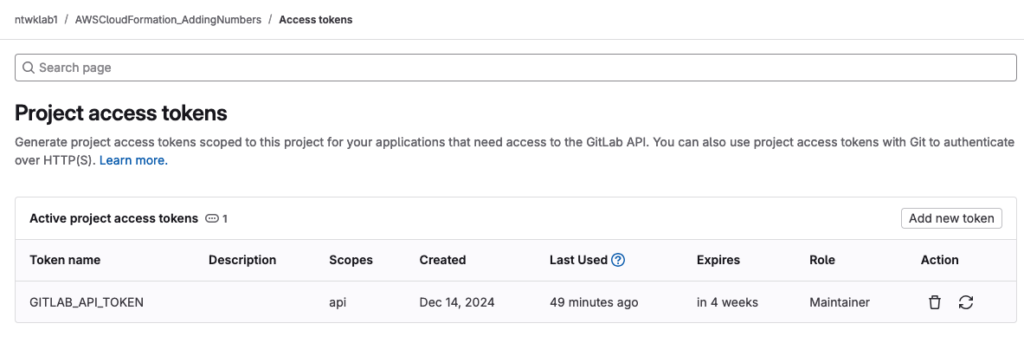
Create a variable
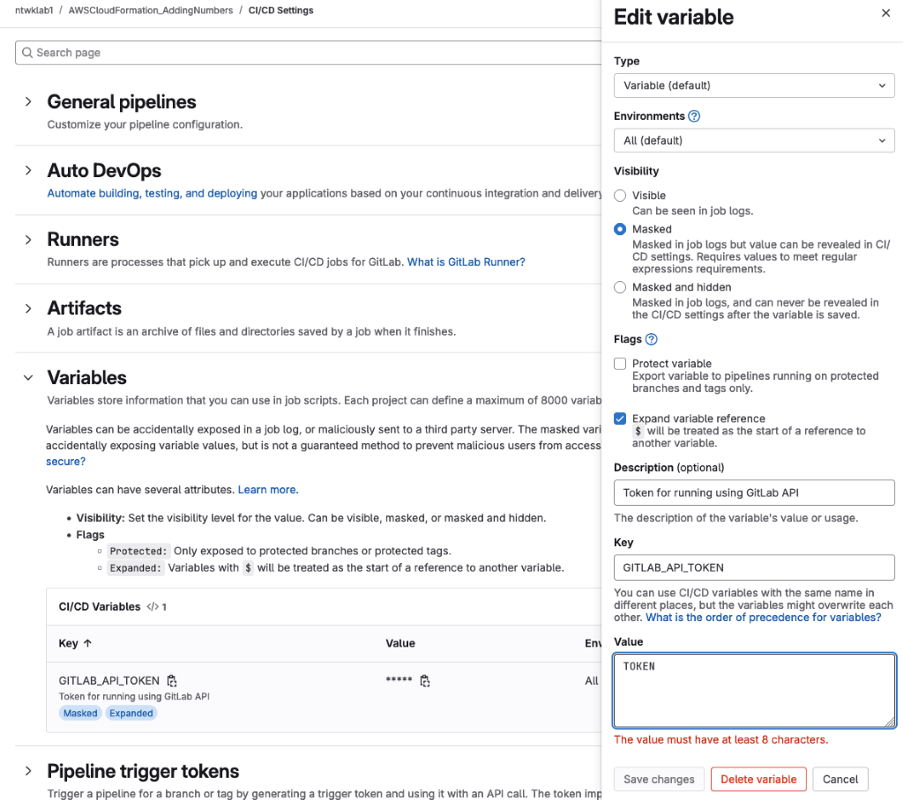
Create a .gitlab-ci.yml file
stages:
  - validate
  - merge

validate_changes:
  stage: validate
  script:
    - echo "Validating changes..."
    # Add any validation steps here, such as linting or testing
  rules:
    - if: $CI_MERGE_REQUEST_SOURCE_BRANCH_NAME =~ /^aws-sync-/
      when: always

merge_to_main:
  stage: merge
  image: alpine:latest
  before_script:
    - apk add --no-cache curl jq
  script:
    - |
      echo "Debugging environment variables:"
      echo "CI_MERGE_REQUEST_SOURCE_BRANCH_NAME: $CI_MERGE_REQUEST_SOURCE_BRANCH_NAME"
      echo "CI_COMMIT_REF_NAME: $CI_COMMIT_REF_NAME"
      echo "CI_PROJECT_ID: $CI_PROJECT_ID"
      echo "CI_API_V4_URL: $CI_API_V4_URL"
      echo "GITLAB_API_TOKEN is set: $([[ -n $GITLAB_API_TOKEN ]] && echo 'Yes' || echo 'No')"
      echo "GITLAB_API_TOKEN length: ${#GITLAB_API_TOKEN}"

    - |
      if [ "$CI_MERGE_REQUEST_SOURCE_BRANCH_NAME" != "" ] && [[ "$CI_MERGE_REQUEST_SOURCE_BRANCH_NAME" =~ ^aws-sync- ]]; then
        echo "Attempting to merge the AWS-generated changes..."

        # Check if MR already exists
        existing_mr=$(curl -s --header "PRIVATE-TOKEN: $GITLAB_API_TOKEN" \
          "$CI_API_V4_URL/projects/$CI_PROJECT_ID/merge_requests?state=opened&source_branch=$CI_COMMIT_REF_NAME" | jq '.[0].iid')

        if [ "$existing_mr" != "null" ]; then
          echo "Existing merge request found: !$existing_mr"
          MR_ID=$existing_mr
        else
          # Create new MR if it doesn't exist
          response=$(curl -s --request POST --header "PRIVATE-TOKEN: $GITLAB_API_TOKEN" \
            --data "source_branch=$CI_COMMIT_REF_NAME&target_branch=main&title=Merge AWS sync changes&remove_source_branch=true" \
            "$CI_API_V4_URL/projects/$CI_PROJECT_ID/merge_requests")
          echo "Create MR Response: $response"

          MR_ID=$(echo "$response" | jq -r '.iid')
          if [ "$MR_ID" == "null" ]; then
            echo "Failed to create merge request. Response:"
            echo "$response" | jq '.'
            exit 1
          fi
          echo "Created Merge Request ID: $MR_ID"
        fi

        # Attempt to merge
        merge_response=$(curl -s --request PUT --header "PRIVATE-TOKEN: $GITLAB_API_TOKEN" \
          --data "should_remove_source_branch=true" \
          "$CI_API_V4_URL/projects/$CI_PROJECT_ID/merge_requests/$MR_ID/merge")
        echo "Merge Response: $merge_response"

        if echo "$merge_response" | jq -e '.state == "merged"' > /dev/null; then
          echo "Merge request successfully merged"

          # Explicitly delete the branch
          delete_response=$(curl -s --request DELETE --header "PRIVATE-TOKEN: $GITLAB_API_TOKEN" \
            "$CI_API_V4_URL/projects/$CI_PROJECT_ID/repository/branches/$CI_COMMIT_REF_NAME")
          echo "Branch deletion response: $delete_response"

          if echo "$delete_response" | jq -e '.message' > /dev/null; then
            echo "Branch successfully deleted"
          else
            echo "Failed to delete branch. Response:"
            echo "$delete_response" | jq '.'
          fi
        else
          echo "Failed to merge. Full response:"
          echo "$merge_response" | jq '.'
          exit 1
        fi
      else
        echo "Not an AWS-generated merge request. Skipping auto-merge."
      fi

  rules:
    - if: $CI_MERGE_REQUEST_SOURCE_BRANCH_NAME =~ /^aws-sync-/
      when: always