This current version will use the Go web application to create a Cisco ASA firewall rule on the OUTSIDE interface to permit traffic to my DMZ server on port 8000. The firewall rule on the ASA will be created without any Cisco ASA CLI commands used. Currently, it is a manual process to have any Terraform commands run. Future versions will put this in a GitLab CI/CD pipeline to make it more seamless and accountable to the changes that have been made.
In version 0.03, I have made changes by adding the banner error for duplicate firewall rule to alert on button press and not to need to refresh the page. This keeps the user’s form input preset.
Other changes I have made are due to the testing with Terraform in the Cisco ASA lab. They are mostly around getting the format correct for Terraform.
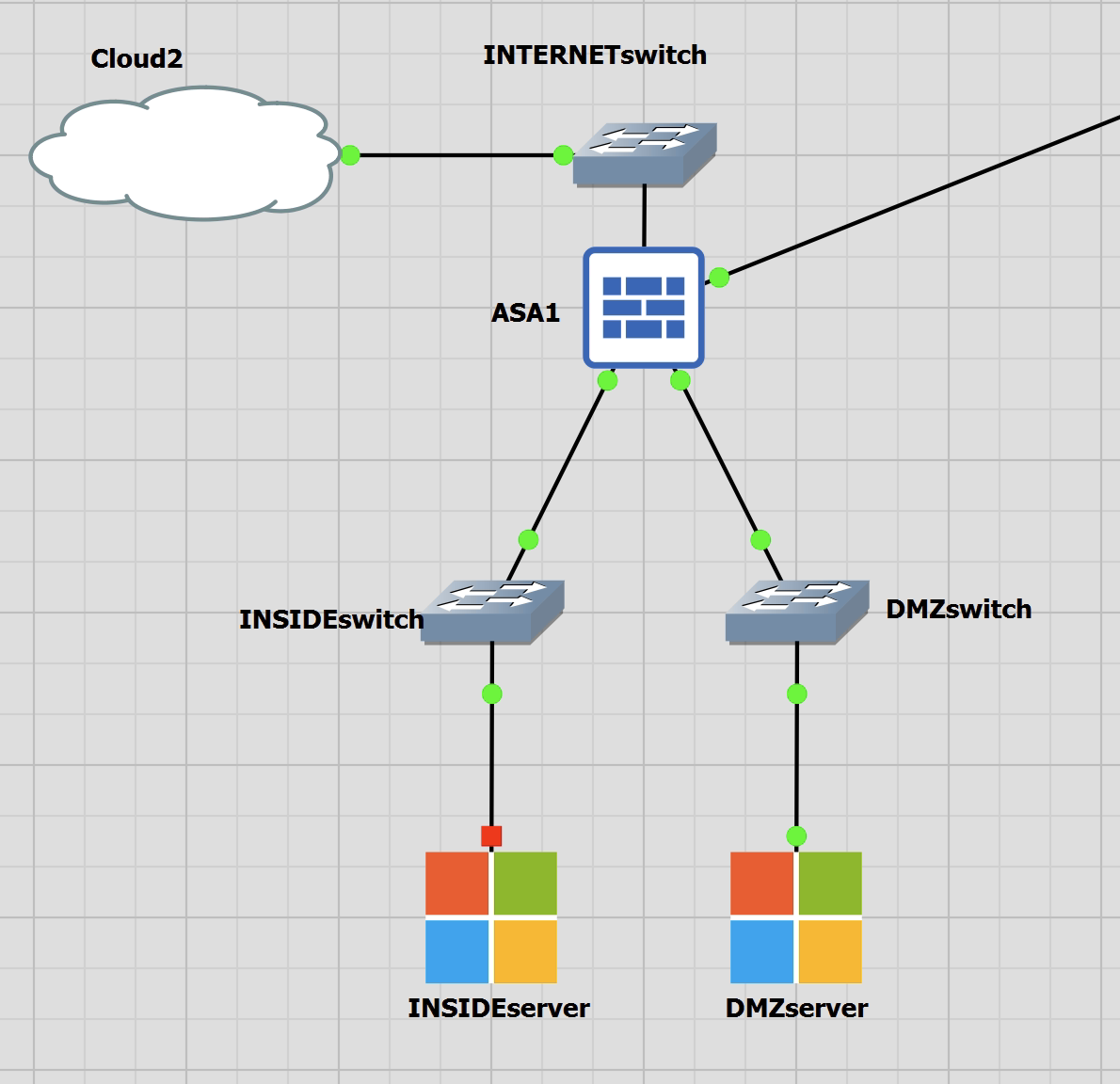
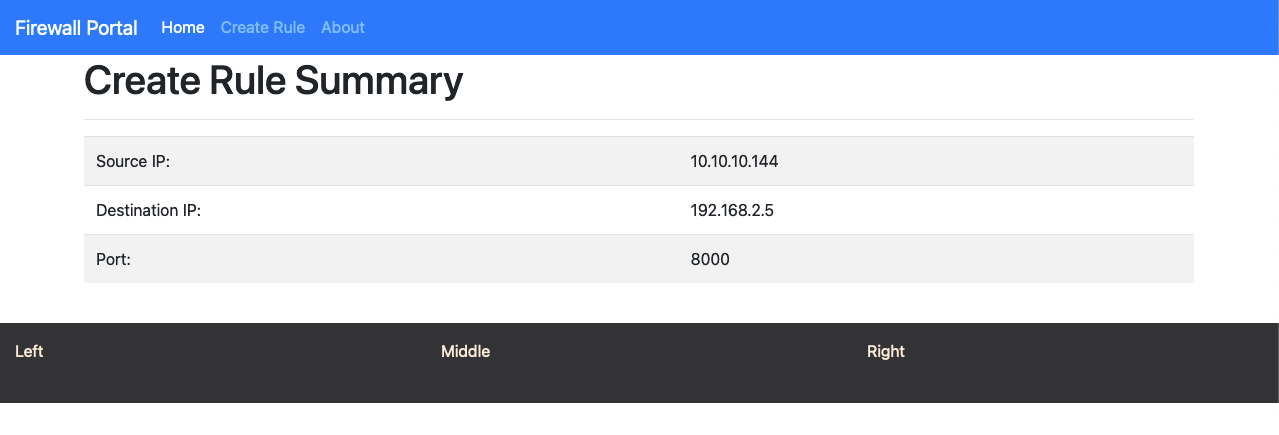
I am using the GitLab project for the ASA. This is a base setup for my lab in GNS3. The test I will demonstrate will be to connect to a mini web server running on the DMZ server 192.168.2.5. There is a NAT in place for lab purposes but as the ASA performs NAT before ACL the rule will read source: 10.10.10.144, destination: 192.168.2.5 and port: 8000.
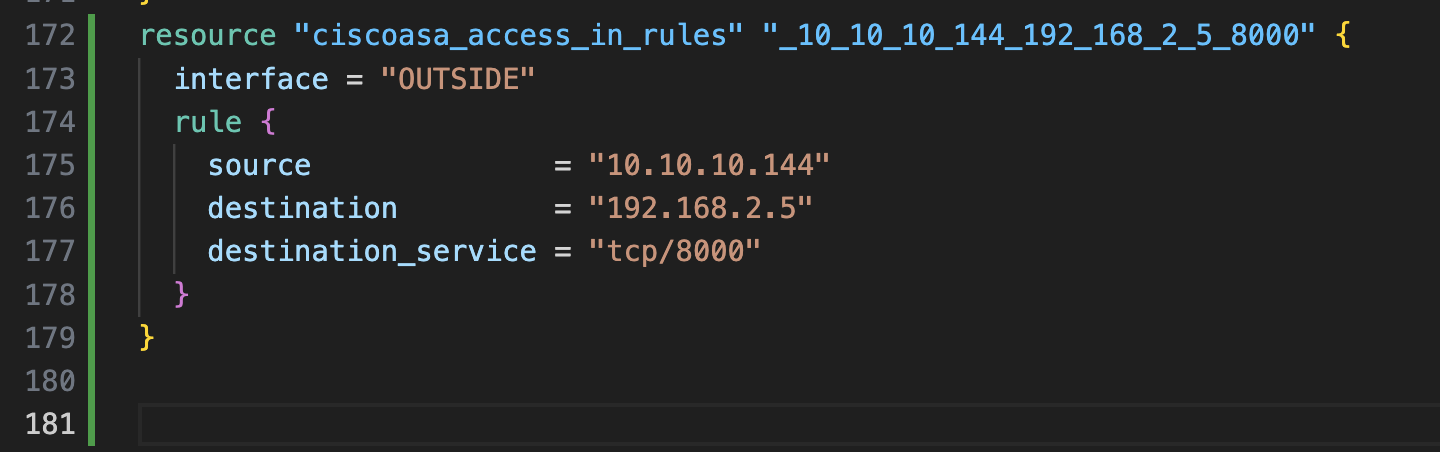
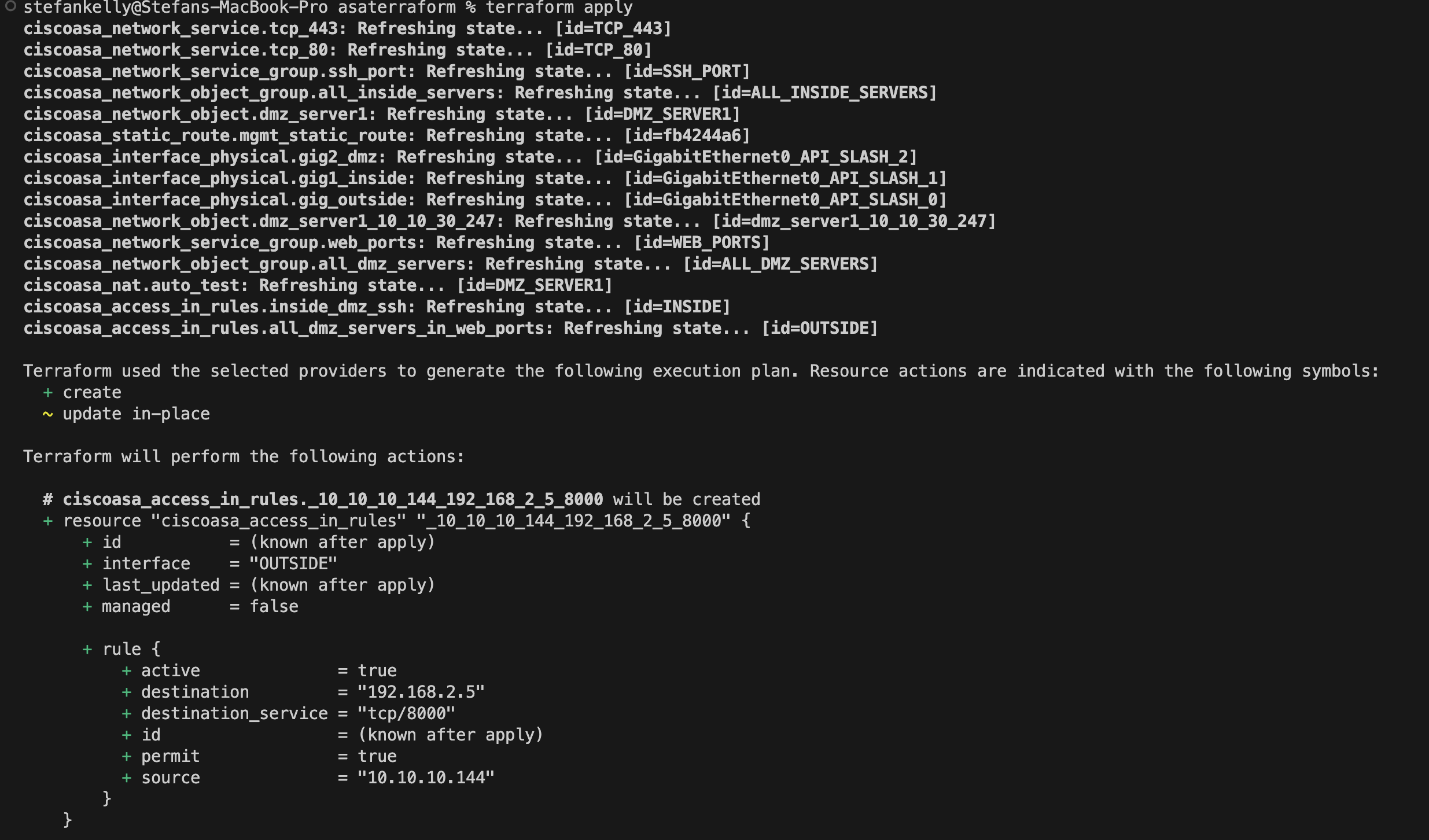
The current Go application will save the Terraform output to the ASA Terraform project main.tf file. This will then need to be applied manually by running terraform apply.
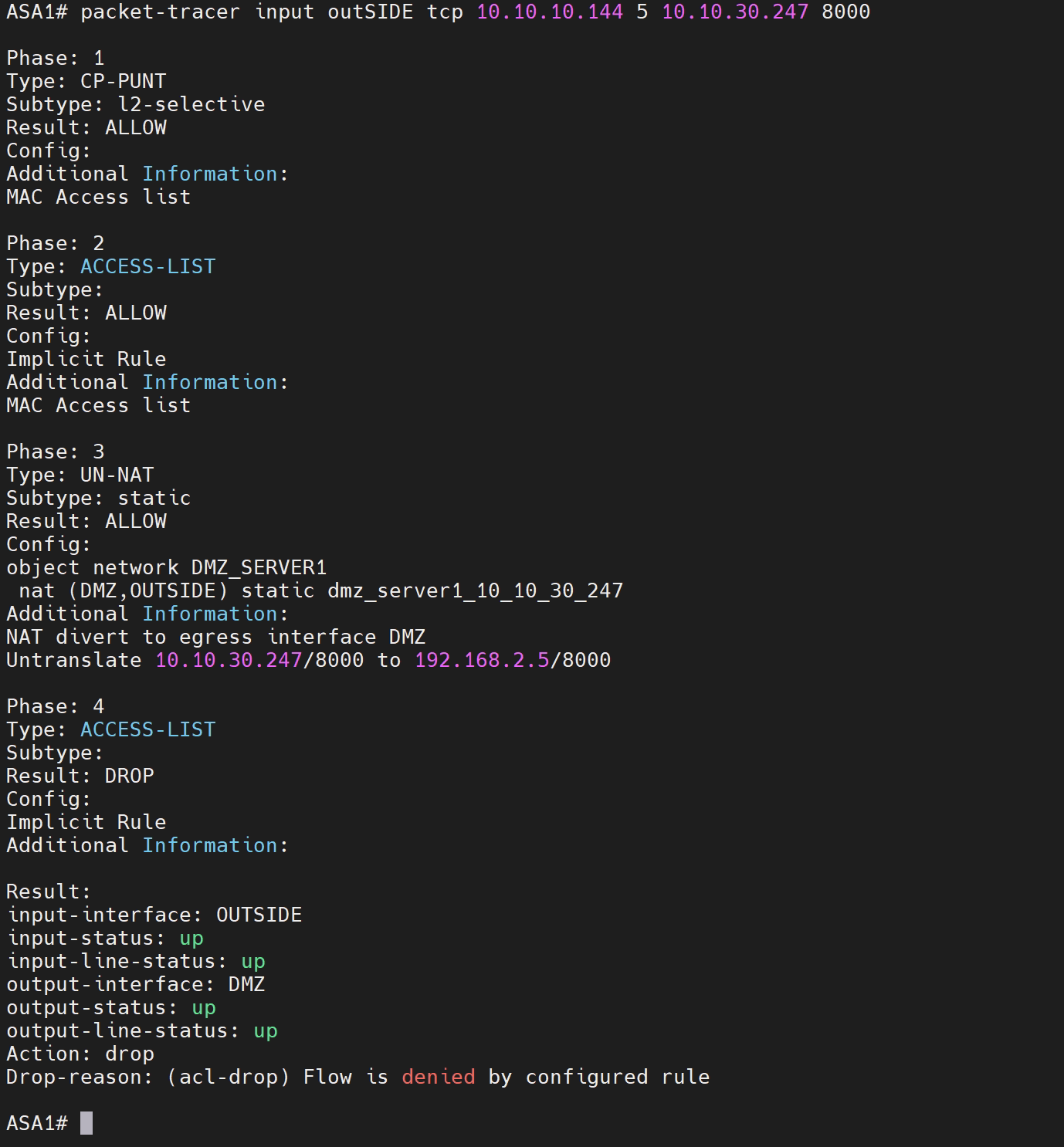
Check if traffic is permitted to pass
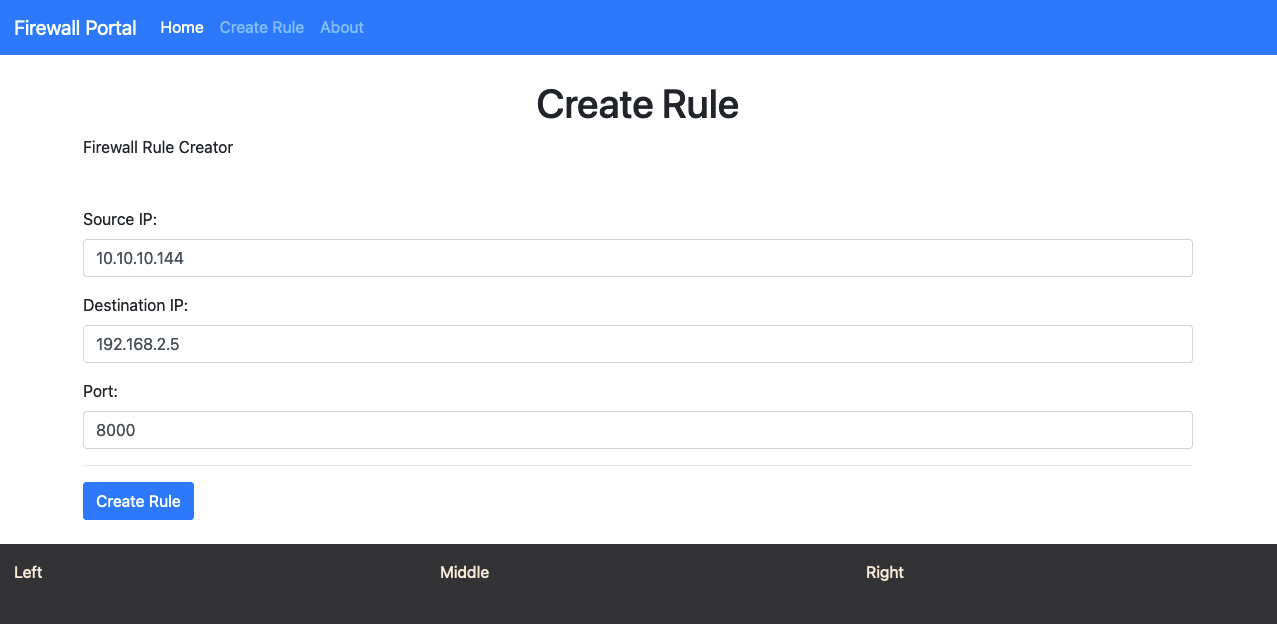
Source: 10.10.10.144
Destination: 192.168.2.5
Port: 8000
Create the Rule on the Go application
Check the Terraform file in the asaterraform repo for the new configuration.
Run terraform apply to have the new rule added.
Rerun the ASA packet-tracer command to ensure that the traffic is permitted.
ASA1# packet-tracer input outSIDE tcp 10.10.10.144 5 10.10.30.247 8000

Phase: 1
Type: CP-PUNT
Subtype: l2-selective
Result: ALLOW
Config:
Additional Information:
MAC Access list

Phase: 2
Type: ACCESS-LIST
Subtype:
Result: ALLOW
Config:
Implicit Rule
Additional Information:
MAC Access list

Phase: 3
Type: UN-NAT
Subtype: static
Result: ALLOW
Config:
object network DMZ_SERVER1
 nat (DMZ,OUTSIDE) static dmz_server1_10_10_30_247
Additional Information:
NAT divert to egress interface DMZ
Untranslate 10.10.30.247/8000 to 192.168.2.5/8000

Phase: 4
Type: ACCESS-LIST
Subtype: log
Result: ALLOW
Config:
access-group OUTSIDE_access_in in interface OUTSIDE
access-list OUTSIDE_access_in extended permit tcp host 10.10.10.144 host 192.168.2.5 eq 8000
Additional Information:

Phase: 5
Type: NAT
Subtype: per-session
Result: ALLOW
Config:
Additional Information:

Phase: 6
Type: IP-OPTIONS
Subtype:
Result: ALLOW
Config:
Additional Information:

Phase: 7
Type: QOS
Subtype:
Result: ALLOW
Config:
Additional Information:

Phase: 8
Type: NAT
Subtype: rpf-check
Result: ALLOW
Config:
object network DMZ_SERVER1
 nat (DMZ,OUTSIDE) static dmz_server1_10_10_30_247
Additional Information:

Phase: 9
Type: QOS
Subtype:
Result: ALLOW
Config:
Additional Information:

Phase: 10
Type: NAT
Subtype: per-session
Result: ALLOW
Config:
Additional Information:

Phase: 11
Type: IP-OPTIONS
Subtype:
Result: ALLOW
Config:
Additional Information:

Phase: 12
Type: FLOW-CREATION
Subtype:
Result: ALLOW
Config:
Additional Information:
New flow created with id 492, packet dispatched to next module

Phase: 13
Type: ROUTE-LOOKUP
Subtype: Resolve Egress Interface
Result: ALLOW
Config:
Additional Information:
found next-hop 192.168.2.5 using egress ifc  DMZ

Phase: 14
Type: ADJACENCY-LOOKUP
Subtype: next-hop and adjacency
Result: ALLOW
Config:
Additional Information:
adjacency Active
next-hop mac address 0c02.3067.1f00 hits 18 reference 12

Result:
input-interface: OUTSIDE
input-status: up
input-line-status: up
output-interface: DMZ
output-status: up
output-line-status: up
Action: allow
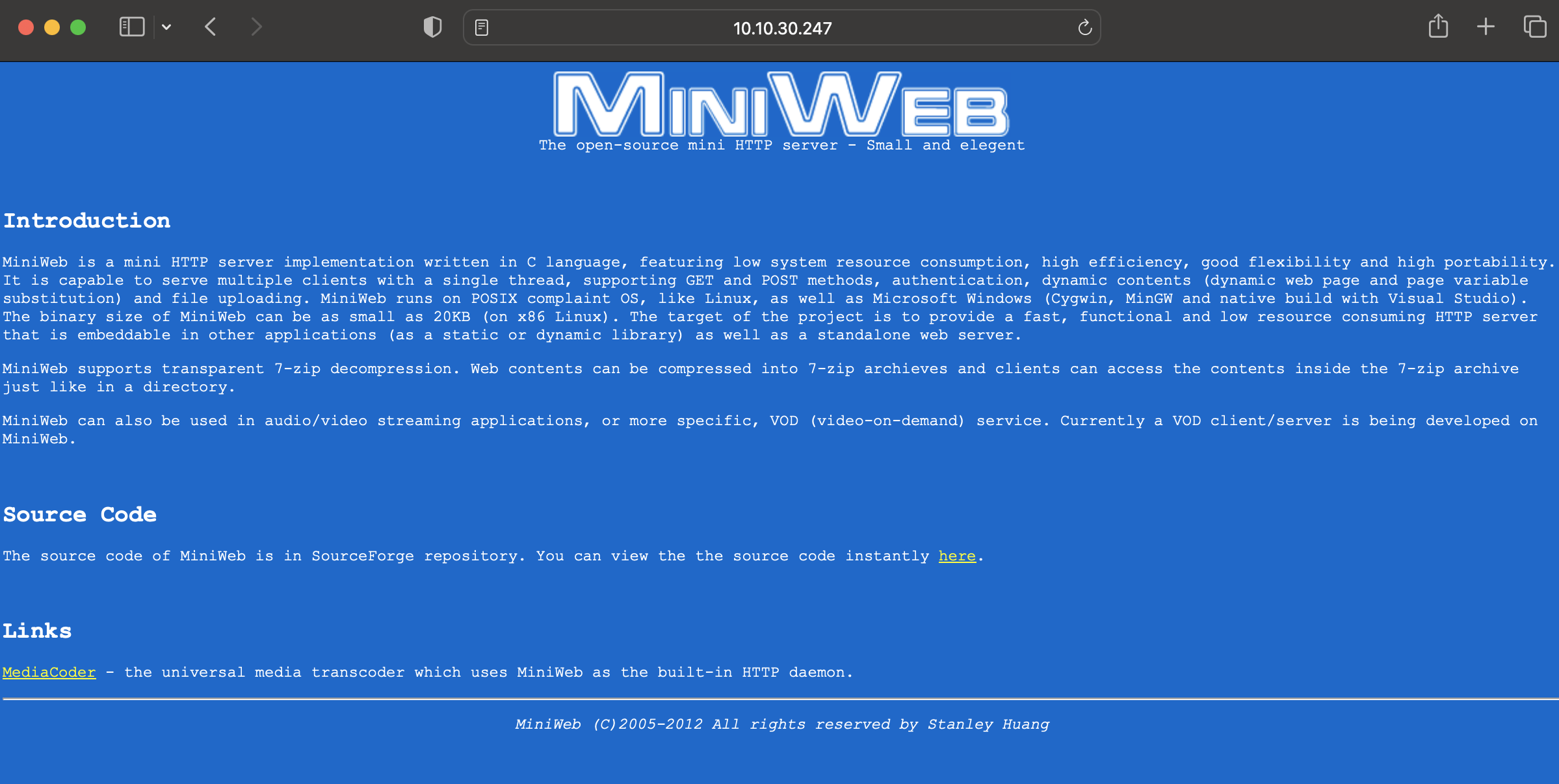
Test the web server from the source 10.10.10.144, I now have access without making any Cisco ASA CLI changes.