Overview
This project is a method of checking all devices for secrity compliance. I will use Ansible to check a defined set of commands that all devices should have configured for basic security. If they are missing these commands then they will be added.
Ansible is a great tool for pushing standardised configuration easily to multiple devices. This project will focus on performing a security audit of the network and if a setting is missing that will be added automatically.
A handy feature of Ansible is that it will not apply configuration to a device if that configuration command is already present. This is handy for things like loopback interfaces that are part of BGP. If the config of the loopback interface was reapplied to a router there could be a flap in BGP.
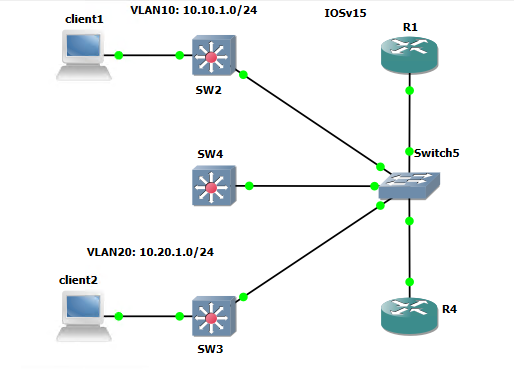
This project will be reusing the lab from the IP/MAC Finder Ansinle project.
All the plabooks and complete Ansible project can be found in my Github. The inventory is shared across all Cisco projects with Ansible.

Playbook Plays
The playbook contains nine plays, there are multiple tasks some have debug output or return running config. The final Security Audit playbook can be found in my GitHub and the details of its running I have talked about in this post.
1. SNMP
2. Logging Host
3. VTY Lines
4. Secret Password
5. Domain Name
6. NTP Servers
7. DNS Servers
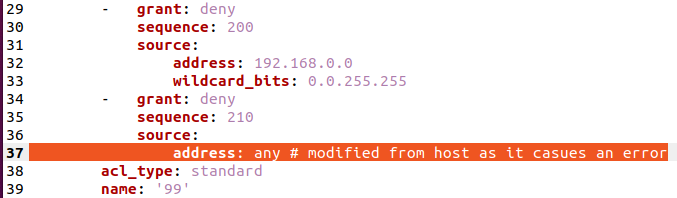
8. VTY ACL
9. VTY ACL Applied to VTY Lines
Audit Approved Configuration
The configuration changes that will be part of the security audit are;
- SNMP community string
- Logging host
- Enable secret password
- Domain name
- NTP server
- DNS server
- VTY ACL 99
- VTY lines 0 4
snmp-server community COM_STRING RO
logging host 130.130.130.101
enable secret 5 $1$1kIy$42yUvkQHylbvbNnDv.rjZ/ !(cisco)
ip domain name scrap.lab
ntp server 1.1.1.1
ntp server 2.2.2.2
ip name-server 3.3.3.3
ip name-server 4.4.4.4
ip access-list standard 99
10 permit host 10.1.1.1
20 permit 172.18.0.12 0.0.0.0
30 permit 10.0.0.0 0.255.255.255
40 permit 172.16.1.0 0.0.0.255
200 deny 192.168.0.0 0.0.255.255
210 deny any
line vty 0 4
privilege level 15
password Stefan2020
transport input ssh
access-class 99 in