
In my previous ACI automation post, I used Terraform and the credentials were in plain text inside the main.tf file.
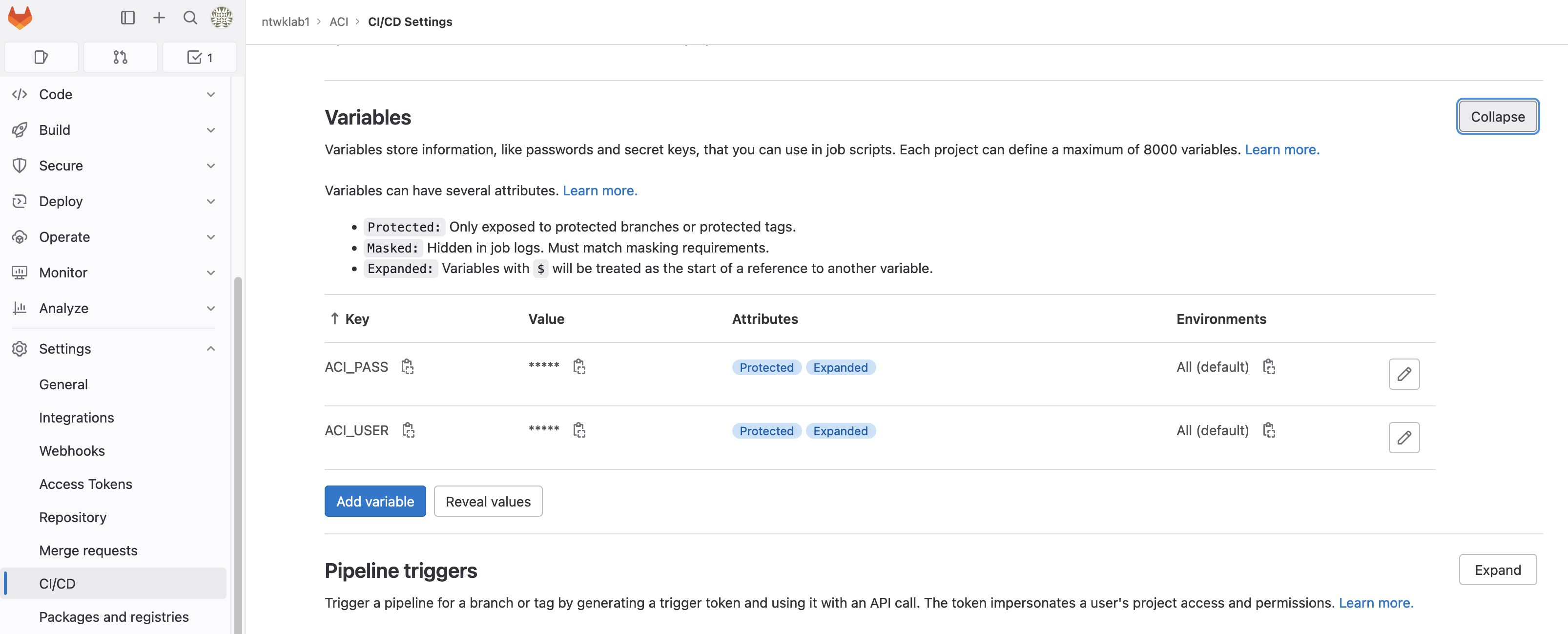
I have updated this, so the credentials are stored in GitLab environment variables, which is a much more secure method. The process of the credentials from GitLab to Terraform are as follows;
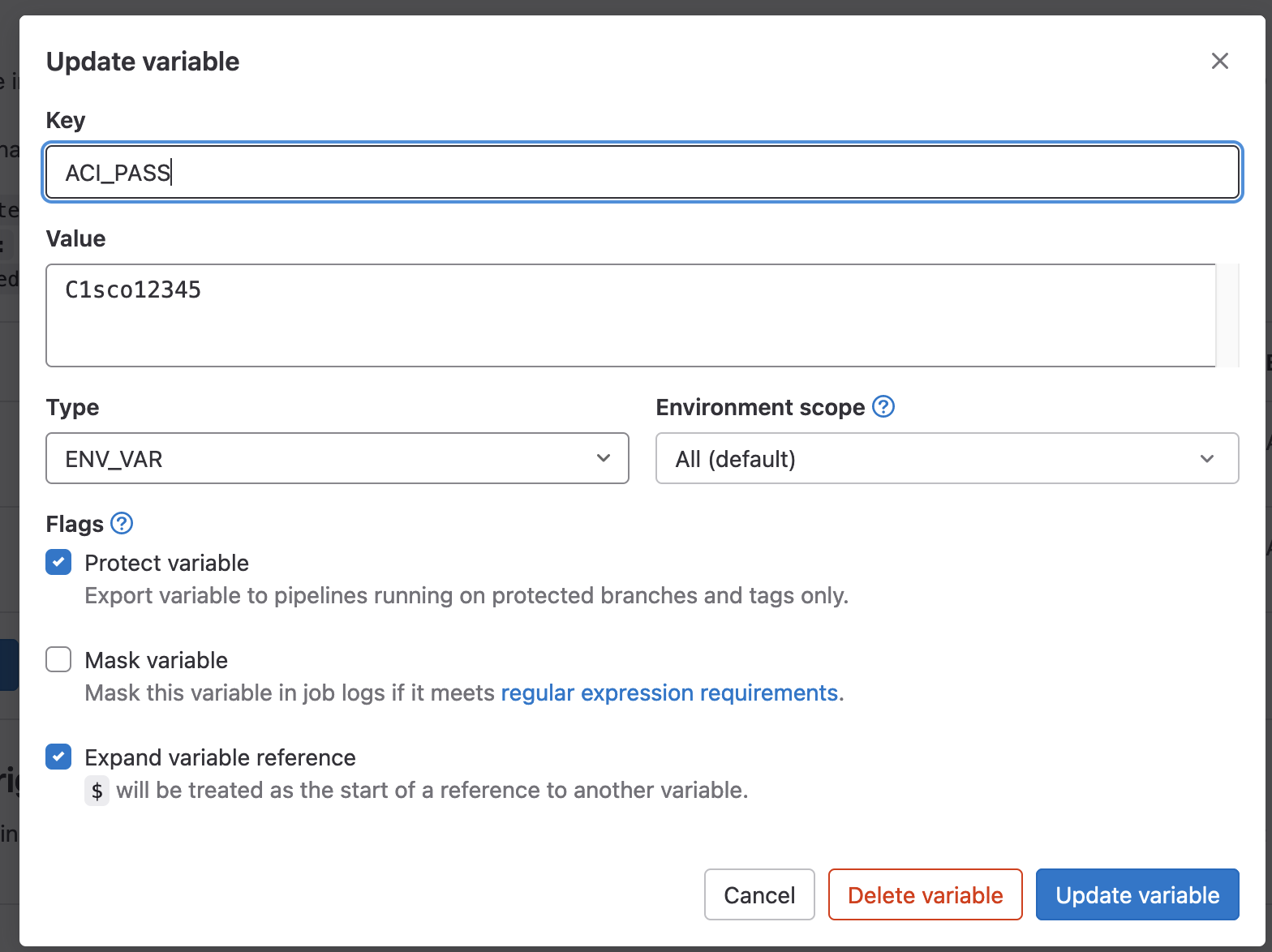
Create Environment Variables
The environment variables are key/value pairs located under: <Project> >> Settings >> CI/CD >> Variables
Import Variables to GitLab CI File
The .gitlab-ci.yml file will have the variables imported. It will then pass them to each stage by default.
Each variable must be prefixed with TF_VAR_. When passed to Terraform, it will ignore this and just keep the value name.
variables:
  TF_VAR_ACI_PASS: $ACI_PASS
  TF_VAR_ACI_USER: $ACI_USER
# To contribute improvements to CI/CD templates, please follow the Development guide at:
# https://docs.gitlab.com/ee/development/cicd/templates.html
# This specific template is located at:
# https://gitlab.com/gitlab-org/gitlab/-/blob/master/lib/gitlab/ci/templates/Terraform.gitlab-ci.yml
include:
- template: Terraform/Base.gitlab-ci.yml # https://gitlab.com/gitlab-org/gitlab/blob/master/lib/gitlab/ci/templates/Terraform/Base.gitlab-ci.yml
- template: Jobs/SAST-IaC.gitlab-ci.yml # https://gitlab.com/gitlab-org/gitlab/blob/master/lib/gitlab/ci/templates/Jobs/SAST-IaC.gitlab-ci.yml
variables:
TF_VAR_ACI_PASS: $ACI_PASS
TF_VAR_ACI_USER: $ACI_USER
stages:
- validate
- test
- build
- deploy
- cleanup
fmt:
extends: .terraform:fmt
needs: []Stages can ignore the variables provided by using a blank variables key. Documentation reference.
variables:
  GLOBAL_VAR: "A global variable"

job1:
  variables: {}
  script:
    - echo This job does not need any variables
Import Variables in Terraform
To import the variables into Terraform, the prefixed TF_VAR_ must be removed and a variable must be declared in terraform.
terraform {
  required_providers {
    aci = {
      source = "ciscodevnet/aci"
    }
  }
}

variable "ACI_USER" {
  type = string
}
variable "ACI_PASS" {
  type = string
}

#configure provider with your cisco aci credentials.
provider "aci" {
  # cisco-aci user name
  username = var.ACI_USER
  # cisco-aci password
  password = var.ACI_PASS
  # cisco-aci url
  url      = "https://10.10.20.14"
  insecure = true
}